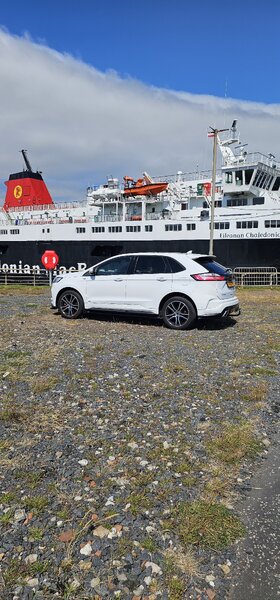
cdestuck Posted October 9, 2025 Report Share Posted October 9, 2025 We have a 2020 titanium edge. I have never looked into any updates or subscriptions if needed for the GPS. So the other day I just happened to think I would try the GPS to go to one location that had been listed in the gps. So when I expected the map to show and directions to follow, the map did not come up. But I noticed a circle with the letters GPS in the middle in a line going through it as if to mean no GPS. Did Ford require you to make an annual Subscriptions or updates for their GPS to work or what might be going on here. Thanks for any input. 1 Quote Link to comment Share on other sites More sharing options...
Wubster100 Posted October 10, 2025 Report Share Posted October 10, 2025 Is there any connectivity status in bezel diagnostics? 1 Quote Link to comment Share on other sites More sharing options...
1004ron Posted October 10, 2025 Report Share Posted October 10, 2025 I paid for a map update from Ford and it trashed the routing making it unusable for me, but this no longer bothers me as I wouldn't switch from Waze and would never pay Ford for a map update again. Also, the traffic from Sirius expired after 5 years making the Ford navigation even more useless. I also did a Sync and map update using CyanLabs - Free, but the map routing was still unreliable. CyanLabs - Ford Guides, Syn3 Updater and much more! 1 Quote Link to comment Share on other sites More sharing options...
cdestuck Posted October 10, 2025 Author Report Share Posted October 10, 2025 18 hours ago, Wubster100 said: Is there any connectivity status in bezel diagnostics? I’m not even sure what you’re referring to. Sorry 1 1 Quote Link to comment Share on other sites More sharing options...
enigma-2 Posted June 9 Report Share Posted June 9 I know this is old, but just seen it. The circle with the letters GPS and a line through it means SYNC has lost communication with the GPS satellites. Several possibilities include: 1. The car is in a area blocking the signal (garage, tunnel, dense tree canopies, etc. (Try again making certain your car has a clear view of the sky.) 2. There was a electronic crash or a corrupted software update. (Try a soft reset. Press and hold the Audio Power button and the Seek Right / Fast Forward button (→) at the exact same time. Hold down for 10 seconds until the screen goes completely black. Release the buttons and the system will reboot. It will show the Ford logo and reestablish a satellite handshake.) 3. The privacy settings in your car's menu may have accidentally toggled the GPS location permissions to "Off". (Try a software refresh. On your screen tap "Settings". Tap "FordPass Connect" and then "Connectivity Settings" {or just Connectivity if your SYNC doesn't have FordPass.} Locate the "Location" slider and turn it Of. Wait ait 10 seconds then turn it back On.) If after you follow the above fixes and the crossed-out GPS icon, it means there is probably a hardware issue. Couple of possibilities inclue: 1. The GPS antenna failed (or the blue coaxial wire has come loose under the dashboard.) 2. Or the APIM is failing. 1 Quote Link to comment Share on other sites More sharing options...


Recommended Posts
Join the conversation
You can post now and register later. If you have an account, sign in now to post with your account.
Note: Your post will require moderator approval before it will be visible.