PatrickGuinalia Posted August 23, 2024 Report Share Posted August 23, 2024 19 minutes ago, redden18 said: TPMS screen - not possible. It has only started with 2015 Edge where there is a TPMS for individual tire. On your Edge it is only a dash light and you have to find out yourself which tire runs flat. Digital speedo - not possible either. As for climat on right IPC - you actually do not gain much, it is only temp and fun controls. I have it and I barely use it. Initially, climat screen was by default on 11 to ether 12 or 13 MY vehicles, but later Ford removed it. I think you may get all thise features by IPC firmware update but it is very time consuming and you have to know what you are doing. The other thing I dont know when Edge has been moved from CGEA 1.2 to CGEA 1.3 electrical architecture. If it still on 1.2 some of the features may not be possible even with firmware update. Thanks for getting back to me friend! In this case, it becomes something more complex and risky, so I prefer to end the search for climate control here. Anyway, thanks for the help so far! Quote Link to comment Share on other sites More sharing options...
ronkeras Posted October 6, 2024 Report Share Posted October 6, 2024 Hello, how are you? This time I need an answer. I have read everything about the firmware, or at least I think so, and I am still not sure if I can update or not, it is possible... anyway, I am very confused. I am posting some images to see if you can help me. Thanks everyone. Sorry if I already answered Quote Link to comment Share on other sites More sharing options...
Muhanad Posted October 31, 2025 Report Share Posted October 31, 2025 I bought the vgate linker OBD AND ALSO BOUGHT a standard license for one year forscan software but i cant find ANYWHERE the function that retrieve the keyless entry code for the doors as i seen it in many videos in youtue Can any one tell me the reason why i dont have this feature?? 1 Quote Link to comment Share on other sites More sharing options...
redden18 Posted November 3, 2025 Report Share Posted November 3, 2025 On 10/31/2025 at 9:13 AM, Muhanad said: I bought the vgate linker OBD AND ALSO BOUGHT a standard license for one year forscan software but i cant find ANYWHERE the function that retrieve the keyless entry code for the doors as i seen it in many videos in youtue Can any one tell me the reason why i dont have this feature?? Could you elaborate on what are you trying to achieve? what youtube videos? 1 Quote Link to comment Share on other sites More sharing options...
koof Posted December 6, 2025 Report Share Posted December 6, 2025 (edited) being a computer guy, finally getting a vehicle with a computer and way to eff around with was peak curiosity. So far i have done the following using Forscan: Police Mode locked gear shift - Enabled Double Honk when running and exiting - Disabled Turn Signal flashes when tapped - 6 (increased from the default 3) Seat Belt Chimes - Disabled Door Ajar Chimes - Disabled Key Fob Remote Window Close - Enabled (only remote window open was enabled) Police Dark Car Mode - Enabled Silent Mode on Left Cluster Screen - Added SiriusXM as a media source - Disabled SiriusXM Travel Link - Disabled Climate Section on Right Cluster Screen - Enabled Sync3 Splash Screen - Raptor (changed from the default Ford logo) Auto Door Relock - 30 Seconds (lowered from 45 seconds) the only other things i was going to do in Forscan at this time from what i read were: - add the option to disable DRL into the IPC and enable the ability to do disable (being in Canada its mandatory to be enabled) - remove the turn signal from always being illuminated and only being active when turning (i think i saw someone do this on an earlier page - pg6 maybe) i updated Sync3.0 to Sync3.4 using Synupdater3 from Cyanlabs....such a nicer look and feel. i was also scanning through https://www.fmods.net/ but haven't yet done any mods or app installs but some do intrigue me. Edited December 6, 2025 by koof 2 Quote Link to comment Share on other sites More sharing options...
Iroga Posted December 19, 2025 Report Share Posted December 19, 2025 On 6/30/2021 at 7:36 PM, omar302 said: Figured out 2 more mods on the MKX Cluster: Change the Brake light icon: 720-06-02 xxXx xxxx Changed X to 0 will show "BRAKE" as the light, 8 will make a brake icon. You can see the different brake light in the below images compared to the images in my previous posts above. Add "Drive Control" selector in vehicle settings. This will also remove the adaptive steering selection from the driver assist menu. Yes, the Edge does not have "Adaptive dampers", so this will only affect the "Adaptive Steering", but the benefit comes in the cluster showing "Sport mode" with red semi circles when "Sport" mode is selected. Also if Comfort mode was selected, blue semi circles will come up. 720-07-01 xxXx xxxx xxxx Changed X to 4 enables "Drive Control". "0" disables it. Edge 2019, Titanium. 720-07-01 xx X x xxxx xxxx Changing the X value to 4 enables the "Drive Control" feature. Setting it to "0" disables it. Didn't work. The red and blue semicircles didn't appear. Quote Link to comment Share on other sites More sharing options...
omar302 Posted December 19, 2025 Report Share Posted December 19, 2025 1 hour ago, Iroga said: Edge 2019, Titanium. 720-07-01 xx X x xxxx xxxx Changing the X value to 4 enables the "Drive Control" feature. Setting it to "0" disables it. Didn't work. The red and blue semicircles didn't appear. Did you change the actual instrument cluster (IPC) to the Lincoln/Mondeo/EU model? The circles only work on the Lincoln/Mondeo/Eau cluster. 1 Quote Link to comment Share on other sites More sharing options...
Iroga Posted December 20, 2025 Report Share Posted December 20, 2025 (edited) 14 hours ago, omar302 said: Did you change the actual instrument cluster (IPC) to the Lincoln/Mondeo/EU model? The circles only work on the Lincoln/Mondeo/Eau cluster. Yes, of course, I understood that. Edited December 20, 2025 by Iroga Quote Link to comment Share on other sites More sharing options...
Iroga Posted December 20, 2025 Report Share Posted December 20, 2025 How to get this? Quote Link to comment Share on other sites More sharing options...
omar302 Posted December 20, 2025 Report Share Posted December 20, 2025 (edited) 1 hour ago, Iroga said: How to get this? Did you get the "drive control" setting? If yes, change the handling setting to comfort or sport. Edited December 20, 2025 by omar302 Quote Link to comment Share on other sites More sharing options...
Iroga Posted December 20, 2025 Report Share Posted December 20, 2025 (edited) 2 hours ago, omar302 said: Did you get the "drive control" setting? If yes, change the handling setting to comfort or sport. No, unfortunately there's no such option. Can this be activated in Forscan? This is not this? 720-06-01 xxxx xxxx x*xx Selectable Drive Mode: 0=disabled, 8=enabled 720-09-01 x*xx xxxx xxxx Edited December 20, 2025 by Iroga Quote Link to comment Share on other sites More sharing options...
omar302 Posted December 20, 2025 Report Share Posted December 20, 2025 6 hours ago, Iroga said: No, unfortunately there's no such option. Can this be activated in Forscan? This is not this? 720-06-01 xxxx xxxx x*xx Selectable Drive Mode: 0=disabled, 8=enabled 720-09-01 x*xx xxxx xxxx To get the "Sport" & "Comfort" I did the changes I wrote in the post you quoted, from 2021. I set the handling as "Comfort" it will show "Comfort" with the blue circles or "Sport" to show "Sport" with red circles. I personally have it setup as Normal in drive and Sport in S. So when I shift into Sport mode I get the "Sport" with red circles. I don't know why it is not working for you. Maybe try the ForScan changes suggested for the Fusion Sport here. Quote Link to comment Share on other sites More sharing options...
Iroga Posted December 20, 2025 Report Share Posted December 20, 2025 3 hours ago, omar302 said: To get the "Sport" & "Comfort" I did the changes I wrote in the post you quoted, from 2021. I set the handling as "Comfort" it will show "Comfort" with the blue circles or "Sport" to show "Sport" with red circles. I personally have it setup as Normal in drive and Sport in S. So when I shift into Sport mode I get the "Sport" with red circles. I don't know why it is not working for you. Maybe try the ForScan changes suggested for the Fusion Sport here. Thank you. I'll give it a try. I'd be interested in seeing results. And, if possible, I'd like to compare your configuration with mine. Quote Link to comment Share on other sites More sharing options...
Iroga Posted December 22, 2025 Report Share Posted December 22, 2025 I managed to achieve a certain result, but the mode selection is unavailable. That's why no semicircles appeared. Quote Link to comment Share on other sites More sharing options...
Iroga Posted December 26, 2025 Report Share Posted December 26, 2025 (edited) Can anyone tell me the fundamental difference between the following values in Forscan? 1. Suppressed. 2. Continuous Only. 3. Self Test Only. 4.Fully Enabled. Edited December 26, 2025 by Iroga 1 Quote Link to comment Share on other sites More sharing options...
Iroga Posted April 25 Report Share Posted April 25 Let's all write a friendly petition to resume beta support. Don't be shy, guys! https://forum.forscan.org/viewtopic.php?t=30415 Quote Link to comment Share on other sites More sharing options...
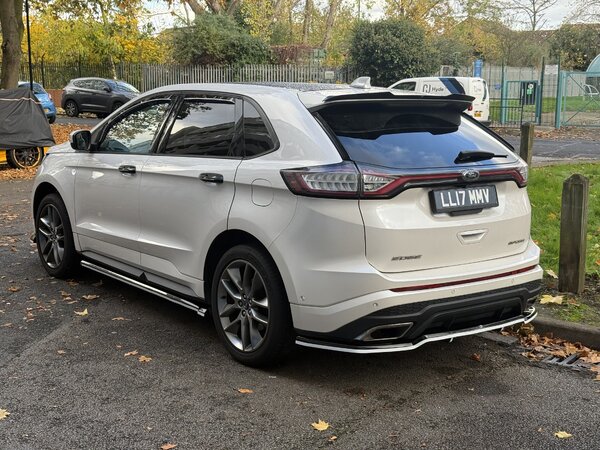
gjkrisa Posted August 20 Report Share Posted August 20 (edited) can any one help me figure out how to update the vin? top photo is new working c-cm from a mkx. second smaller photo is my oem c-cm module. my vin is 2FMTK4AP3FBC40639 5LMTJ3DH5HUL21198 this is the mkc vin the new module is EJ7T-9G768-AF as ford says this is the new updated version. now that i know this is from a mkx i may have to install different calibration. wanna make sure i have the hex changes in correctly before trying to spend money to get the calibration updated for the ford edge. Edited August 22 by gjkrisa miss quoted 1 Quote Link to comment Share on other sites More sharing options...
Wubster100 Posted August 20 Report Share Posted August 20 Are you replacing the CCM? Why not just copy all AsBuilt data from old to new. Then calibrate the CCM. Quote Link to comment Share on other sites More sharing options...
gjkrisa Posted August 21 Report Share Posted August 21 my oem one is EJ7T-9G768-AD the upgrades one is EJ7T-9G768-AF . i tried just putting in the backup but i drove 20 miles and it never calibrated. i did manage to figure it out by taking a guess. this one ended up working. still have no cruise control so think there may still be something off in the settings of hex turning options on and off. Quote Link to comment Share on other sites More sharing options...
omar302 Posted August 21 Report Share Posted August 21 2 hours ago, gjkrisa said: . i tried just putting in the backup but i drove 20 miles and it never calibrated. I assume you did put it into calibration mode, correct? If not, there is a service menu option to get the CCM into calibration mode. If it still doesn't calibrate then it might require alignment. Quote Link to comment Share on other sites More sharing options...
gjkrisa Posted August 21 Report Share Posted August 21 yea i got the alignment right now. but cruise still wont work i feel it maybe the firmware calibration might be wrong which i need an ids for the then. i get pre collision assist not available warning and thats when the cruise control greys out. if i change the code a bit when it comes back up the cruise comes back but then asks for the sensor to be re aligned which i think is just it doesn’t like the code but maybe i do need to try and re aligned. i tried on one but only drove 2 miles as i dont have time right now to just go deiving around trying things. Quote Link to comment Share on other sites More sharing options...
omar302 Posted August 21 Report Share Posted August 21 I meant using ForScan, there is should be a service menu function that lets you enter into calibration mode and then it tells you drive for a while on the highway with other vehicles on the road. I believe once the calibration mode/service is activated, you would get a pop-up in the instrument cluster that it has started. Quote Link to comment Share on other sites More sharing options...
gjkrisa Posted August 21 Report Share Posted August 21 i have tried the alignment mode which i assume was the same as the one i was getting when i placed the new ccm in. before at some point it would fail alignment but be able to use just normal cruise control. i can try to use forscan to have it go thru another alignment. i have not see anything for it to calibrate other then alignment. i did manage to get a beta version of forscan and updated the calibration which i might have just leaned the two parts them selves are the same it the calibration firmware that is different and so the new module already has the newest calibration. may need to down grade it to my previous one then just use my oem asbuilt file. this part may also be bad some how or there is a bad wire. when i first plugged it in before figuring out how to get the vin in i could read the alignment that it was 0.0 off now its the same as my oem one saying it 3.90 off even though it is perfect level. and if i try moving it out the number doesnt change. Quote Link to comment Share on other sites More sharing options...
omar302 Posted August 22 Report Share Posted August 22 15 hours ago, gjkrisa said: i can try to use forscan to have it go thru another alignment. i have not see anything for it to calibrate other then alignment. The attached photos is what I meant. Though these are from ForScan lite (Android), the desktop version would also have the same service process. 1 Quote Link to comment Share on other sites More sharing options...
gjkrisa Posted August 22 Report Share Posted August 22 yes i have done this. Quote Link to comment Share on other sites More sharing options...

Recommended Posts
Join the conversation
You can post now and register later. If you have an account, sign in now to post with your account.
Note: Your post will require moderator approval before it will be visible.