Leaderboard




Popular Content
Showing content with the highest reputation since 04/05/2025 in Posts
-
Not lot of detailed info on this; only a handful of threads here. The procedure was pretty simple but has gotchas and other things I didn't really care for. For example the torque on the PTU fill plug, you'll never get 33 ft/lbs on that. I stopped turning before I got to 28 ft/lb and noticed the plug was deeper than when I first took it out and stopped. There's also no way, as mentioned in another thread here, that you can completely remove the PTU cooler without removing the crossmember there. You can however, pull the cooler out far enough to drain the fluid. Make sure not to screw up the o-ring on the cooler though, or you will be dropping the crossmember. Those of you with just a plug here and no cooler don't have to worry about this as your plug comes right out. Here's the fill plug and PTU cooler with the stud/nut showing. When I opened the fill plug not even a dribble of fluid came out. I had to use a combo of 1/4" 8mm socket and 8mm flex head closed end ratchet on the nuts. Or you can drop the exhaust. I kept the 1-piece stud/nut and just reused them. The PTU cooler pops out easily, or as much as it can before hitting the subframe. The coolers metal rod elements extend the length of PTU basically. Here she is draining. You can see the o-ring - do not mess it up. Brake cleaner will be your exhausts best friend. I'd say I spilled an ounce or more other than what's in the container but I tried to measure what came out of it. In the sun. Didn't look too bad I thought for ~35k miles but idk. Reinstalled PTU cooler and cleaned everything up. Inserted the stud/nuts and torqued to 97 in/lb Here's what I use to fill up transmissions and differentials. Just a regular water vacuum pump you can get on Amazon for $10. Easy peasy no mess no pumping just press a button. I put as much oil as it would take until it started streaming out. Then I spun the tires several times by hand and waited a few more minutes before pumping more fluid in. When the stream stopped and turned into a drip I put the fill plug back on with some thread sealant. Like I said above I don't like how Ford says 33 ft/lbs on the fill plug - that's not happening at least on mine. All cleaned up and done. I'll check the level again in 100 miles or so. The fill plug is inserted further than it was from the factory at 28ft/lbs. Be careful with aluminum. And that's pretty much it. It should take about an hour if you have access to a lift. As with everyone else, I have no idea why Ford couldn't put a drain plug other than to purposely let PTU's eat themselves after the warranty period.8 points
-
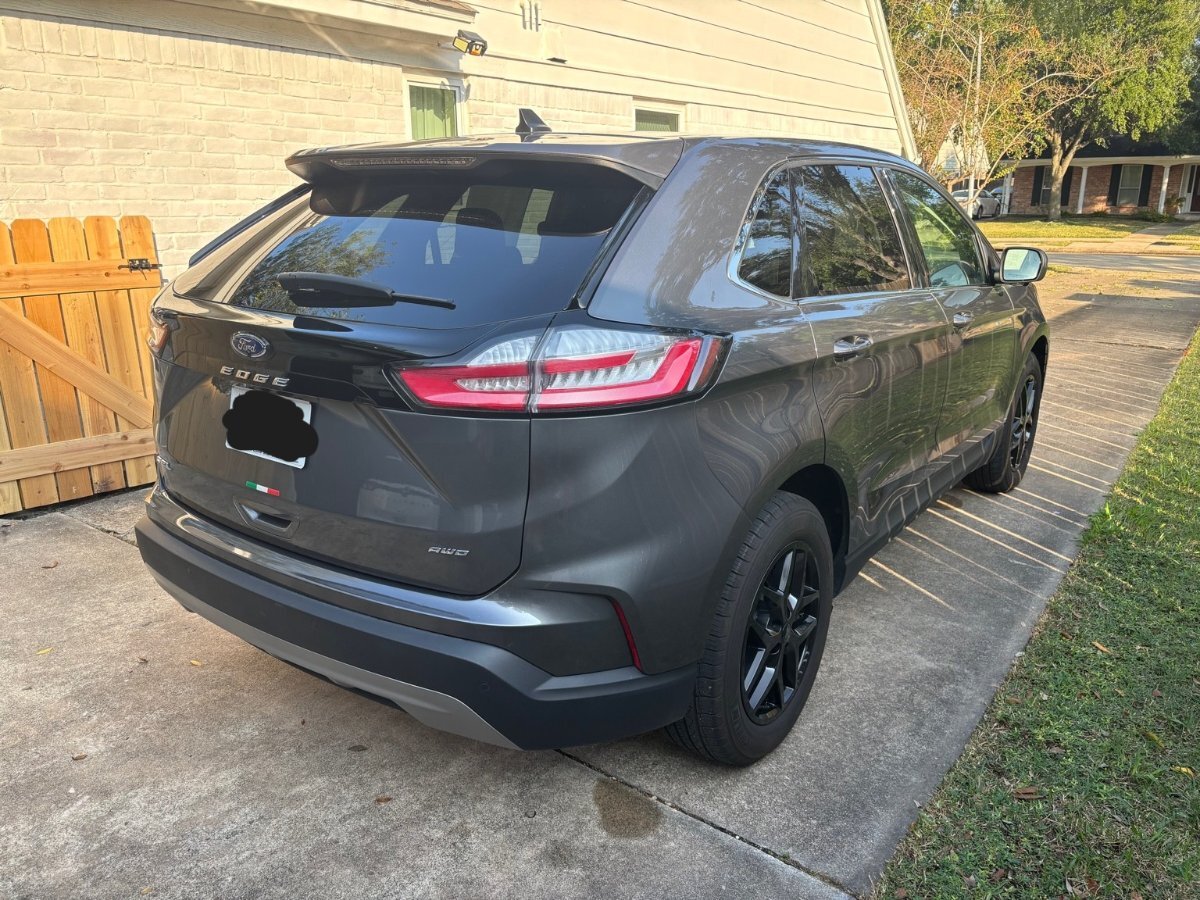
I am about to close a deal on a 2019 Edge Titanium Elite. I'm excited to learn more about it. I am a retired Ford parts manager, but have never owned an Edge.
 7 points
 -
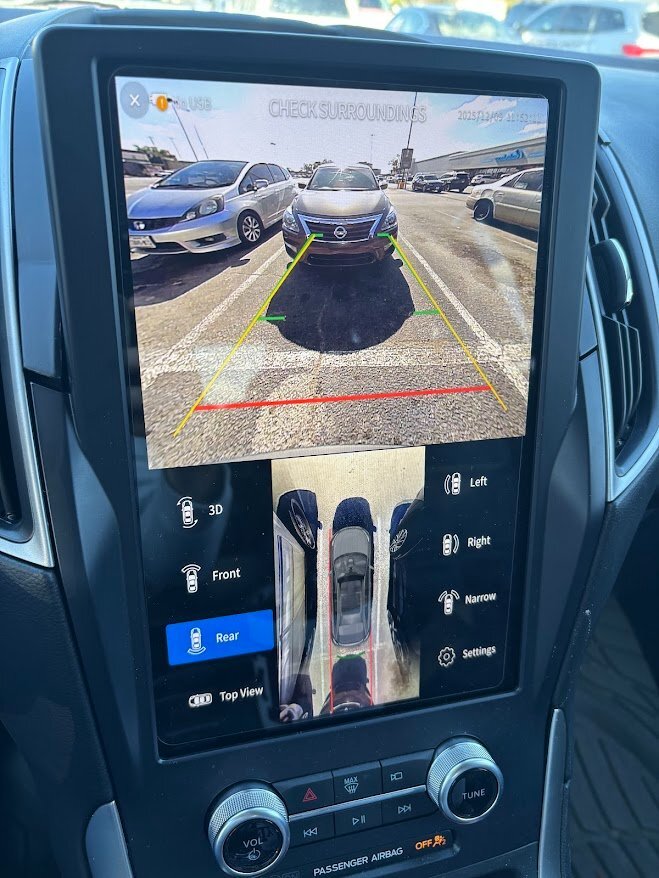
Hello everyone, I’ve been following this thread with a lot of interest — great work from all of you digging into the 360 retrofit! I’ve been wanting to achieve a similar result, but I decided to take a different approach. I went with a third-party 360 AVM kit and set it up to integrate with the SYNC screen on my 2023 Ford Edge. There really isn’t anything compatible out of the box with the Edge, but I noticed the Edge and Ranger share similar hardware and modules. And notice I said similar — not the same. It’s been a long process — I’ve done tons of research and a fair amount of trial and error to figure out the video inputs, CANBUS integration, and DIP switch configurations needed to get everything displaying correctly with the factory screen and triggers. With this I do have dynamic guidelines, parking sensors, multiple views along with the top-down bird view. Also I did retain the factory camera and camera view, and I can jump between factory view and 360 kit view. It’s still a work in progress, but going this route gives me more flexibility compared to being locked into the OEM restrictions. I’ll share more updates as I continue refining the setup. Next steps will be to mount all the cameras
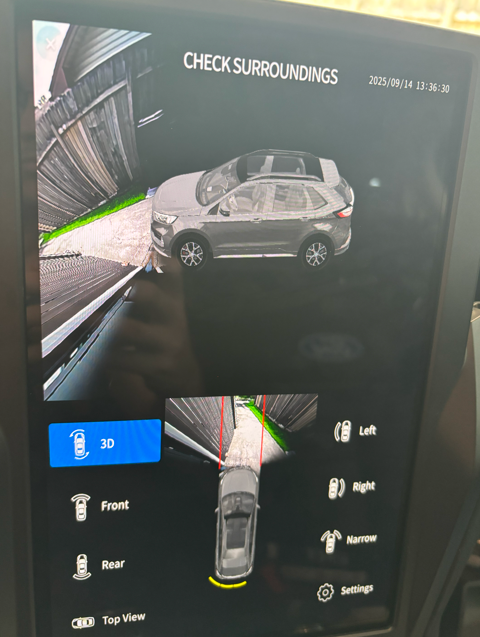
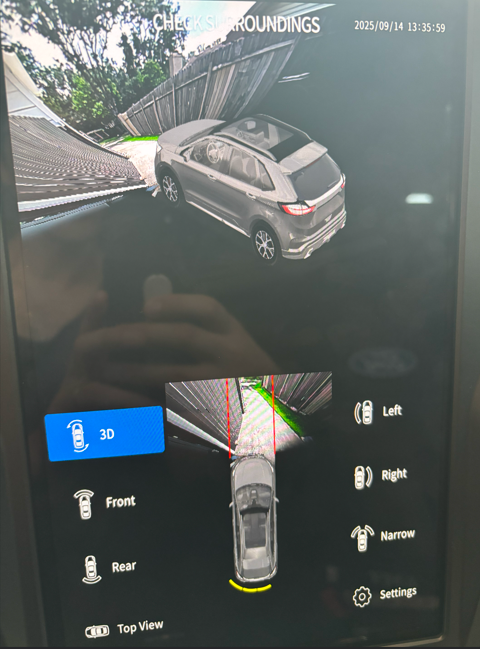
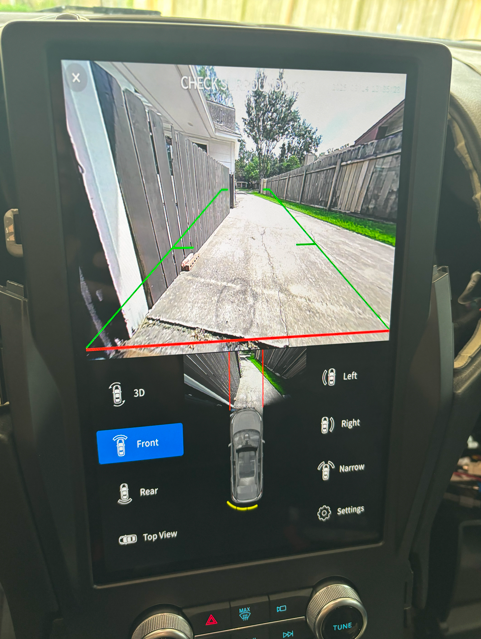 7 points
 -
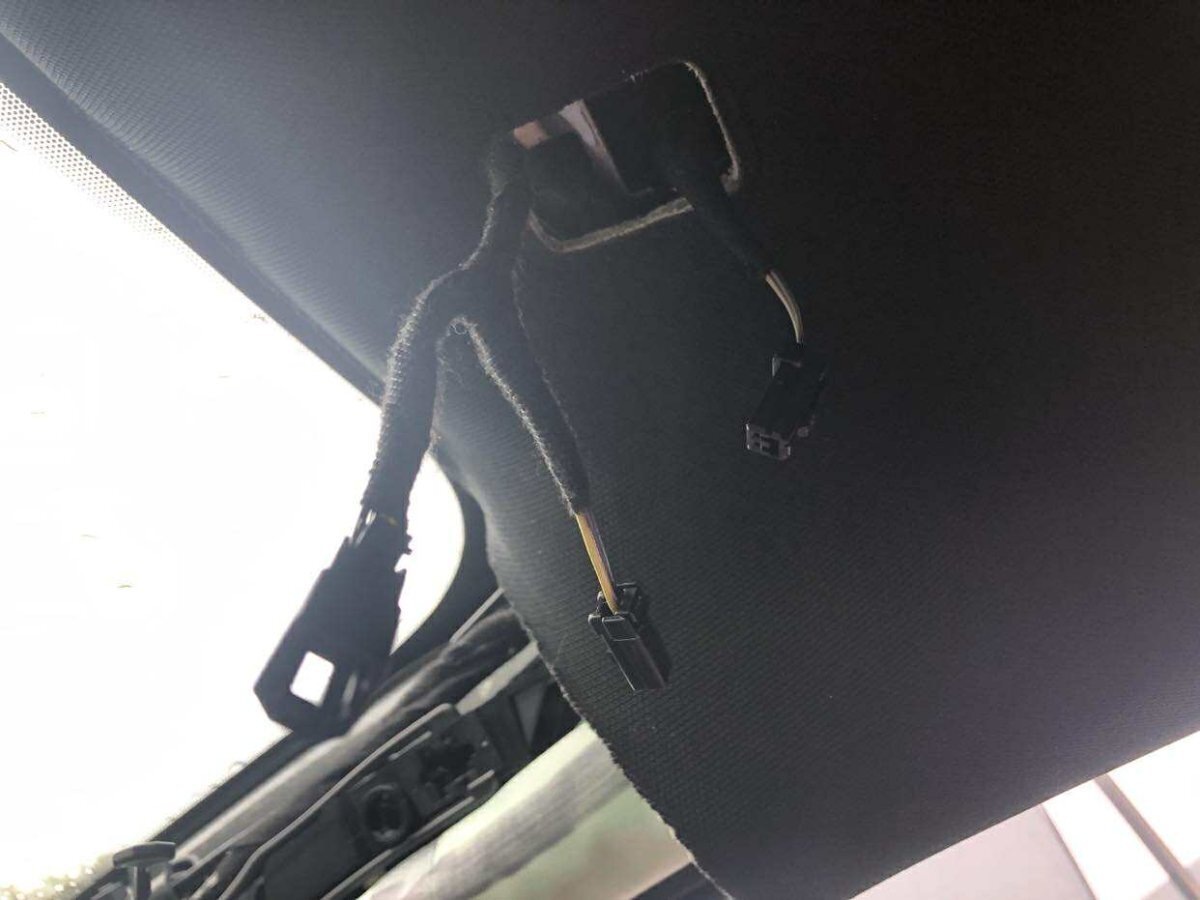
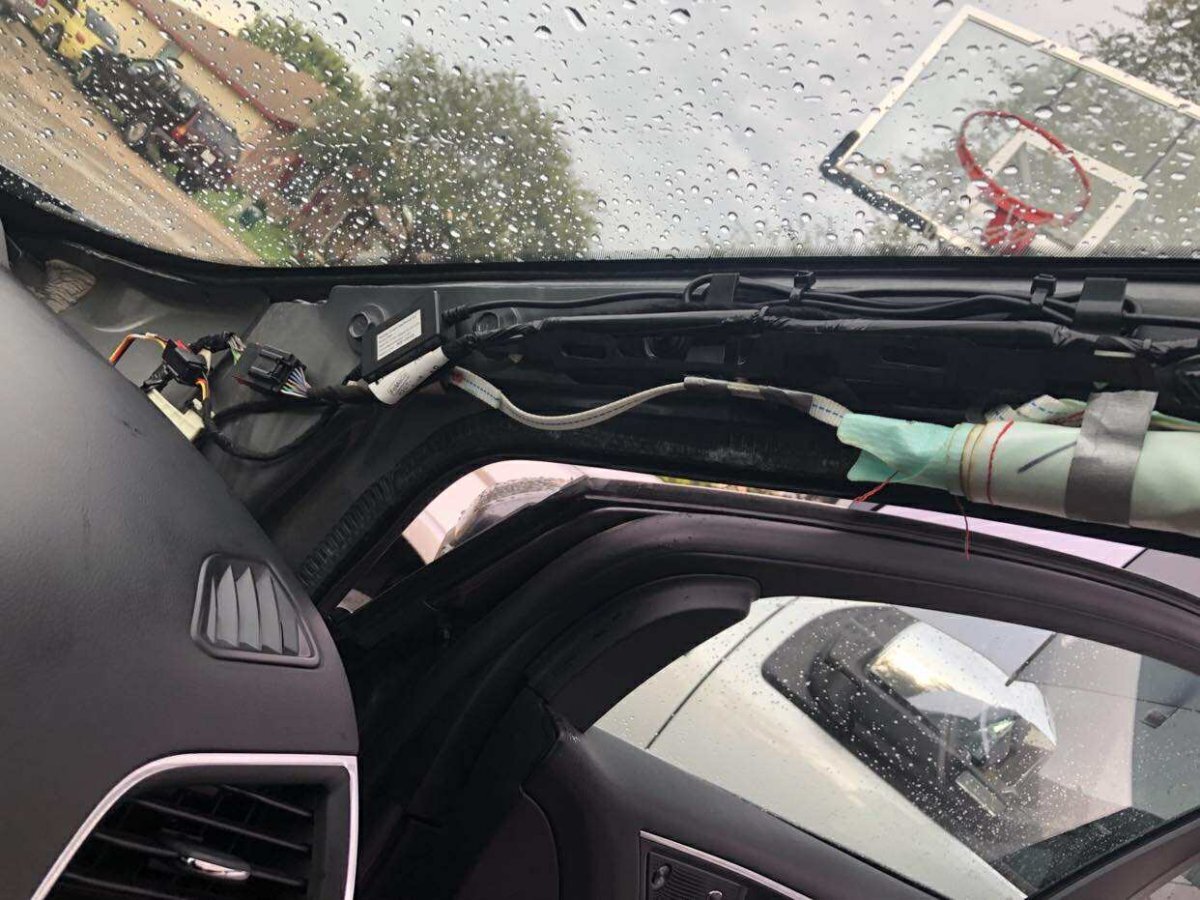
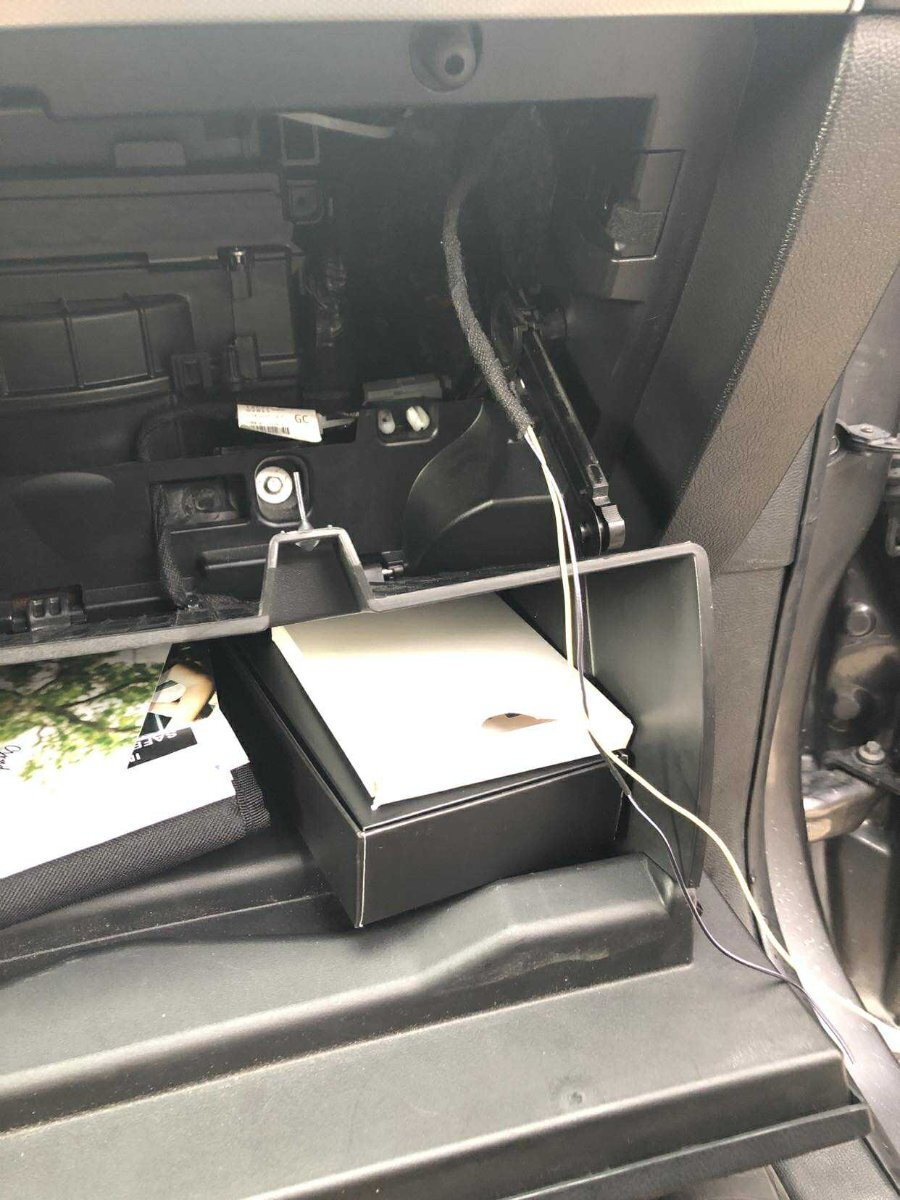
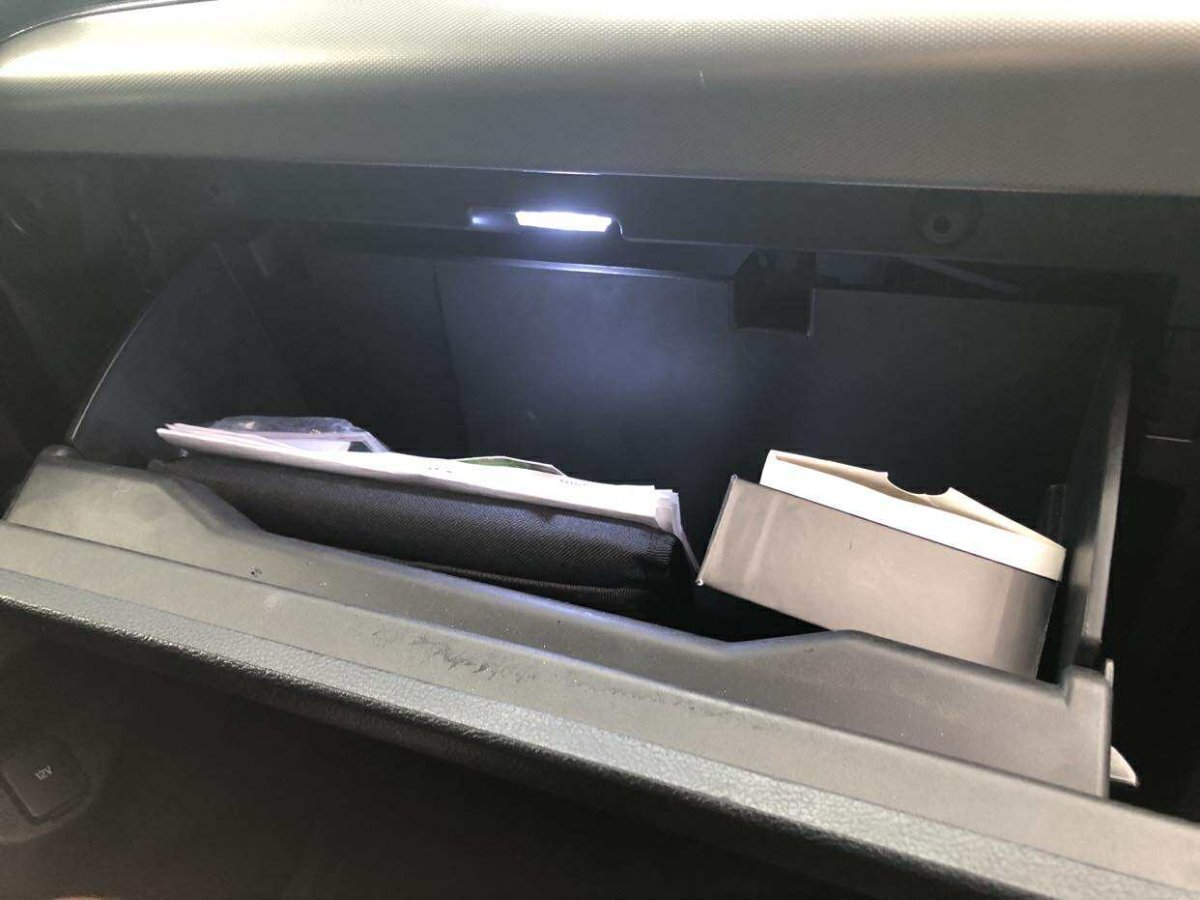
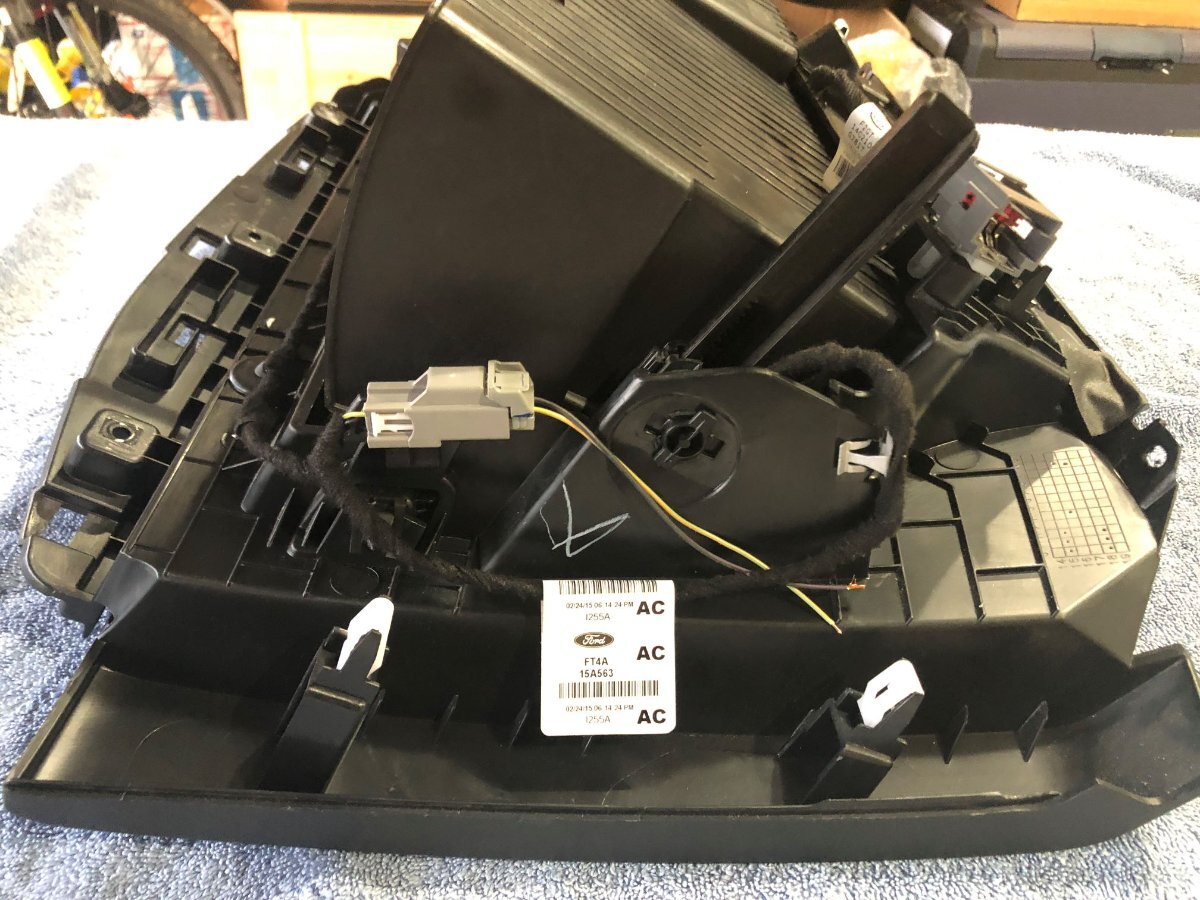
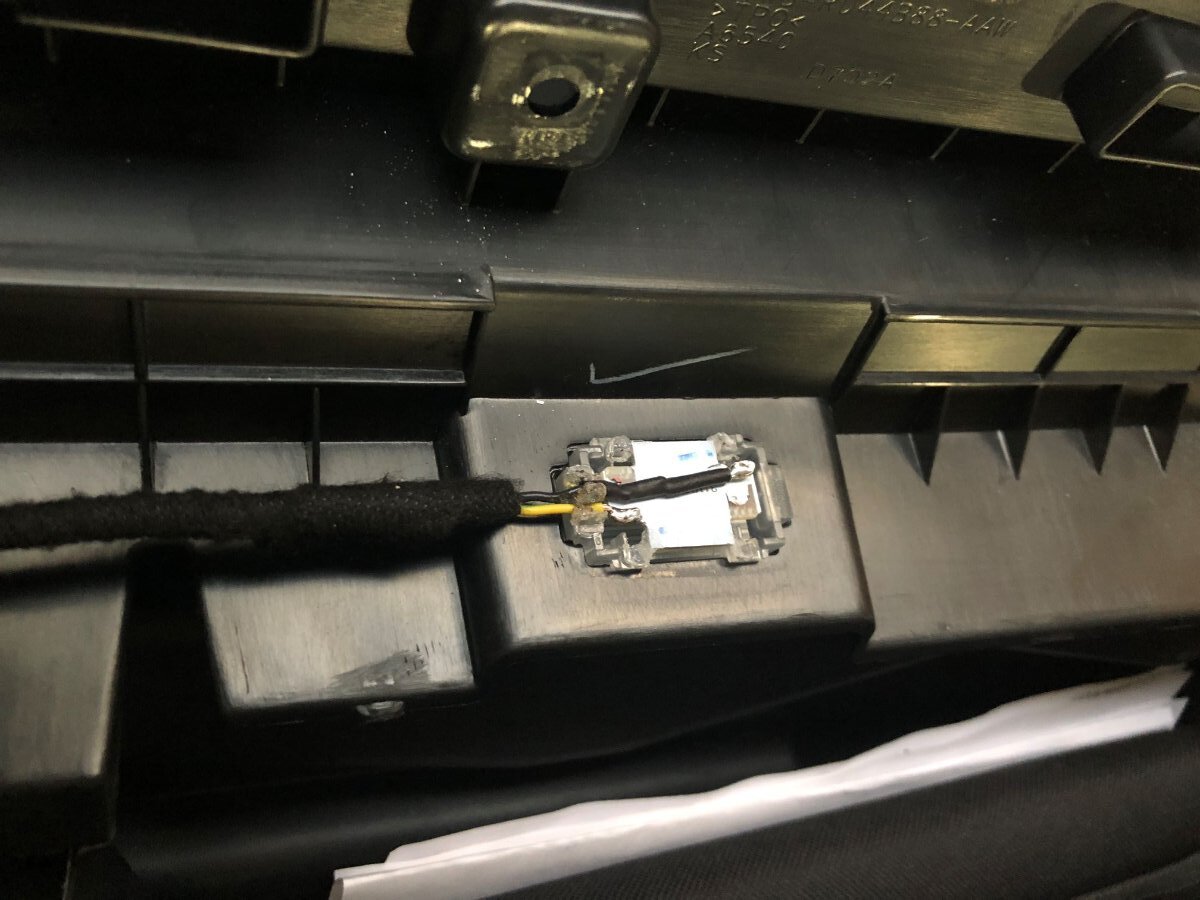
The little things matter 😉 Added glove box compartment light back in the Edge. Don't know why Ford deleted it in the first place. Scored a 2017 Edge glove box lamp harness and damper from the junkyard. With a little bit of DIY (dremel action & soldering), swapped out the LED PCB for a brighter aftermarket one. I made a T-harness to tap into the passenger side (visor) vanity mirror lamp circuit. Ran that down the psngr side A-pillar all the way to the glove box.
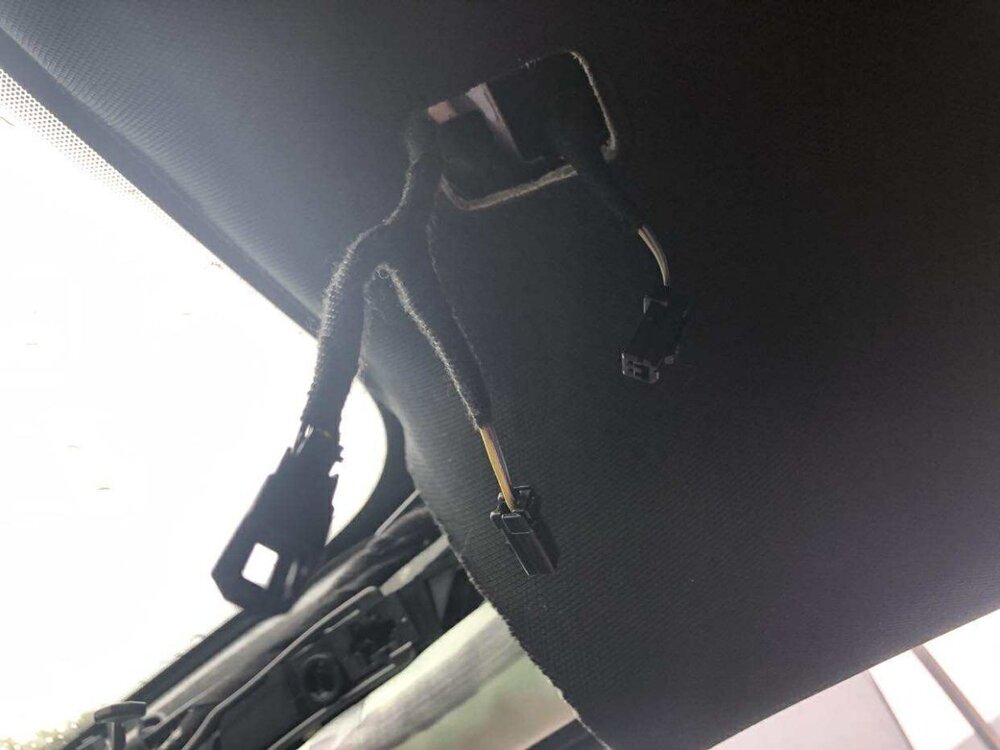
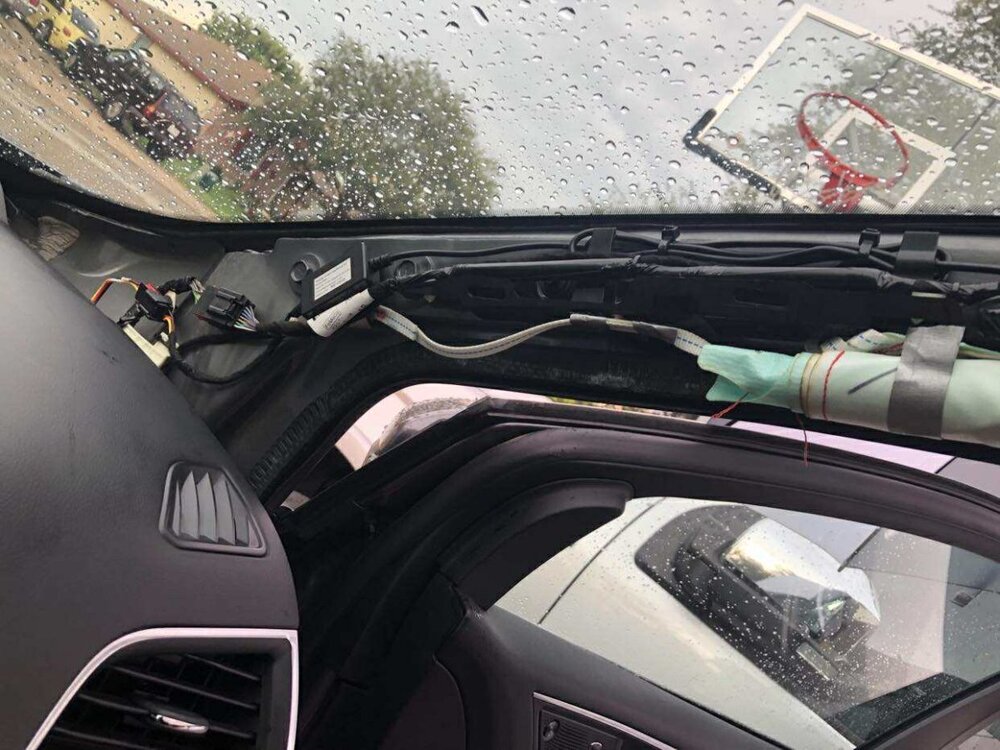
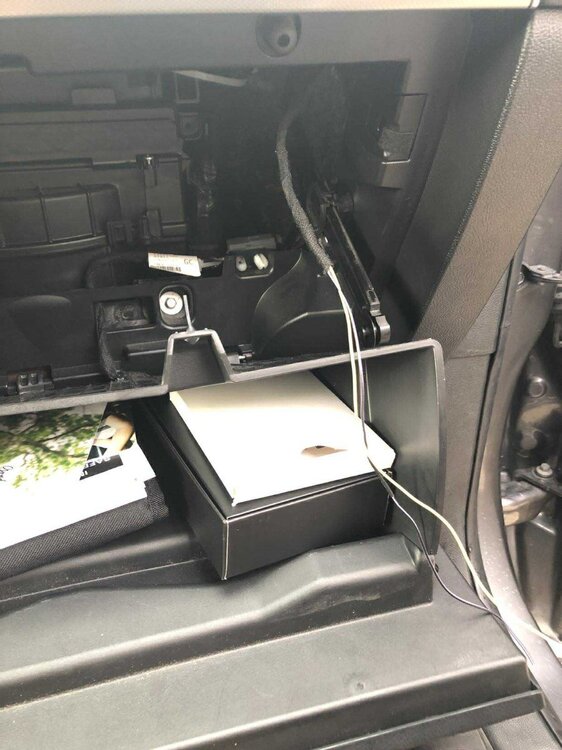
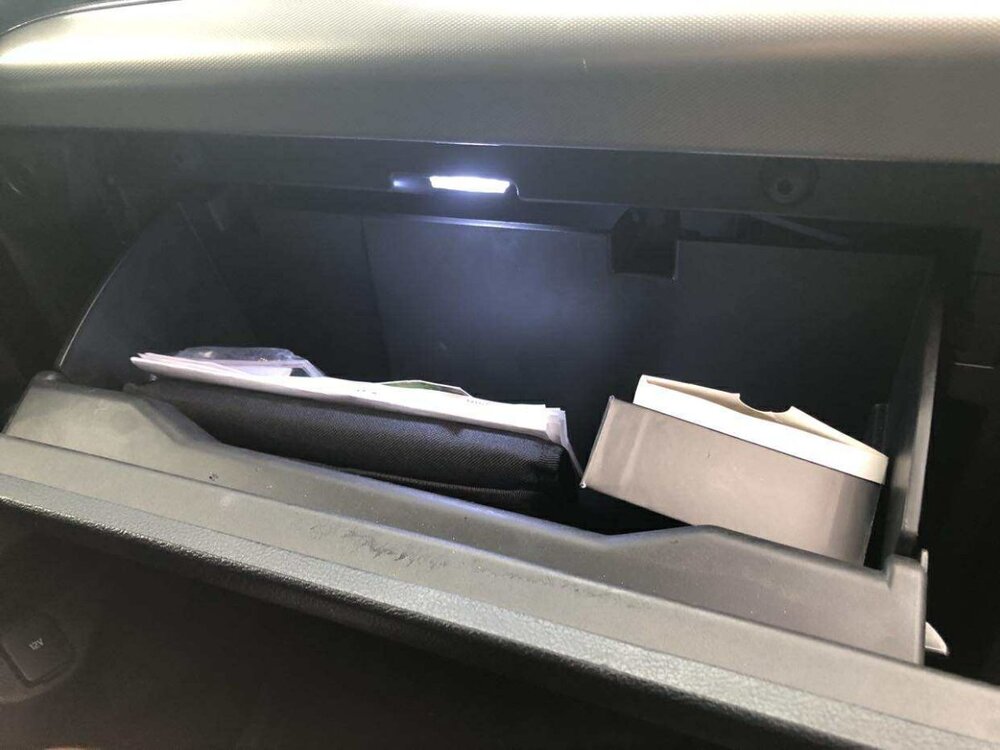
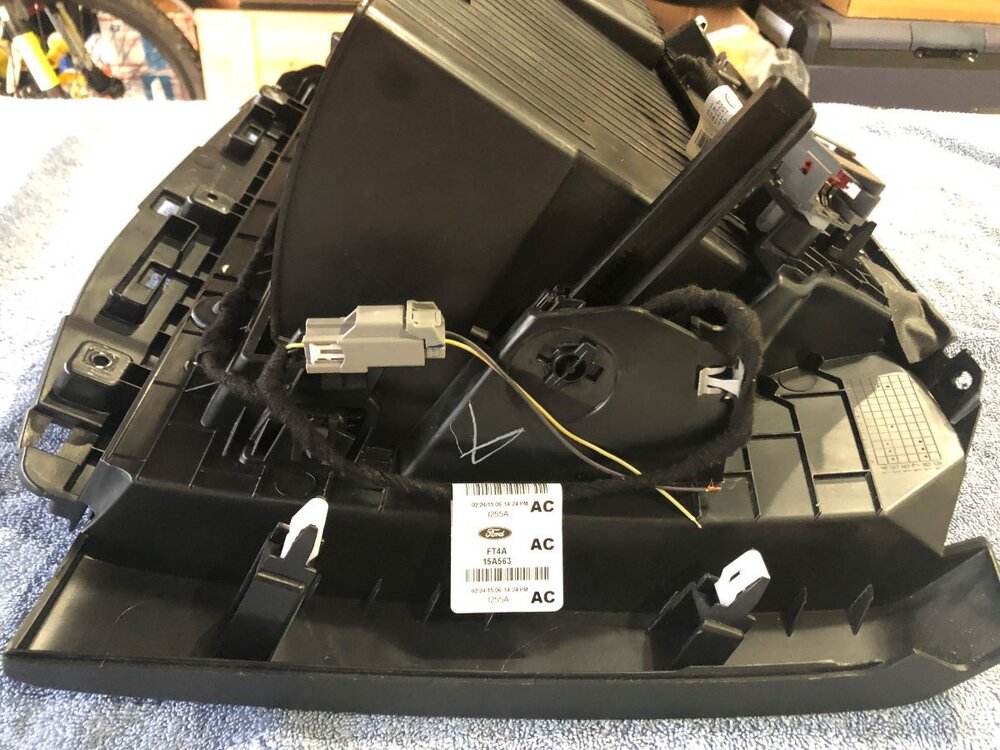
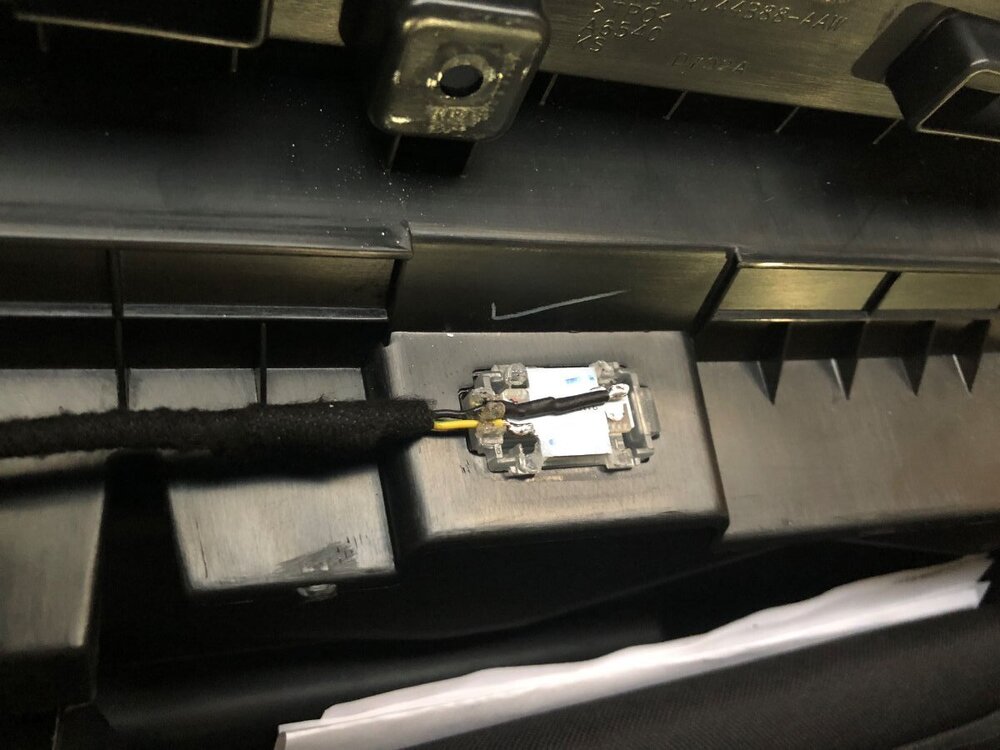 6 points
 -
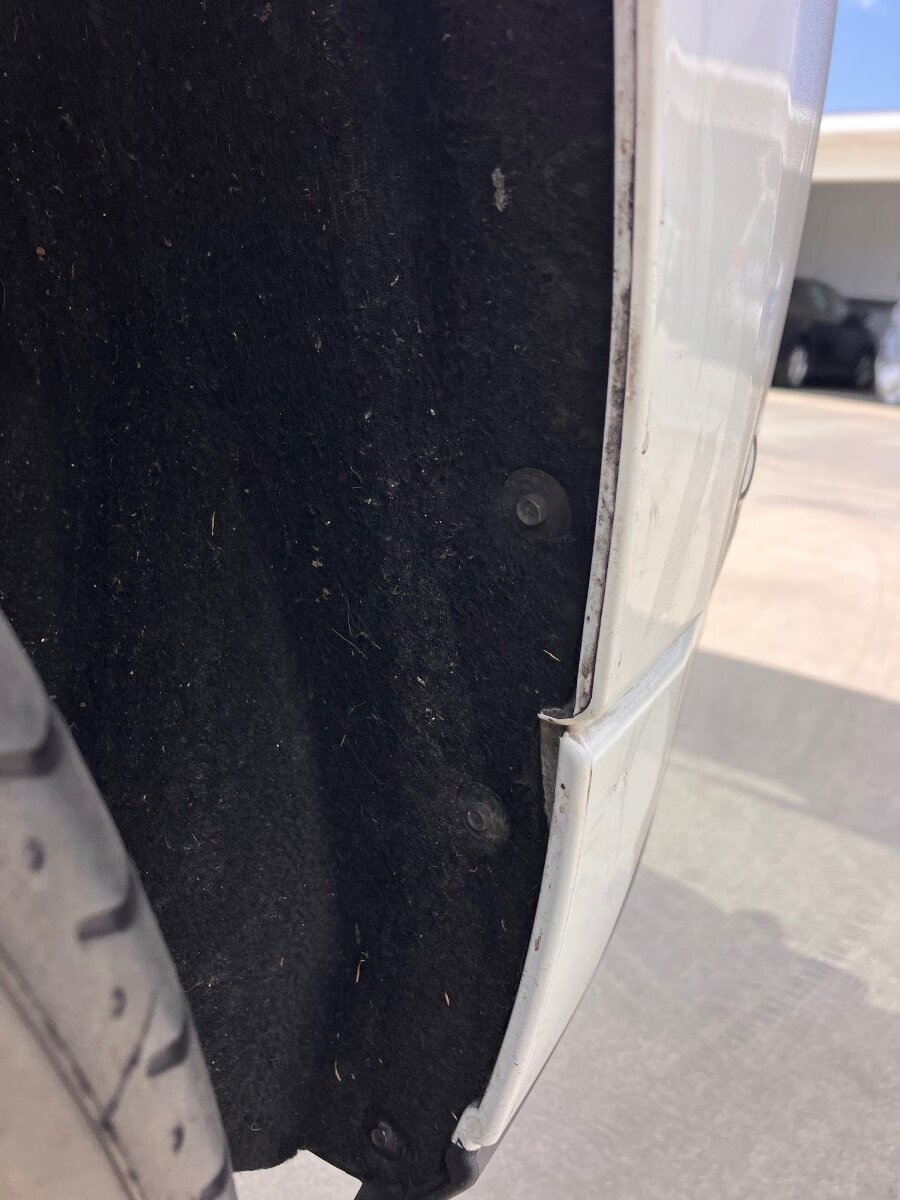
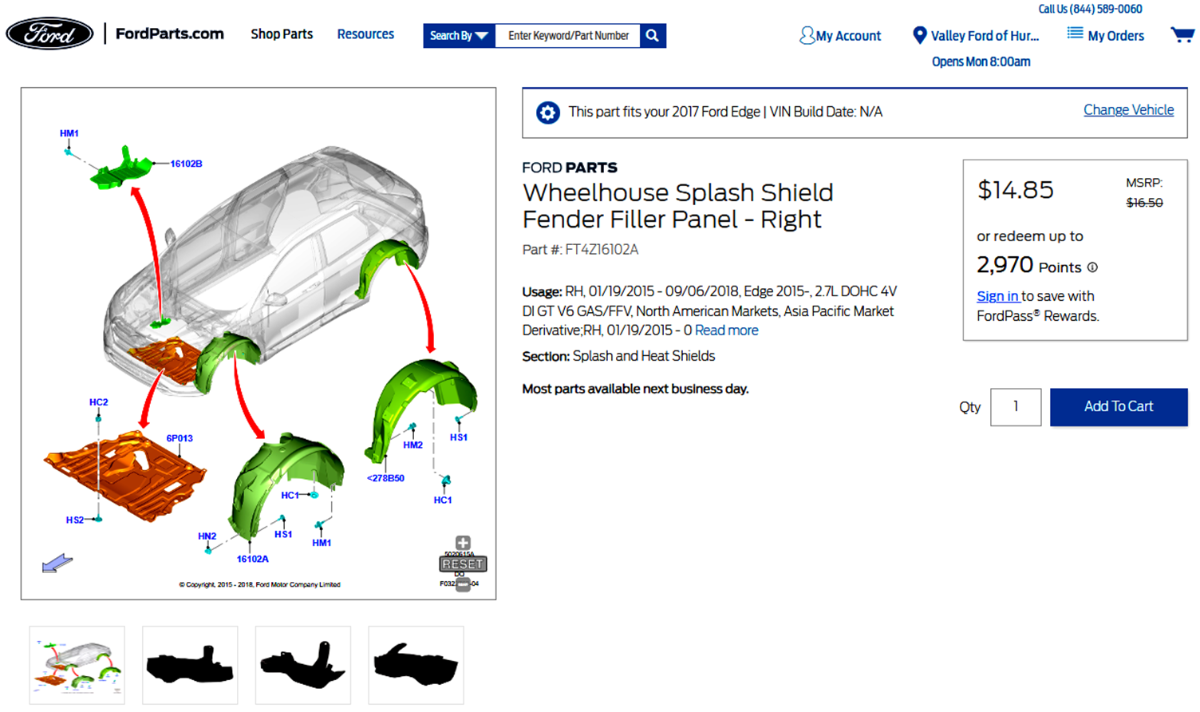
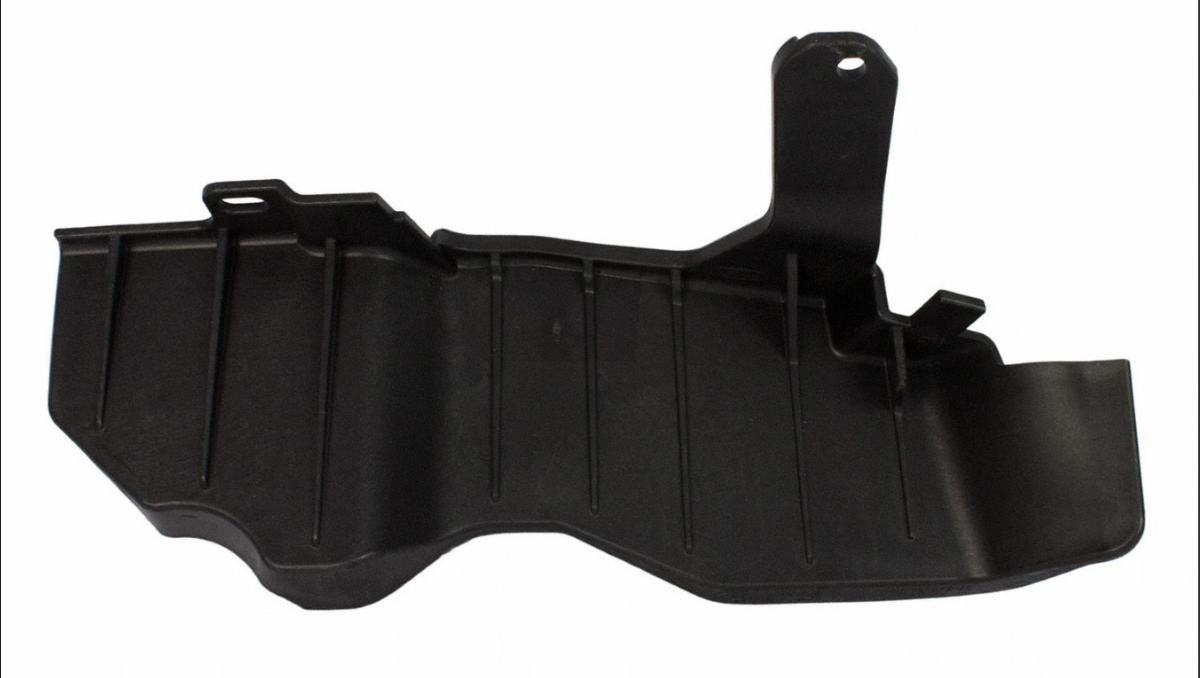
Found it! Tighten the bolts holding the fabric material to the fender well and it is gone! I sent you a personal message and here are the pictures. Jiggle the area where my hand is and you should hear the sound. tighten the bolts about a half turn.
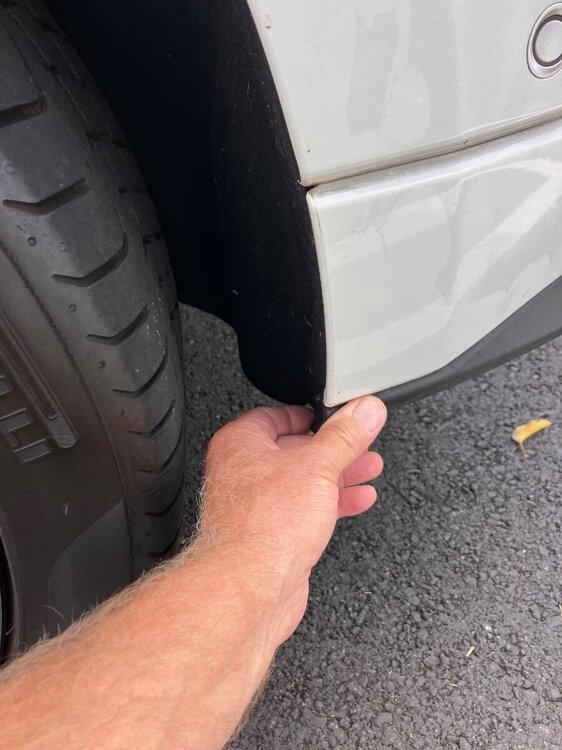
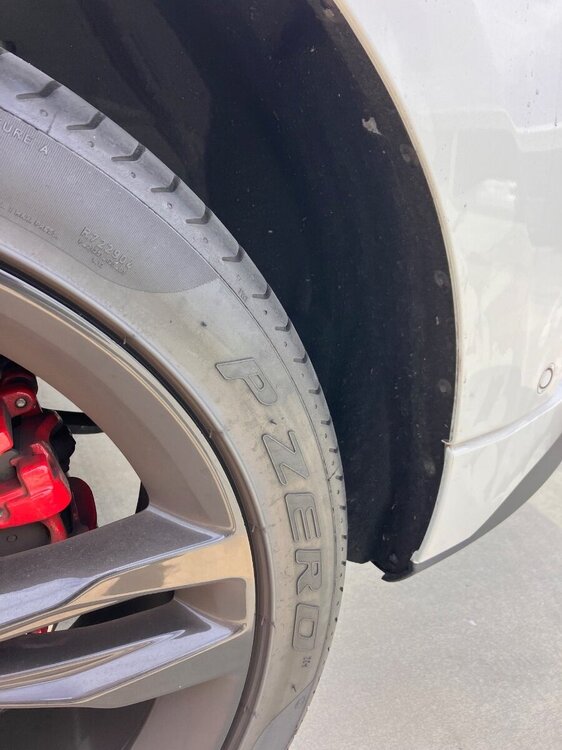
 5 points
 -
alright, so its lane changing, never had awd so i kept looking at awd symptoms and solutions, i found it turned it off will drive tomorrow to see what happens technology is killing/saving me if you ever need help with a 73-79 f100 let me know, simplicity is awesome thanks for the help could not have done it without your insight5 points
-
I believe your assumptions are incorrect. The IAT isn't sensitive to fouling. These days an MAP has taken the place of the MAF - the MAP is way less sensitive to fouling compared to the MAF and its very rare that it requires cleaning. My 2017 2.7L has 123K miles on it and its never needed carbon removal. .4 points
-
That press release looks to me like they planned to relabel they BG44K in the Ford branded package. I can vouch for the 44K stuff in the 2.7. Having used it, the stuff is legit.4 points
-
Following a Google search it seems it was not a rumor, but an actual agreement. BG's press release announcement here. Attached is a Motorcraft leaflet. Parts can be found online, examples: PM-44-A here. PM-30-K here. Chemical_Product_Flyers.pdf4 points
-
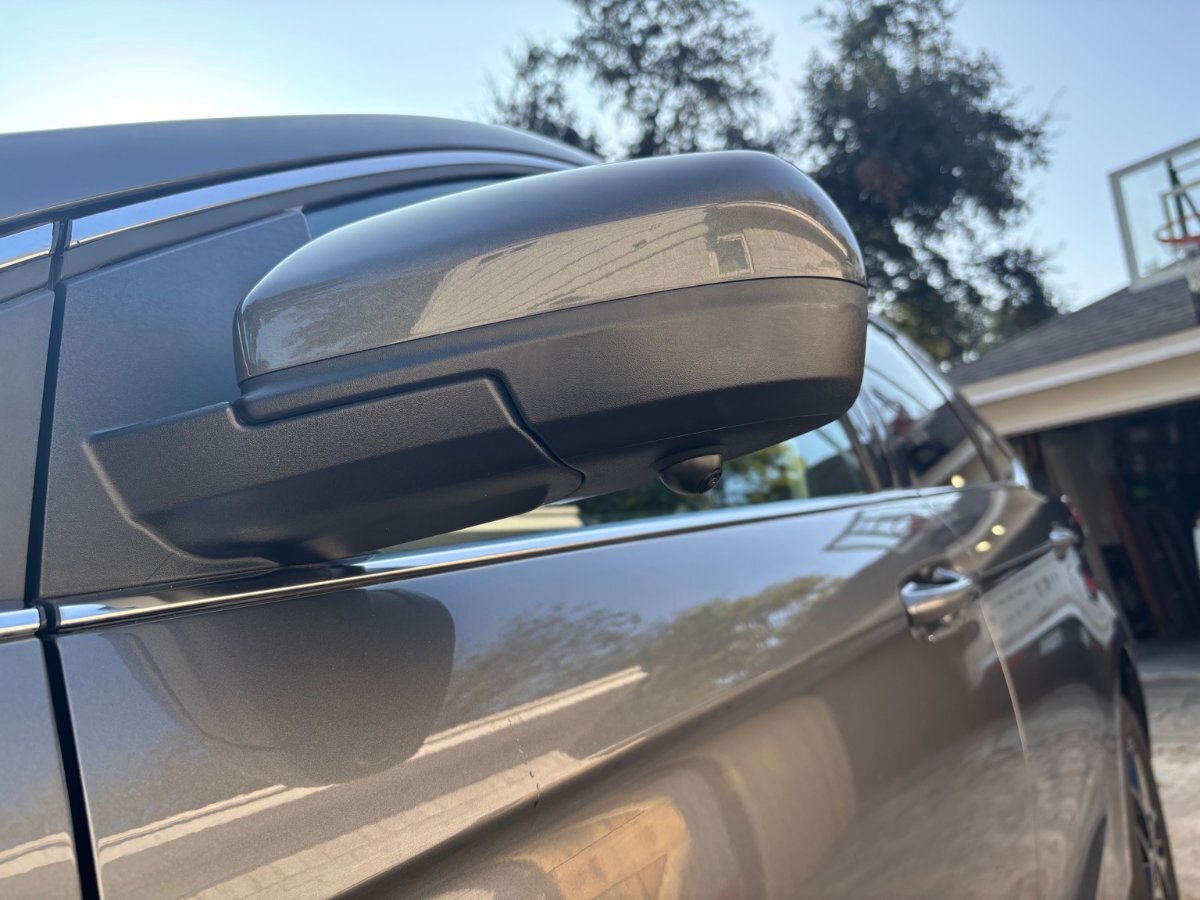
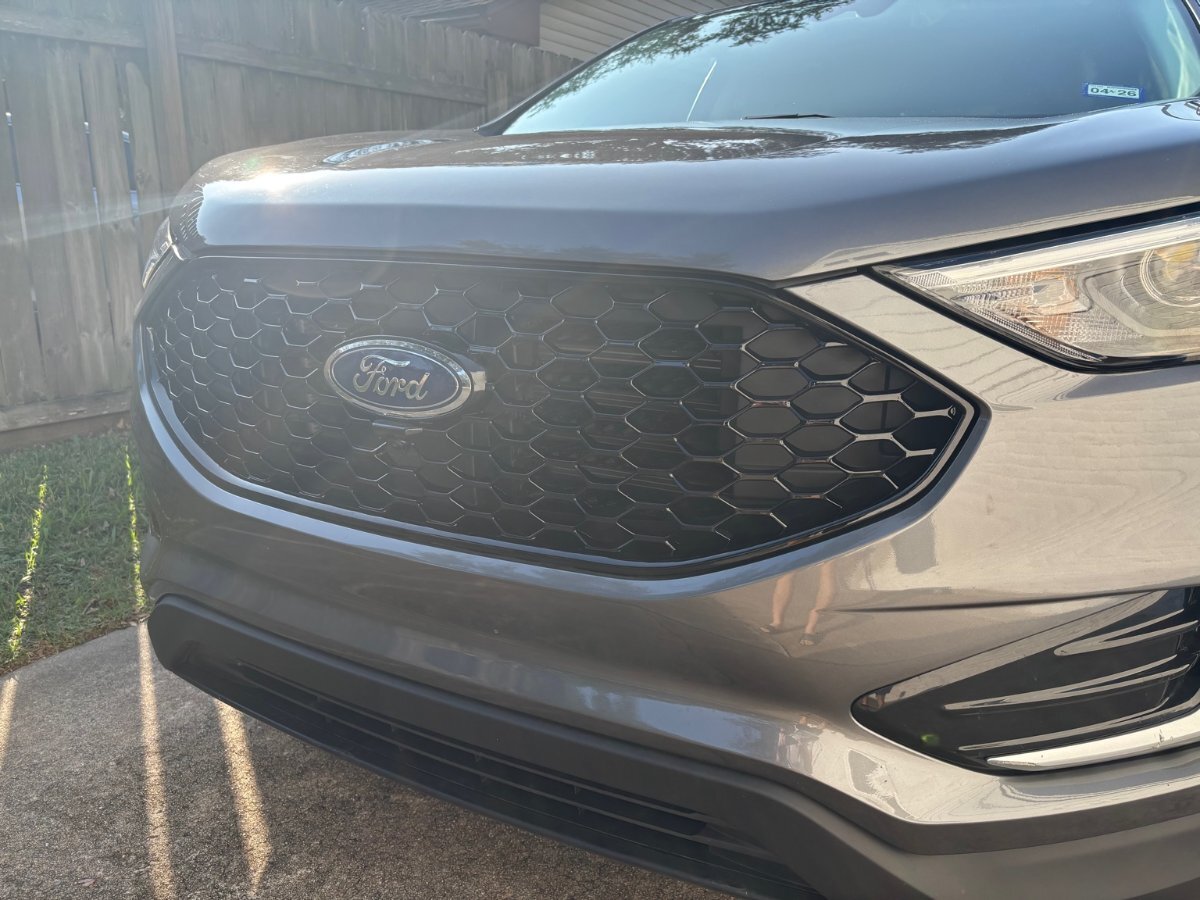
I finally wrapped up the full camera system install on my Edge. Front Camera I swapped out the factory grille for a black one that already had the camera mount integrated. Definitely the cleanest way to do it — no drilling and a perfect OEM-style fit. Side Cameras The side mirrors were straightforward. Routing the wiring and lining up the cameras was easy. Just a bunch of plastics to remove. Rear Camera This one took the most work. Like I mentioned in my previous post I wanted to retain the factory camera and system, and just add the new camera for the 360 view. I had to get creative. I decided to embed the camera in the logo. Marked and dremel’d out a custom recess behind the Ford emblem. Mounted the camera flush and secured it internally. Ran the wiring through the hatch. Calibrated the image afterward so the lines lined up correctly Honestly, this was the toughest part, but I’m happy with how the end result looks. I think I could have done a better job, or maybe could have thought of something else. But also I really wanted to finish the project. I think I'm going to redo the calibration after the holidays to get a better results but overall it's good. If anyone has ideas for cleaner mounting, I’m all ears.
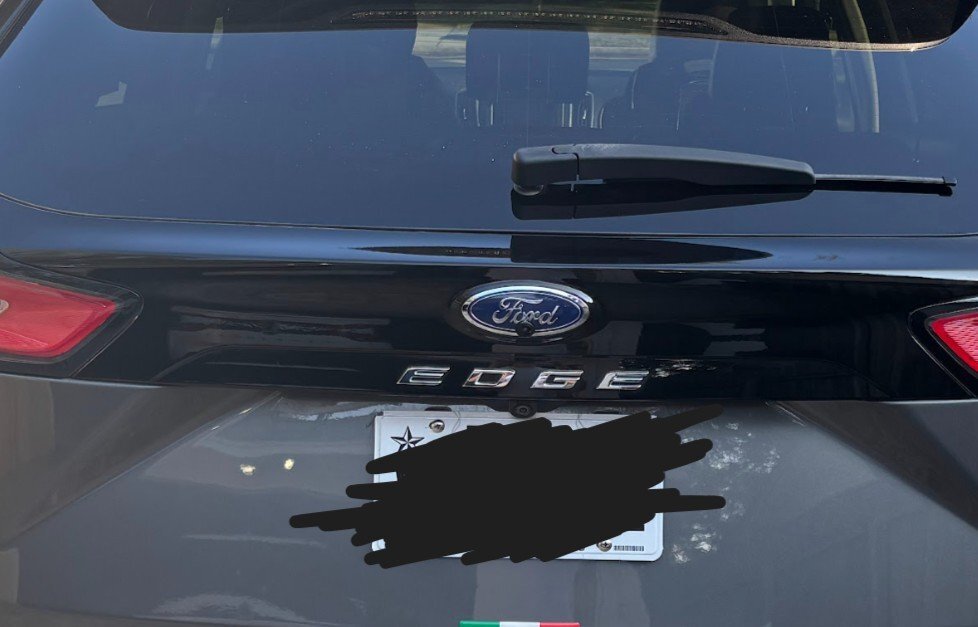
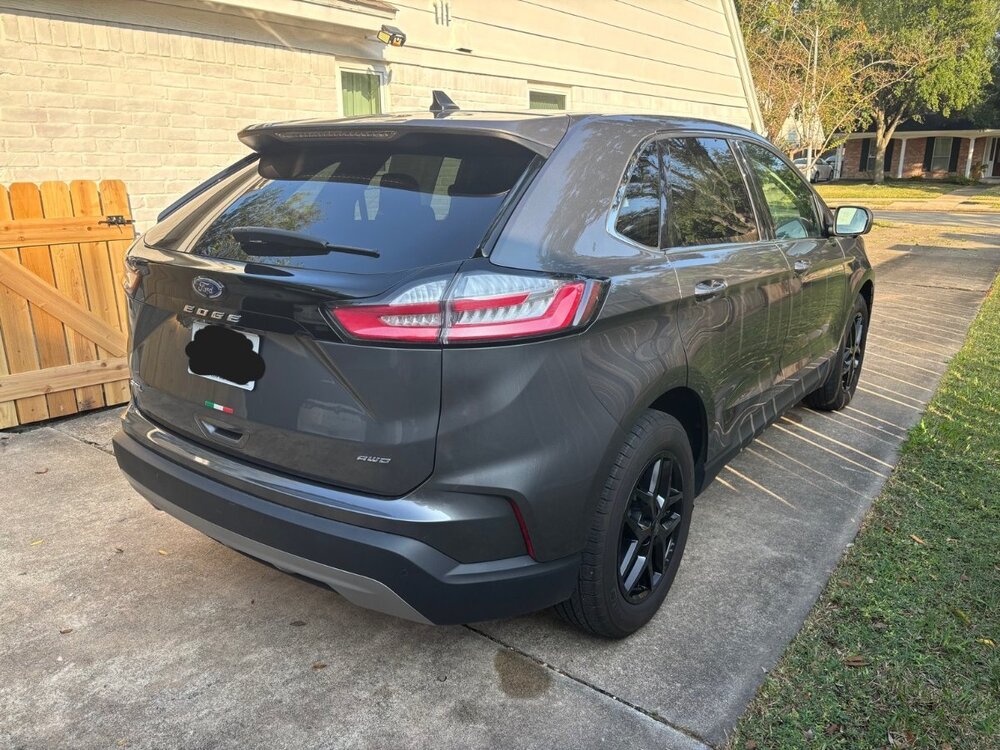
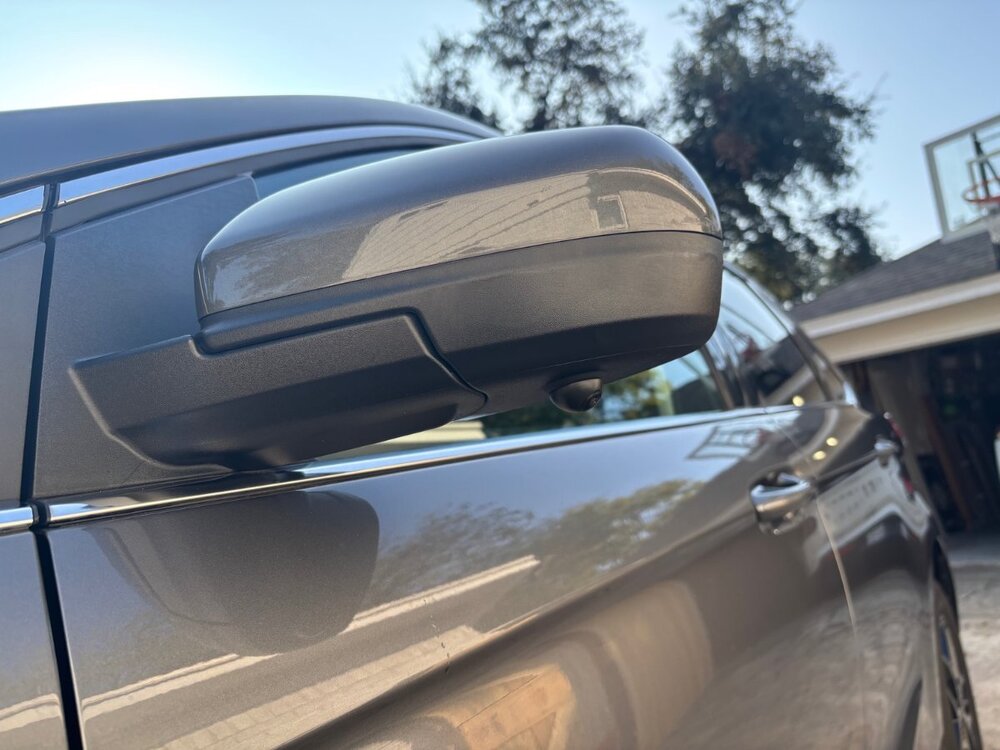
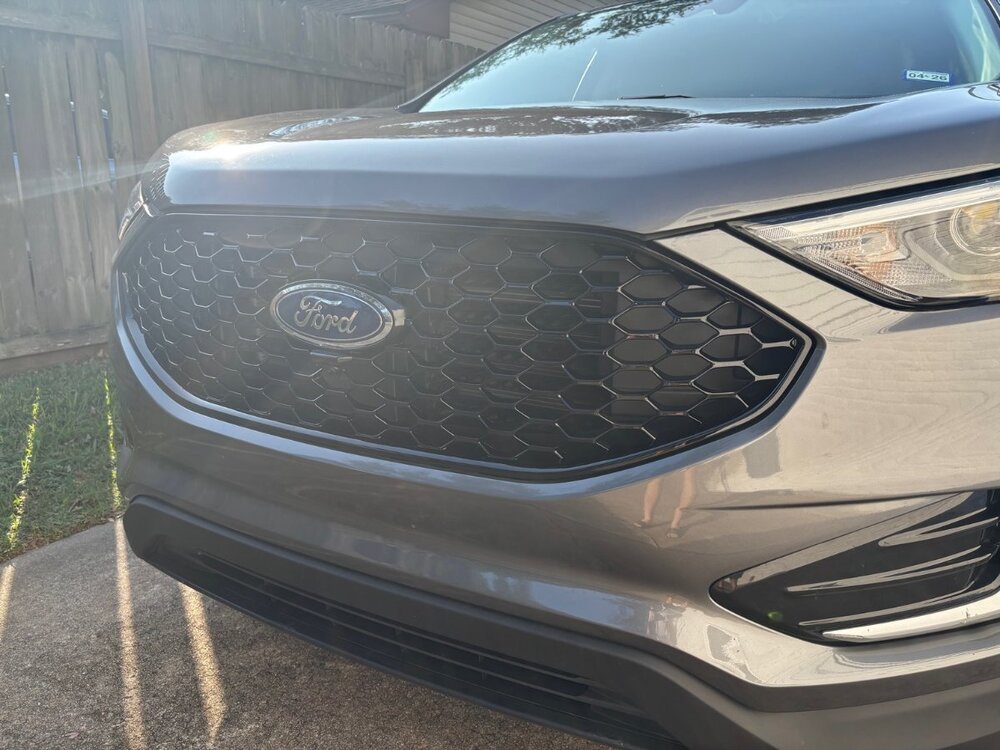
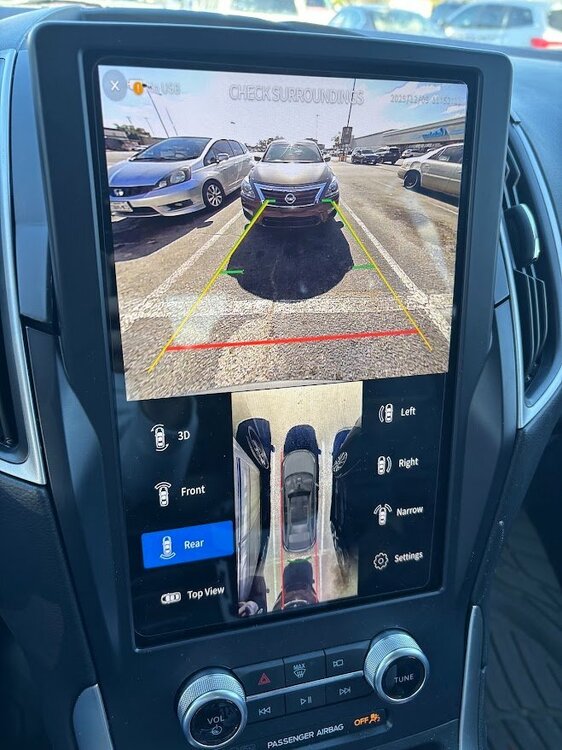 4 points
 -
Wanting to spend a few hundred dollars wisely? Drive through the poor section of your town and drop 30 $10 dollar bills out the window or, pick an Angel off the Christmas Tree @ the mall. Watch the video before you spend your hard earned $$$$!4 points
-
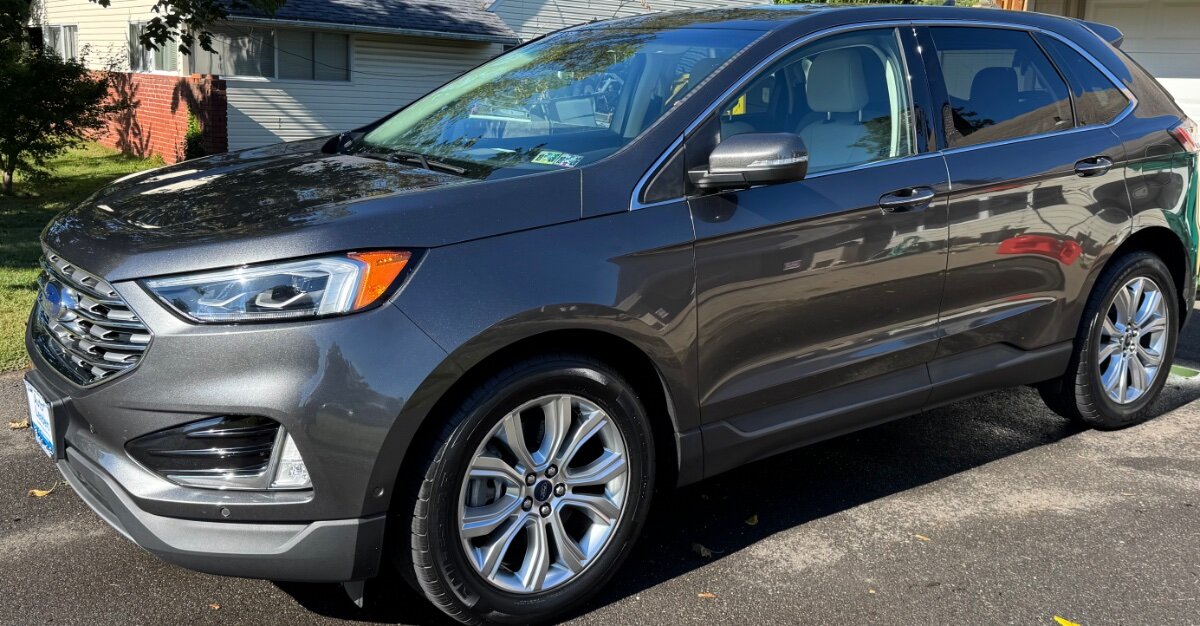
Hello fellow edge owners. I recently purchased this 2020 Ford Edge TITANIUM with 22k miles. I owned a 2011 a few years ago, but had to sell that off due to my growing family. Love these cars. Located in the Philadelphia, Pa. region.
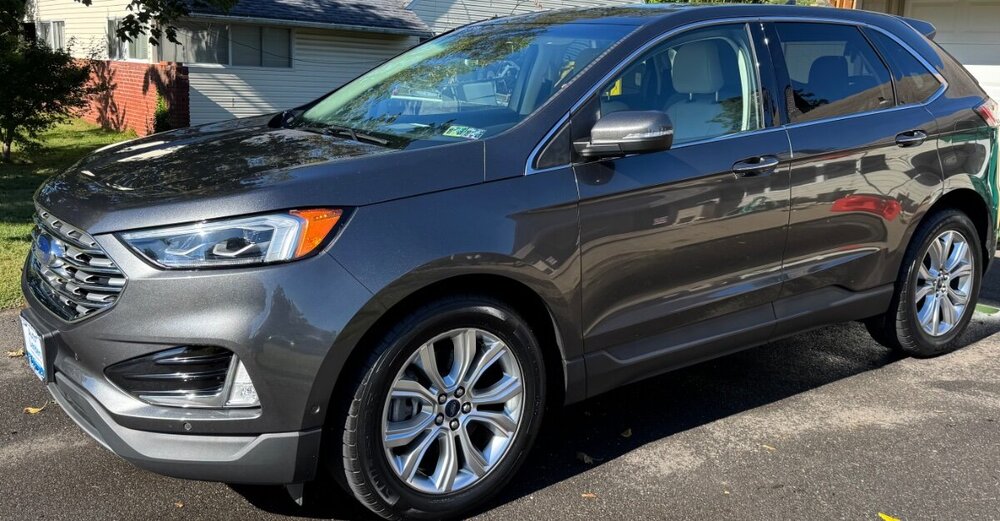 4 points
 -
I wanted to provide some closure on my whine/roar. After spraying the center bushing with lubricant and the whine/roar going away, I pulled the trigger and ordered a new center bushing. I used ramps on the passenger side to have the length of the vehicle up. I had to drop the exhaust, prior to cat (had to grind off the bolts), I then jacked up the front driver side to get the wheel enough off the ground so I could turn the driveshaft. I did put the transmission in Neutral, with the parking brake on and the rear driver wheel chalked. I removed the bolts holding the shaft on. The ends were "stuck". I sprayed with penetration fluid. I used some force, and mistakenly pulled the dust housing off the rear (very bad move on my part). I finally had to use a chisel and tap it out. The front came out with no issues. No matter the videos I watched. the amount of force I applied or the penetration fluid I applied, the shaft was NOT separating. After looking more at the rear of the shaft, I realized that by pulling off the dust cover, it was going to be an issue if I was able to get it back together. I had to order a new driveshaft. In the meantime, we drove the car for 2 weeks without a drive shaft with zero issues. No check engine lights nor performance issues that I could tell. I installed the new driveshaft, with the new center bushing and it's back to normal. No whine at all. At the end of the day, l spent a lot of time on my back and learned some lessons, but I think I still made out spending less than going to the dealer. I hope this helps someone.4 points
-
While the tips are in shadows, they look to be burning correctly, the tips worn round, and the end of the ground strap eroded, so certainly time to get it done. I did mine earlier just to get it done during a good time to work, between long drives, weather cooperating, etc. I did mine at 82k, a little erosion on the ground strap, but the precious metal tip was still square, could have gone much much longer, but for how cheap it was to do, if I pull them I replace them.4 points
-
Also, as far as I know, the oil life monitor also takes into account time with the maximum time being 12 months. So if you change the oil as suggested above at 50%, you would be more certainly changing the oil at no more than 5,000 mile or 6 months from when it was last reset. Or you can interpolate the interval you want, knowing that 100% means 10k miles or 12 months. For example, 60% oil life balance would mean 4k miles or 4.8 months.4 points
-
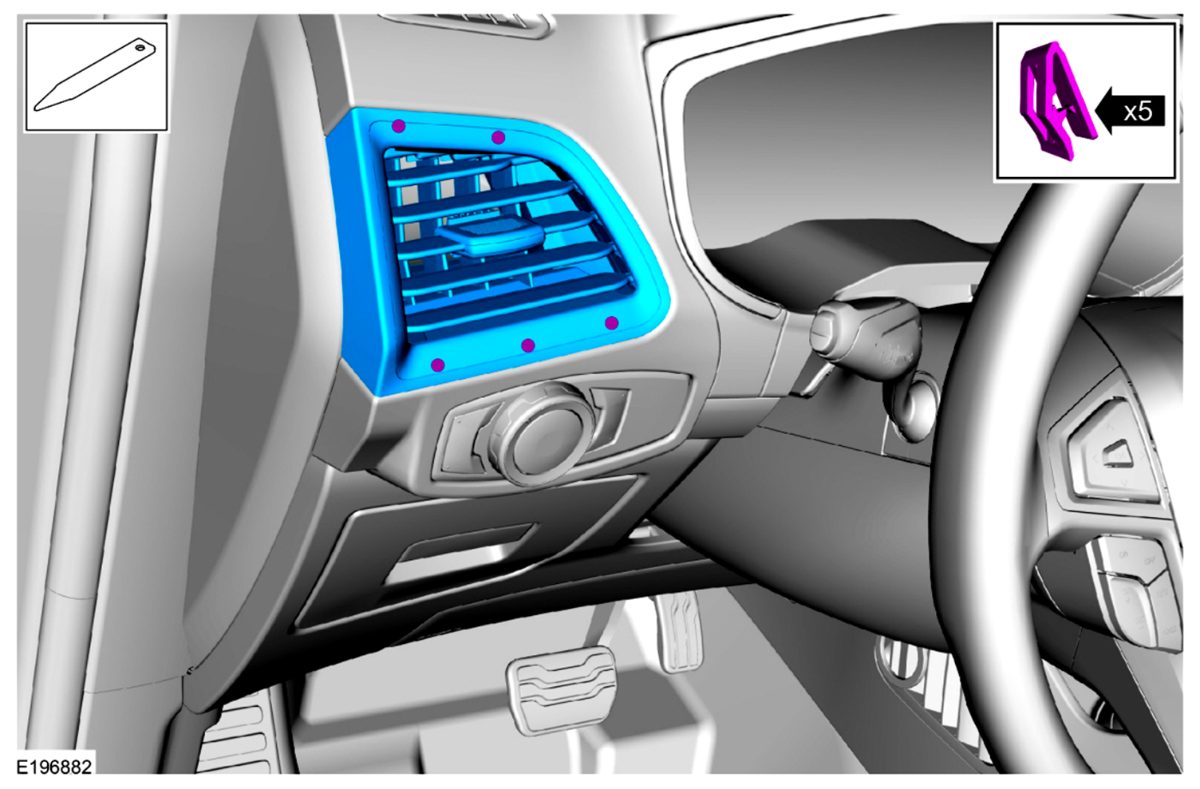
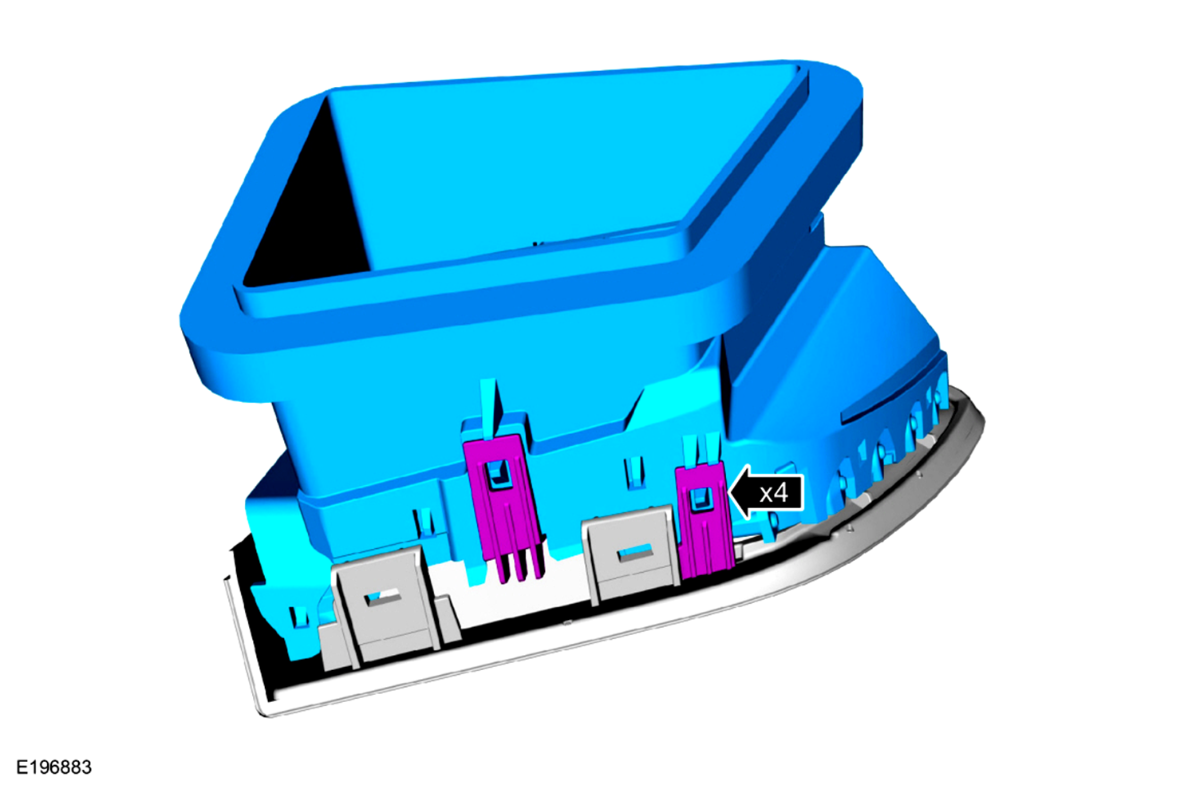
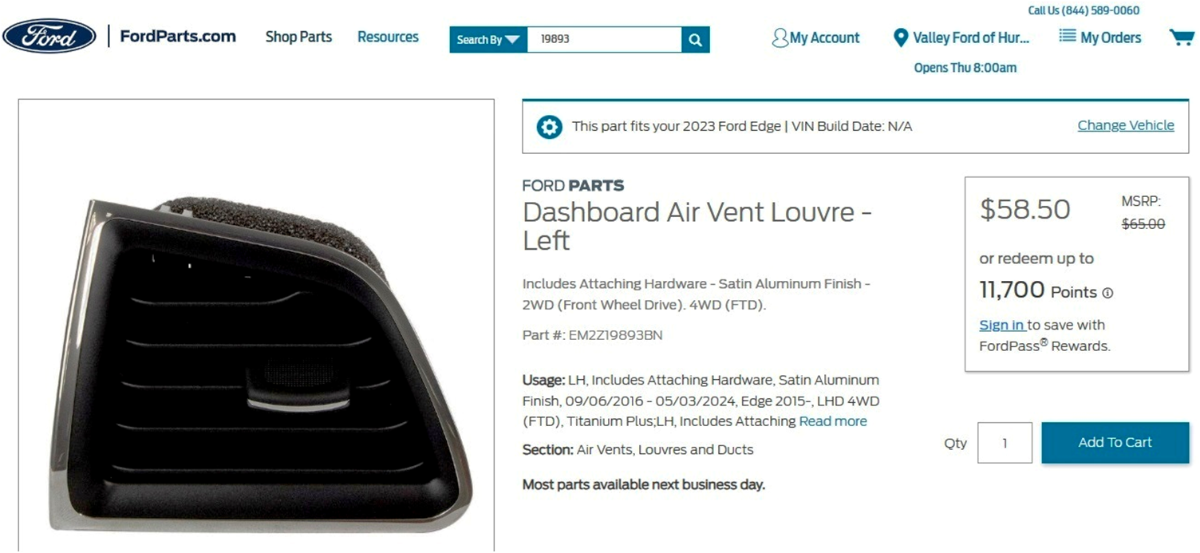
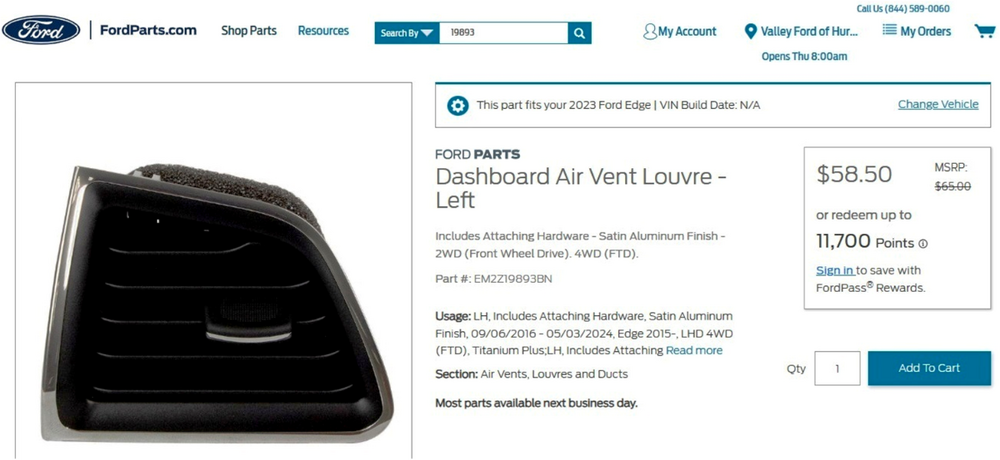
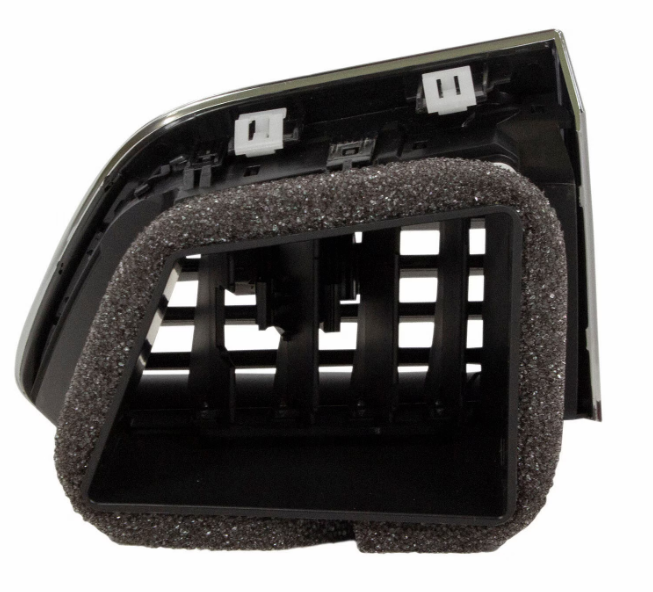
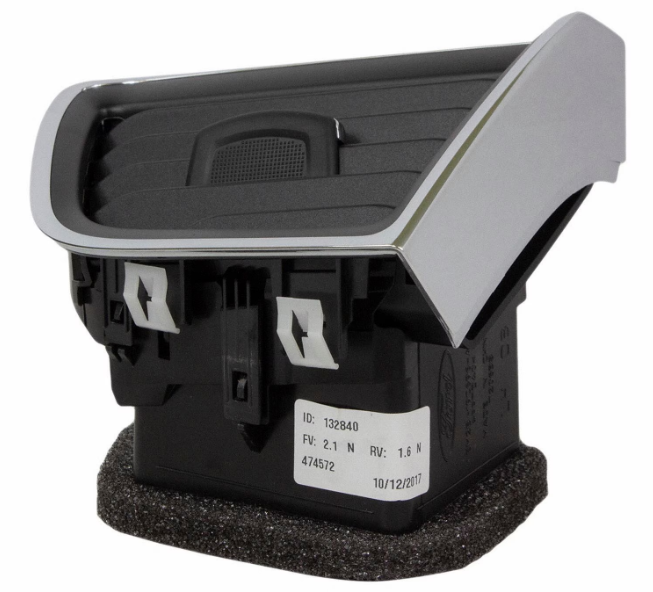
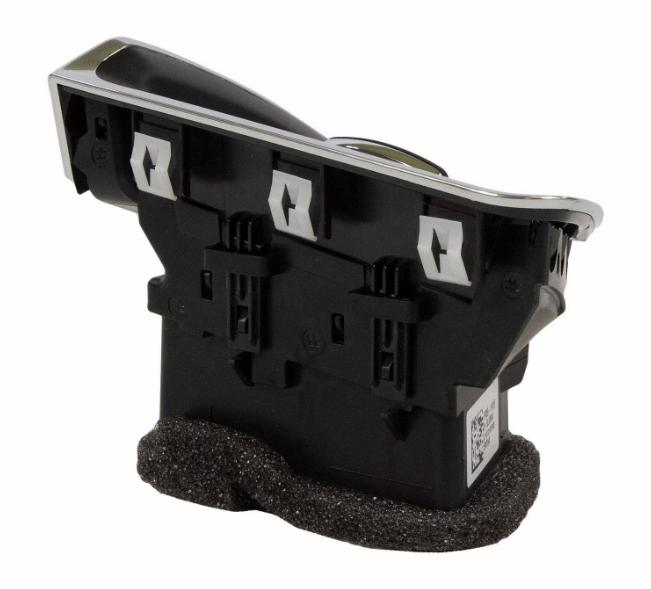
Welcome to the Forum @Jetboy47! The following is the Workshop Manual removal and installation procedure, which is also attached below as a PDF file... Driver Side Register Special Tool(s) / General Equipment Interior Trim Remover Removal Release the clips and remove the LH instrument panel finish panel. Use the General Equipment: Interior Trim Remover Release the clips and remove the driver side register assembly. Installation To install, reverse the removal procedure. Ford's online parts-selling site provides photos showing fuller detail of the retaining clips... Link to this FordParts webpage Good luck! Driver Side Register - Removal and Installation - 2022-2024 Edge Workshop Manual.pdf
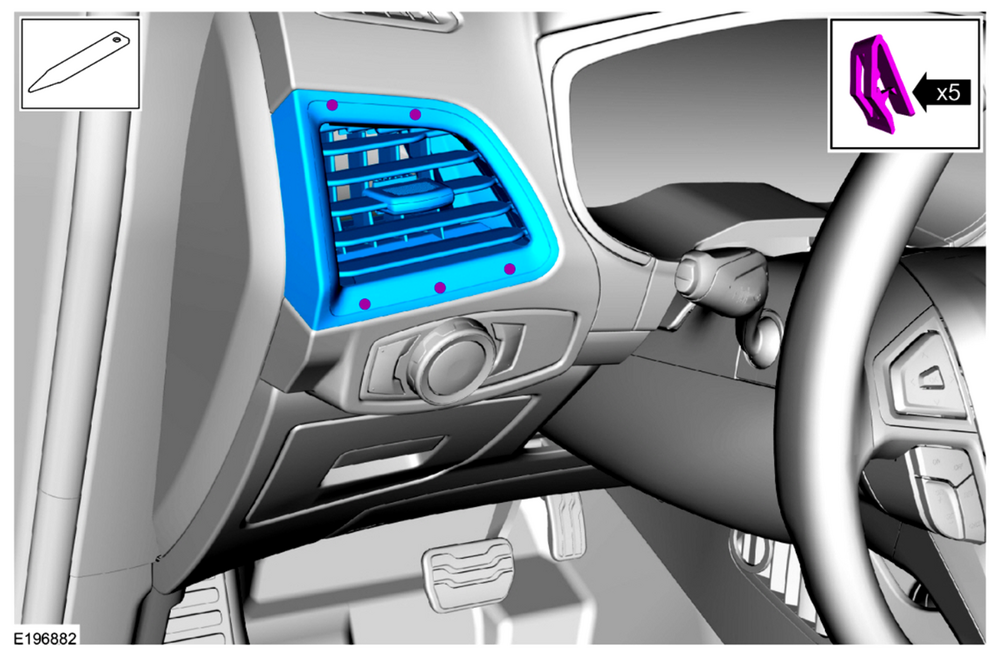
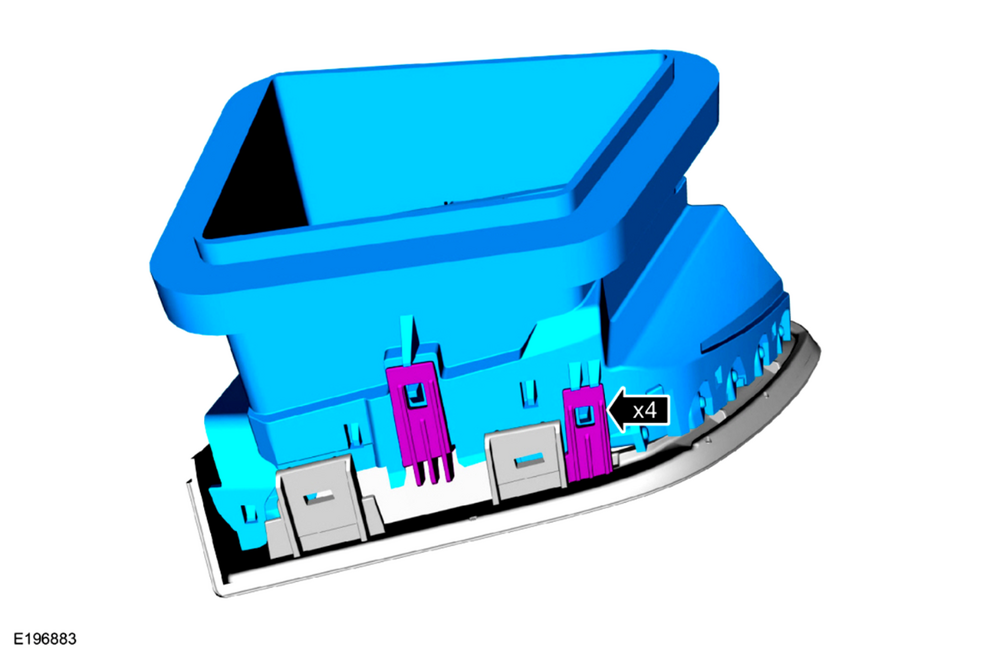
 4 points
 -
I did the larger rotor swap a few months ago. The brackets were readily available on Rock Auto to use the standard non ST calipers. I felt that the ST calipers would be too much change for a vehicle that has Adaptive Cruise with Stop and Go. The master cylinder even for the AWD rotors versus FWD is different, a lot more things are different for the ST and ST PP brakes. I also didn't go with drilled/slotted since this is both our daily driver and our vacation vehicle. I have around 6,000 miles on the new brakes and all is wearing well, all advanced braking things like stop and go adaptive cruise, ABS, etc work, and they have been hammered on and no fade in the mountains as before. Make sure you have a large enough spare for the front, or know you will be putting the spare on the rear if you get a flat in the front. I found a relatively cheap 18 inch spare from an MKX.4 points
-
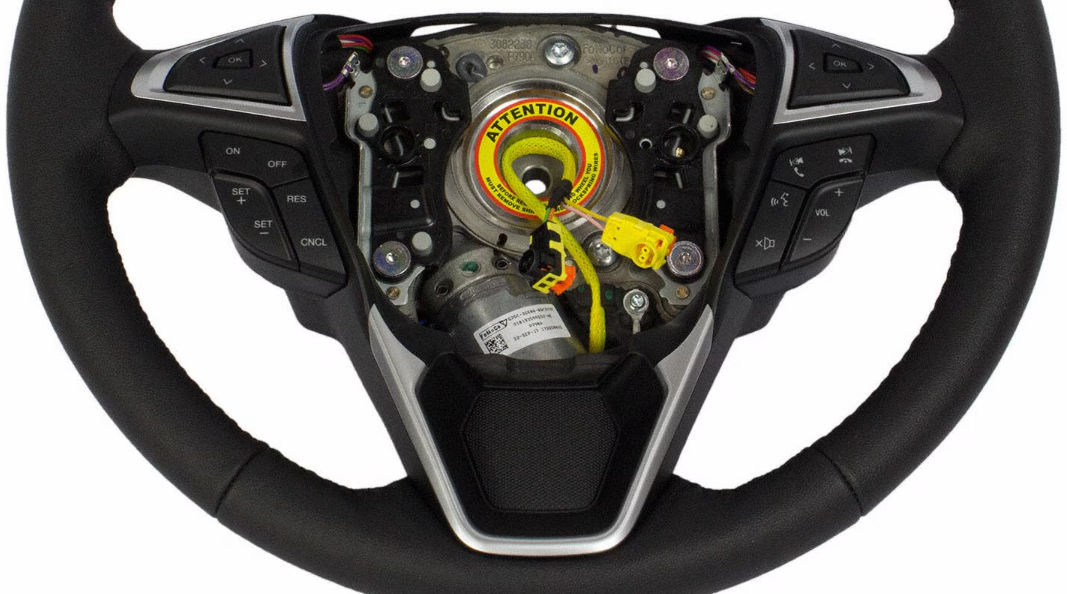
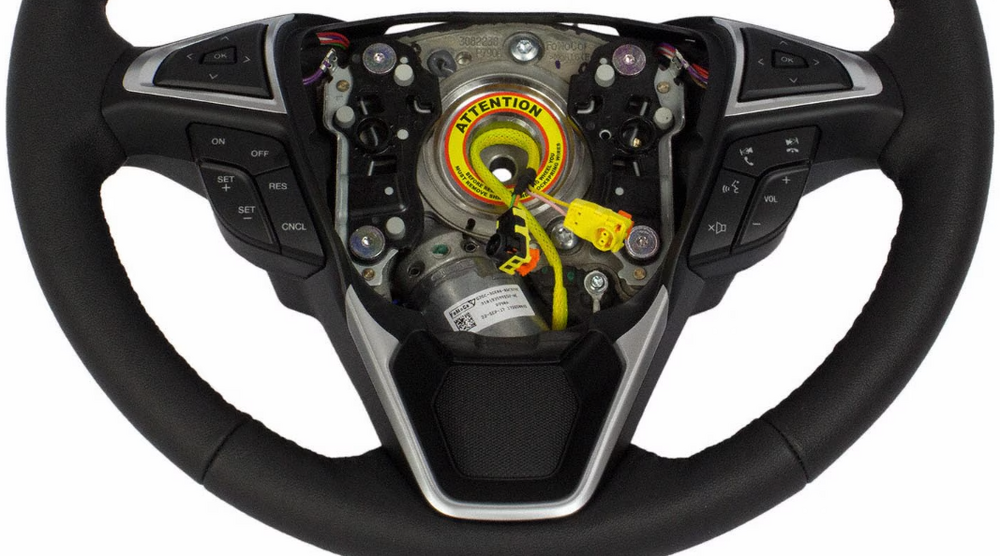
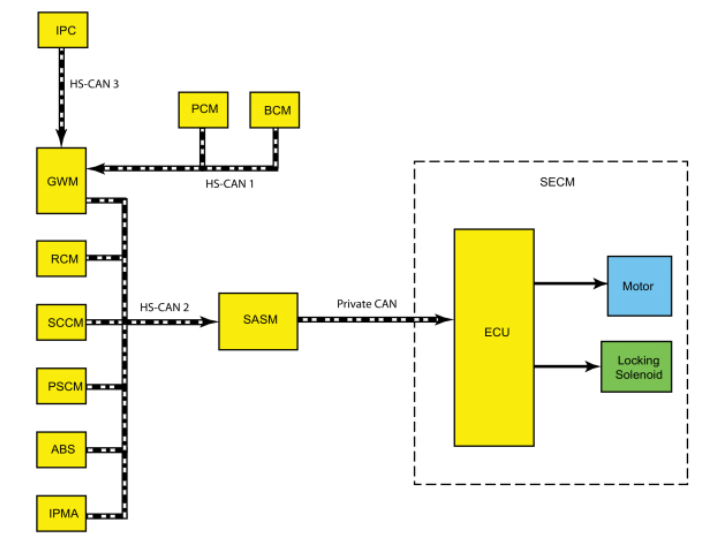
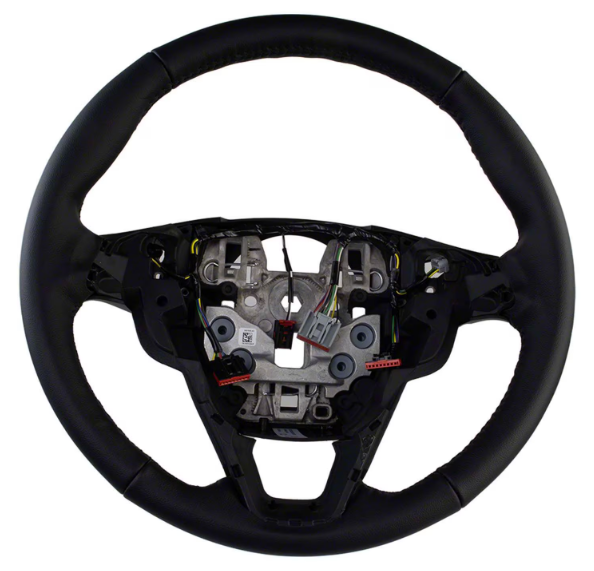
The closed-spoke steering wheels contain the motor for Adaptive Steering, as described in the 2019 Edge Workshop Manual... Adaptive Steering - Overview The adaptive steering system provides steering assist to the driver by dynamically changing the steering ratio between the steering wheel and the road wheels, thereby reducing the number of steering wheel turns required to turn the road wheels. This is accomplished through the use of a motor, worm gear and toothed hub. All adaptive steering system components are inside the steering wheel, behind the driver air bag. Additional technical detail on Adaptive Steering, from the Workshop Manual... Placing your device cursor over underlined acronyms may yield full-words descriptions of the acronyms. Adaptive Steering - System Operation and Component Description System Operation System Diagram Network Input Message Chart SECM Network Input Messages Broadcast Message Originating Module Message Purpose ABS active ABS module Used to inform the SECM an ABS event is taking place. Active front steering request ABS module Used to request steering angle changes for stability control events. EPAS fail PSCM Used to inform the SECM of an EPAS or PSCM failure. Lane keeping system status IPMA Informs the SECM of the current lane keeping system status. Odometer master value IPC This message is sent to the GWM and then to the SECM . Provides the SECM with the current odometer value in kilometers. Power pack status PCM This message is sent to the GWM and then to the SECM . Used to inform the SECM of powertrain status; OFF-torque not available, ON-torque not available, Start in Progress-torque not available, ON-torque available. Restraint impact event status RCM Informs the SECM of airbag deployment and fuel system cutoff due to a vehicle impact event. Stability control event in progress ABS module Used to inform the SECM a stability control event is taking place. Steering wheel angle ABS module Provides the SECM with steering wheel angle information for clear vision compensation. Steering wheel heat request IPC This message is sent to the GWM and then to the SECM . Informs the SECM the driver has requested the heated steering wheel to be activated. Transport mode BCM This message is sent to the GWM and then to the SECM . Used to confirm the vehicle is in normal operation mode, factory mode or transport mode. Turn signal status SCCM Informs the SECM of the current turn signal status; LEFT, RIGHT or OFF. Vehicle braking command ABS module Used to inform the SECM of vehicle braking. Vehicle configuration information BCM This message is sent to the GWM and then to the SECM . Provides the SECM with the current vehicle configuration (central car configuration). Vehicle speed PCM This message is sent to the GWM and then to the SECM . Used to inform the SECM of the current vehicle speed. Vehicle yaw data ABS module Provides the SECM with vehicle yaw data for clear vision compensation. Adaptive Steering System The SECM controls the functions of the adaptive steering system and communicates with other modules through the SASM over the HS-CAN2 . The SECM and the SASM communicate over a private CAN . To activate, the SECM requires battery voltage, ignition voltage and must communicate with other modules over the HS-CAN2 . The SECM must also receive the power pack status message from the PCM in order to activate. The SECM uses a motor to turn a toothed hub connected to the steering shaft to add or subtract incremental turns to the driver steering shaft input. At low speeds the same steering input from the driver delivers more front wheel angle, providing more low-speed agility. Low speed maneuvers require significantly less steering wheel rotation. At high speeds, straight line driving precision is increased, providing the driver with an improved highway driving experience and feel during moderate-to-high-speed cornering. As the driver turns the steering wheel, the SASM detects the speed and direction of the steering wheel rotation and transmits this information to the SECM over a private CAN . The SECM responds by activating the motor in the appropriate direction and speed to assist in turning the front wheels and reducing the necessary number of steering wheel turns required by the driver. The SECM is self-monitoring and is capable of setting and storing Diagnostic Trouble Codes (DTCs). Depending on the nature of the DTC , the SECM may engage the adaptive steering lock and may send a request to the IPC to illuminate the adaptive steering system warning indicator and display a message in the message center alerting the driver of a potential adaptive steering system concern. The warning message is sent over the HS-CAN2 to the GWM where it is converted to a HS-CAN3 message and forwarded on to the IPC over the HS-CAN3 . Adaptive Steering Lock The adaptive steering system is designed with a locking device. While the lock is engaged, the steering system is set to a fixed (1:1) steering ratio. A sound may be heard when the vehicle is started or shut off as the lock is disengaged or engaged and a slight movement of the steering wheel may be noticed while the locking action is taking place. If the vehicle loses electrical power or the SECM detects a fault while driving, the lock is engaged. Extreme operating conditions may also cause the SECM to engage the lock. This strategy prevents overheating and permanent damage to the adaptive steering system. Typical steering and driving maneuvers allow the system to cool and return to normal operation. While the lock is engaged, it is possible the steering wheel may not be straight when the vehicle is driving straight ahead and the driver may notice the steering wheel angle or "clear vision" may be off-set. The locking solenoid also engages when the ignition is set to ON and the driver door is closed, this prevents the steering wheel from turning unnecessarily while the system is off and affecting steering wheel clear vision. The locking solenoid disengages once the engine is started. Heated Steering Wheel The SECM is also the controlling ECU for the heated steering wheel system. For additional information on heated steering wheel functionality, Refer to: Steering Wheel and Column Electrical Components - System Operation and Component Description (211-05 Steering Wheel and Column Electrical Components, Description and Operation). Component Description Adaptive Steering Locking Solenoid The locking solenoid is a normally engaged (locked) solenoid which requires a voltage input to disengage (unlock). This provides a fail-safe in case of SECM or adaptive steering system failure. Adaptive Steering Motor The adaptive steering motor is a reversible, variable speed motor with an attached worm gear. The motor is internal to the steering wheel and is serviced with the steering wheel. SECM The SECM is the ECU for the adaptive steering system. The module monitors all sensor inputs and HS-CAN2 messages relating to the adaptive steering system and directly controls the output of the adaptive steering motor. The SECM is internal to the steering wheel and is serviced with the steering wheel. Conventional Edge steering wheel... Good luck!
 4 points
 -
And i bought it-a white SEL with a few options-cold weather package/trailer towing package/activex seats. Guess it will have to do-replacing a 2019 SEL with same options but with Nav and convenience package.4 points
-
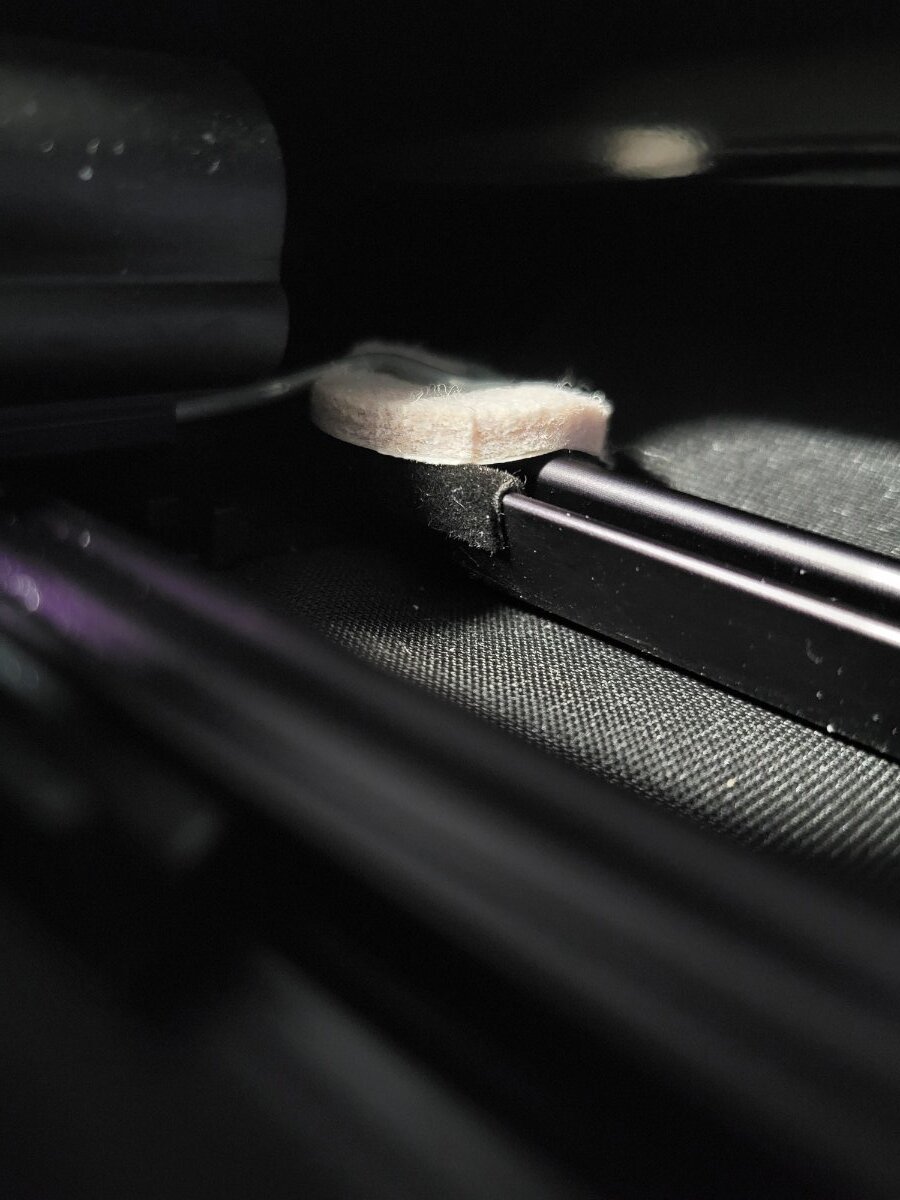
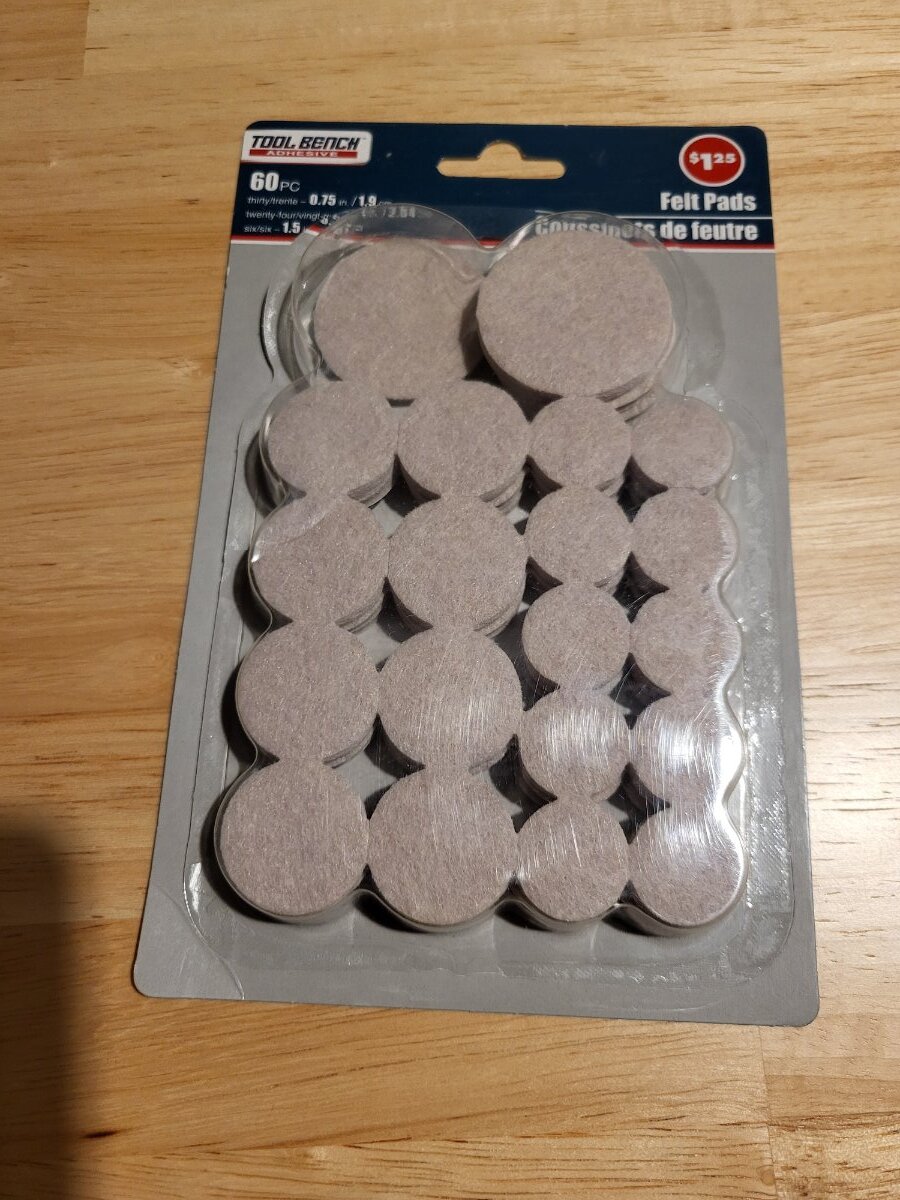
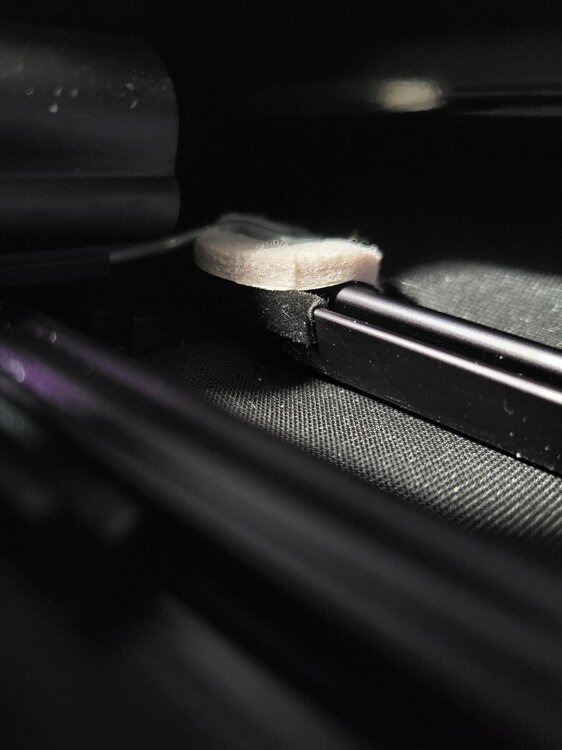
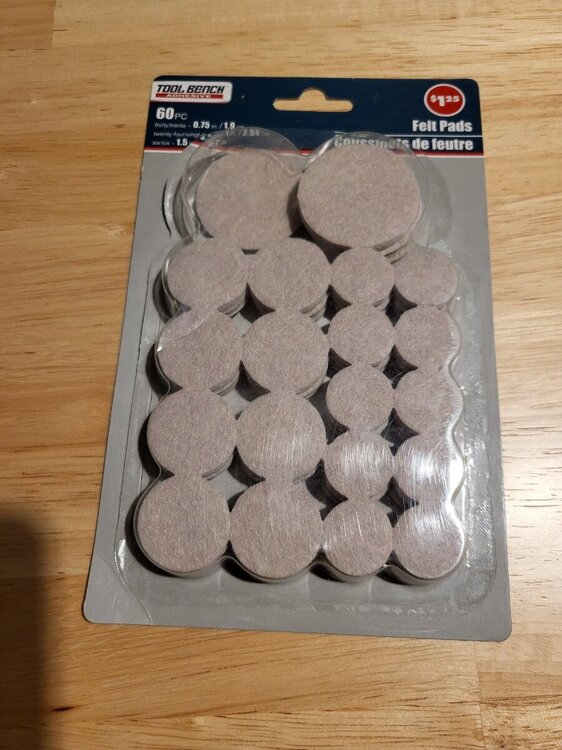
I think I found an easier solution to this issue. I was able to slide a screw driver under the clip and rotate it a little to lift it up. I then slid a thick piece of felt under the end of the clip and dropped it back down. I purchased a pack of those round stick-on felt pads that go on the bottom of kitchen chair legs from the Dollar Tree. The one I used was the size of a nickel. The very annoying tick is completely gone!!!!:) I had to redo this felt pad solution because it eventually compressed too much and the rattle came back. I ended up using a round piece of plastic about the size and thickness of a nickel with felt stuck to both sides. Just sticking felt to both sides of an actual nickel would also work well.
 4 points
 -
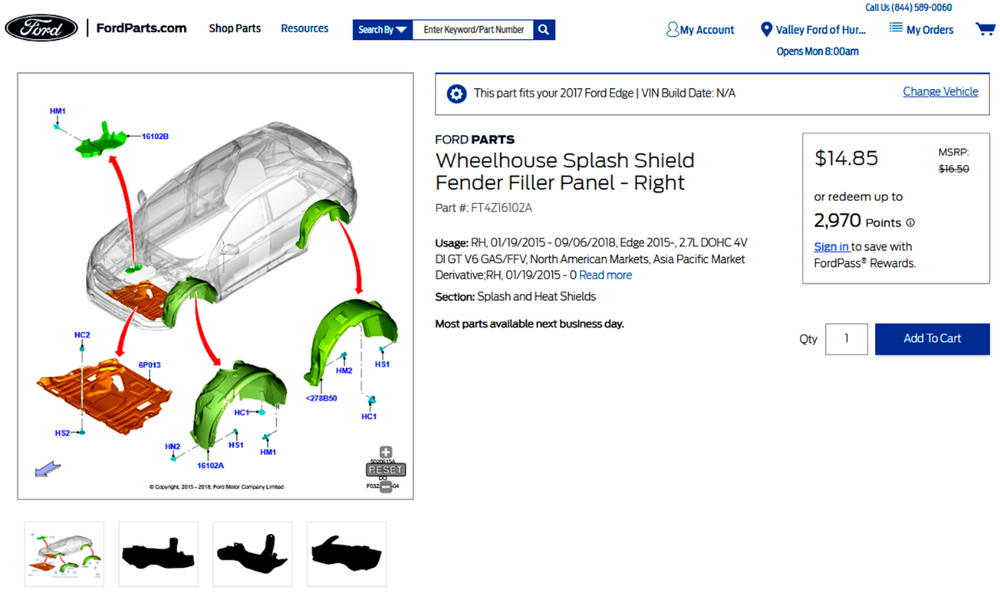
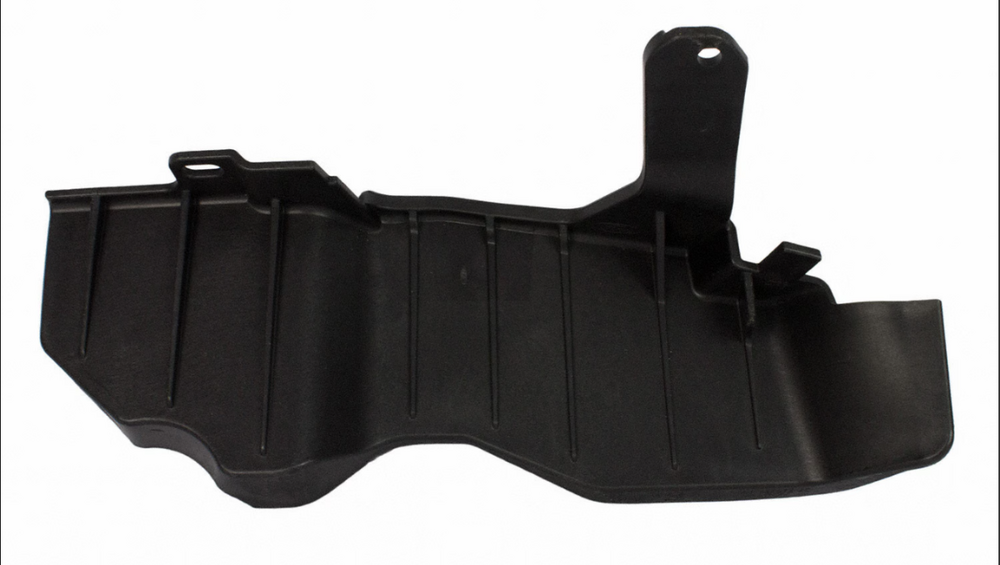
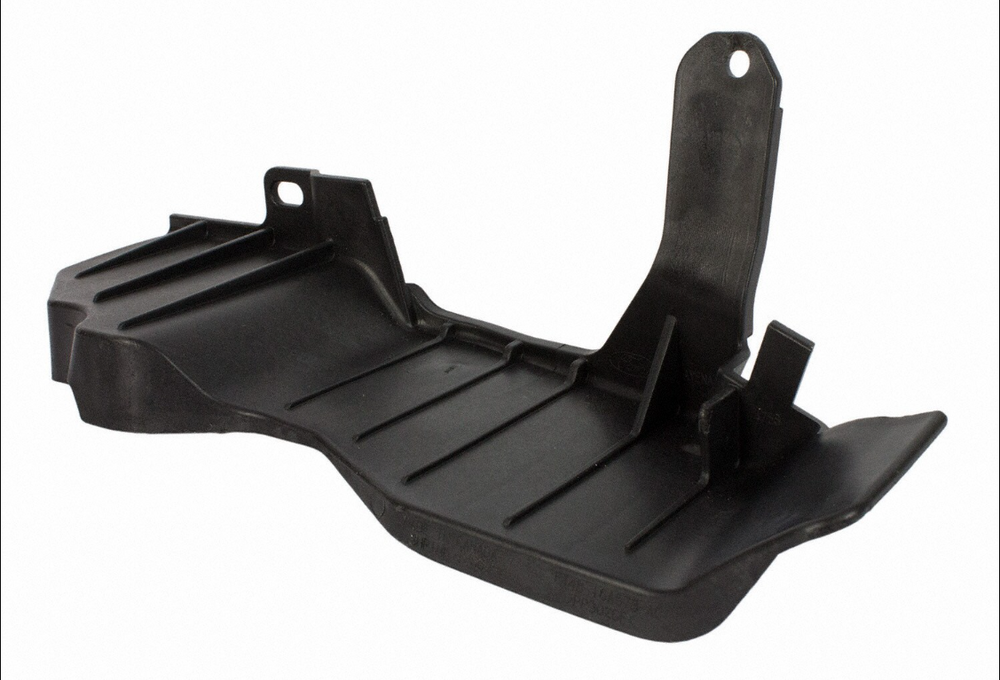
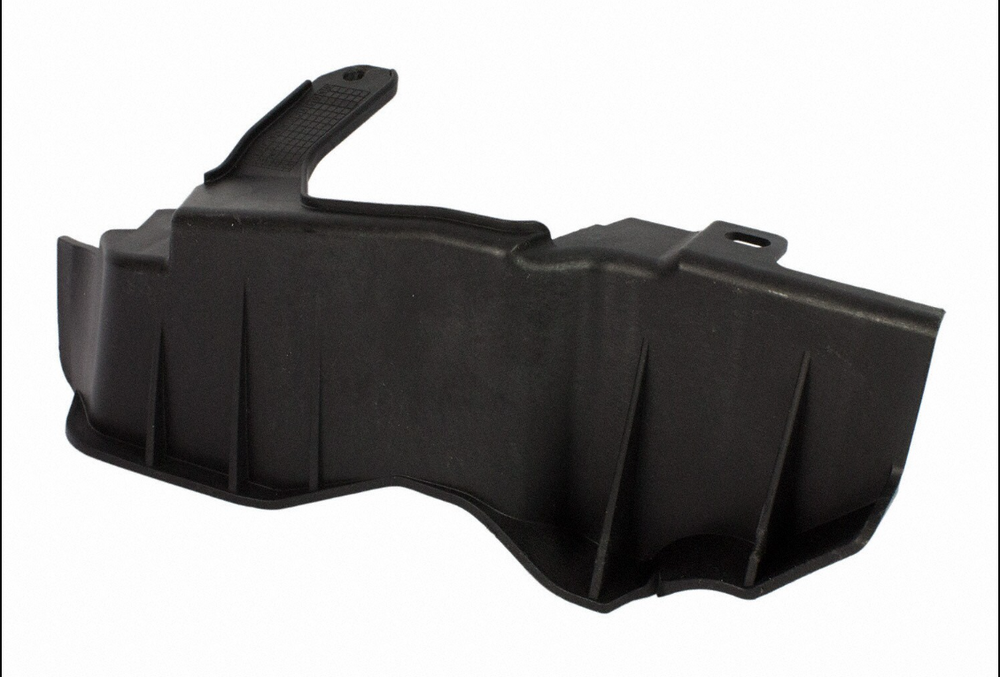
Link to this FordParts webpage Good luck!
 4 points
 -
SSM 53601 2020-2023 Explorer/Aviator, 2020-2025 Police Interceptor Utility, 2020-2025 Escape/Corsair, 2022-2025 Maverick, 2024-2025 Nautilus - Hybrid - Illuminated MIL With DTC P2450:00 Stored In The PCM Some 2020-2023 Explorer/Aviator, 2020-2025 Police Interceptor Utility, 2020-2025 Escape/Corsair, 2022-2025 Maverick, and 2024-2025 Nautilus vehicles equipped with a hybrid powertrain may exhibit an illuminated malfunction indicator lamp (MIL) with diagnostic trouble code (DTC) P2450:00 stored in the powertrain control module (PCM). This may be due to an evaporative emission system concern or may also be caused by the customer overfilling the fuel tank. If this condition occurs, perform normal diagnosis per Workshop Manual (WSM) Section, 303-13 and repair as necessary. Inform the customer that the condition may have been caused by overfilling of the fuel tank and to not top-off the fuel tank when the fuel pump nozzle automatically shuts off for the first time. Refer the customer to the Fuel and Refueling section of their Owner Manual for additional information.4 points
-
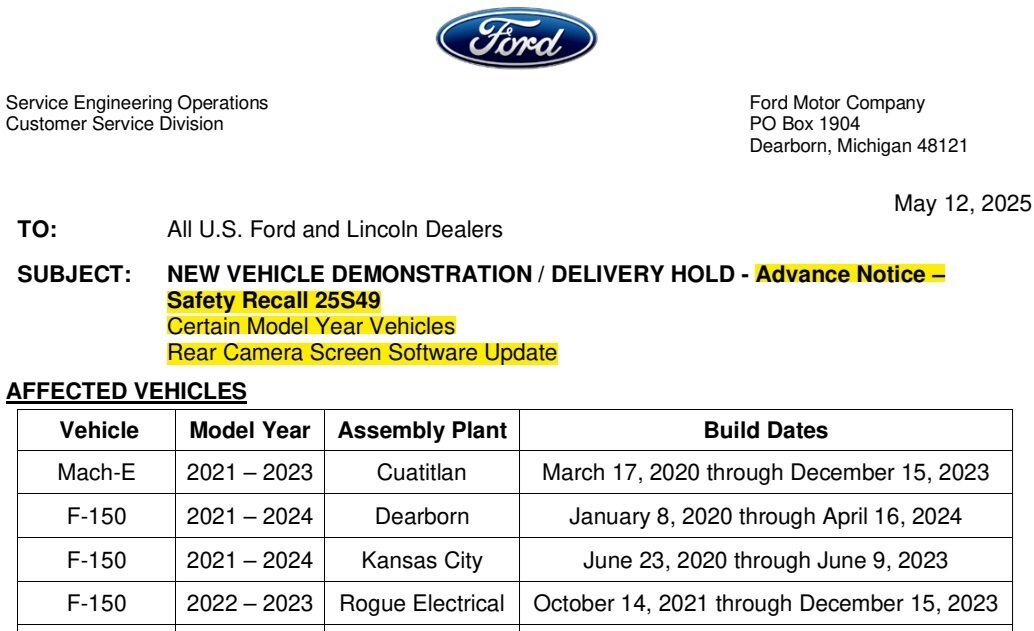
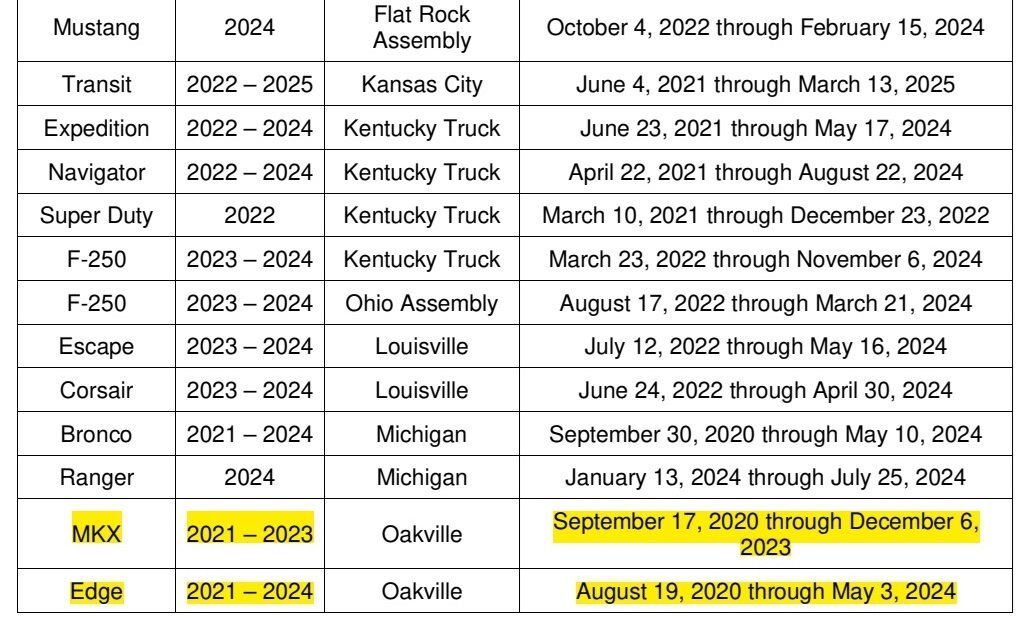
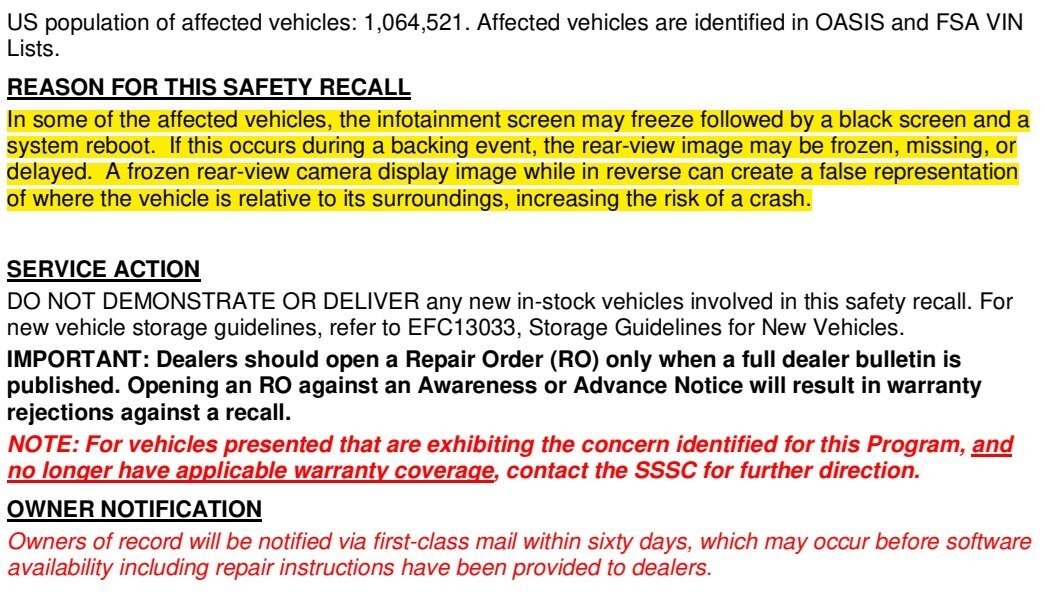
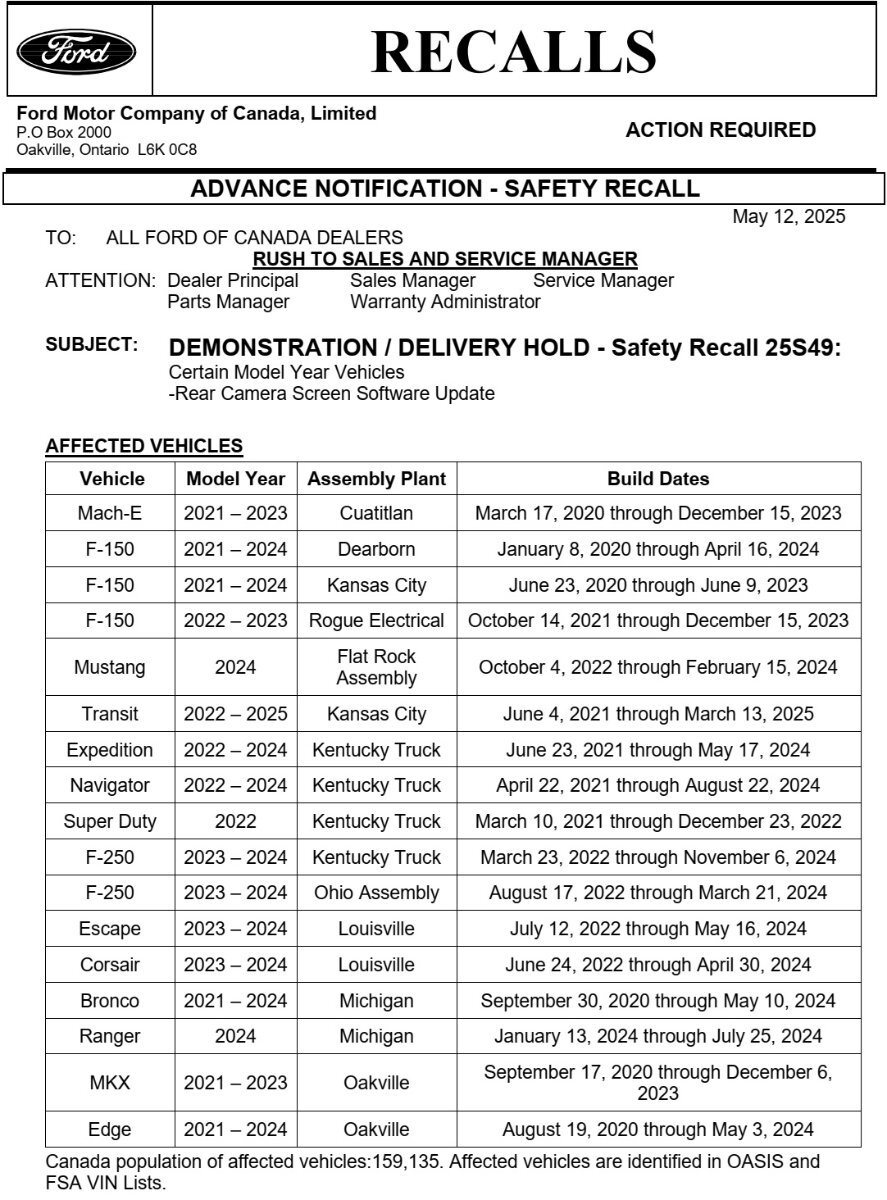
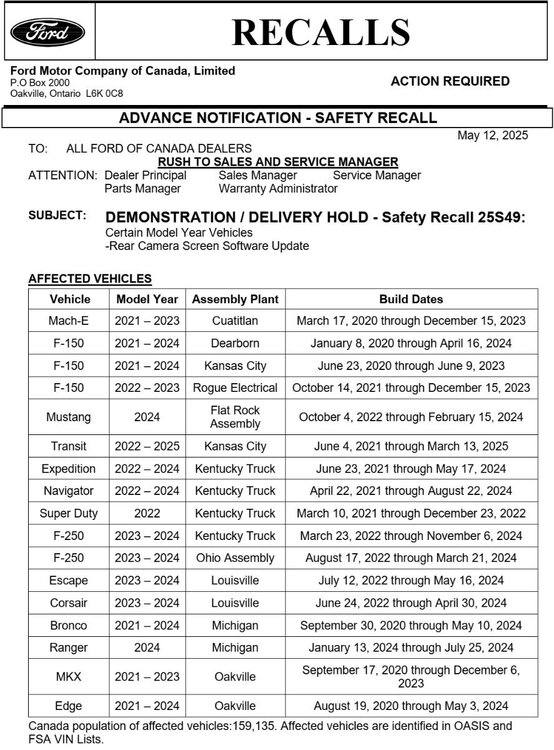
*** This is an Advance Notice -- This post will be updated when the Full Dealer Bulletin is released *** Please note: The Advance Notice letter contains a typo, indicating "MKX" for model years that clearly represent the Nautilus model...
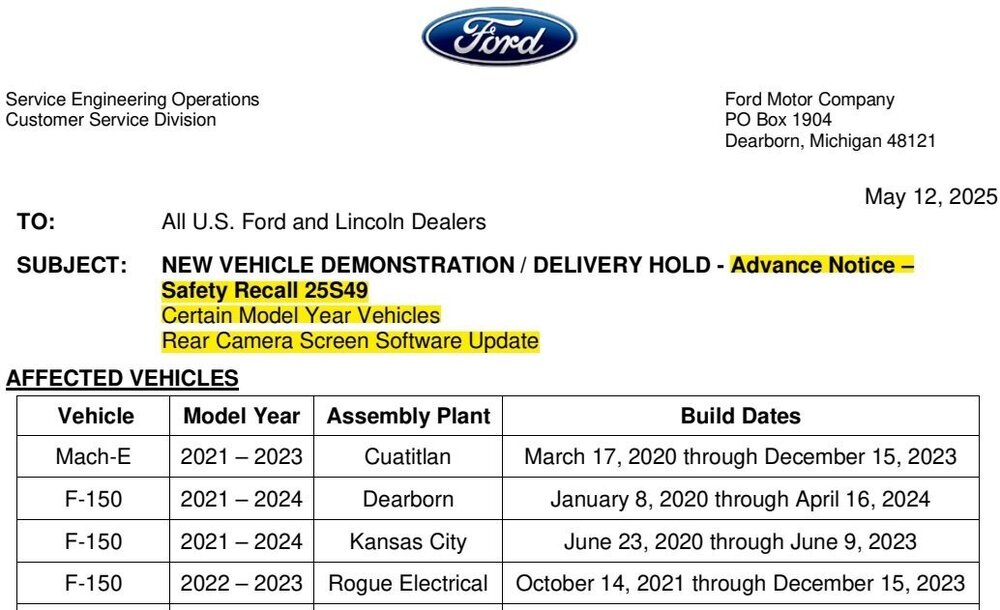
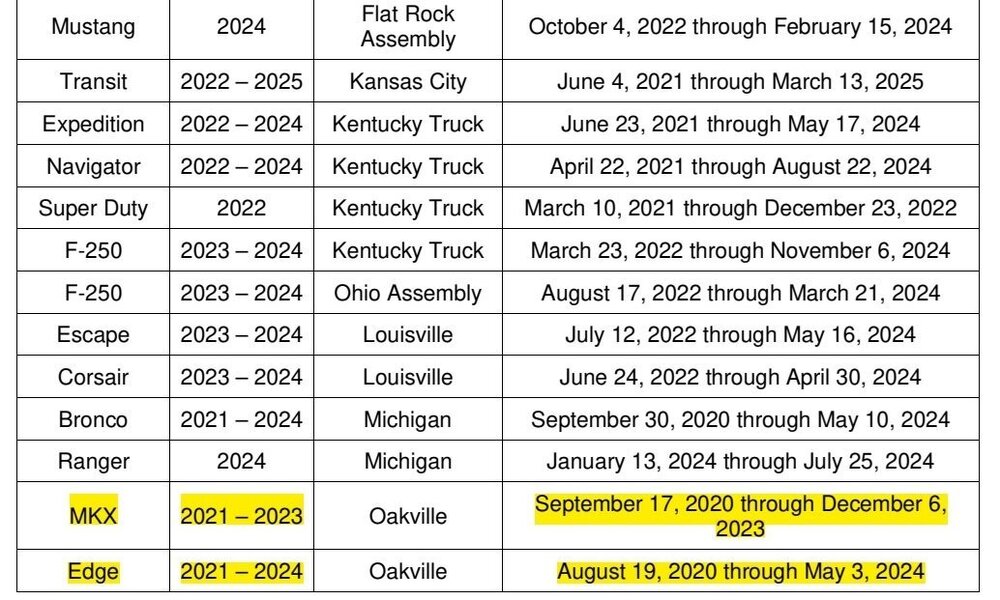
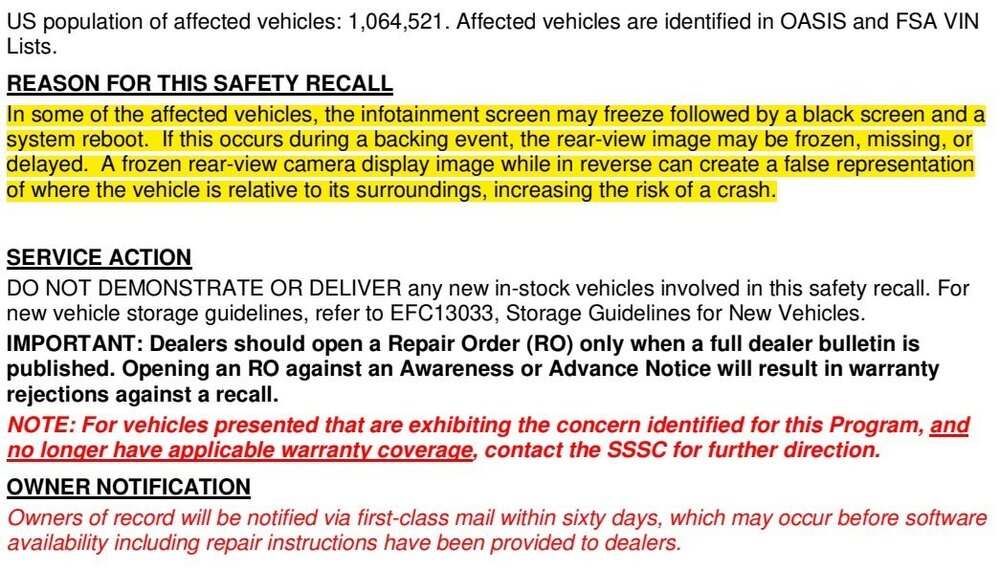
 3 points
 -
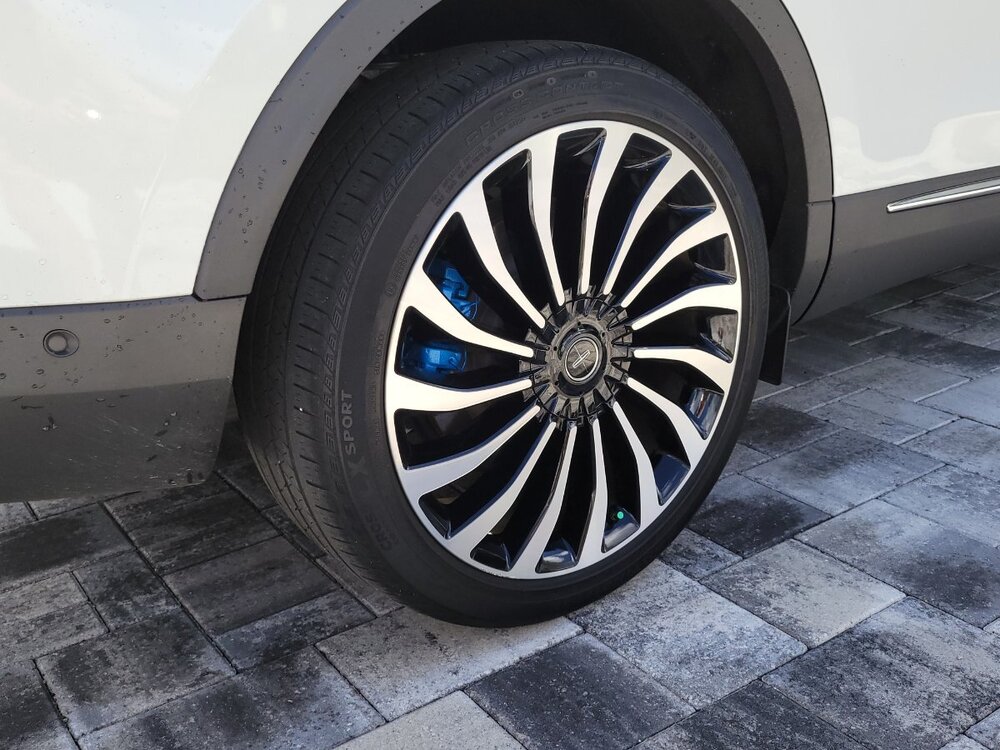
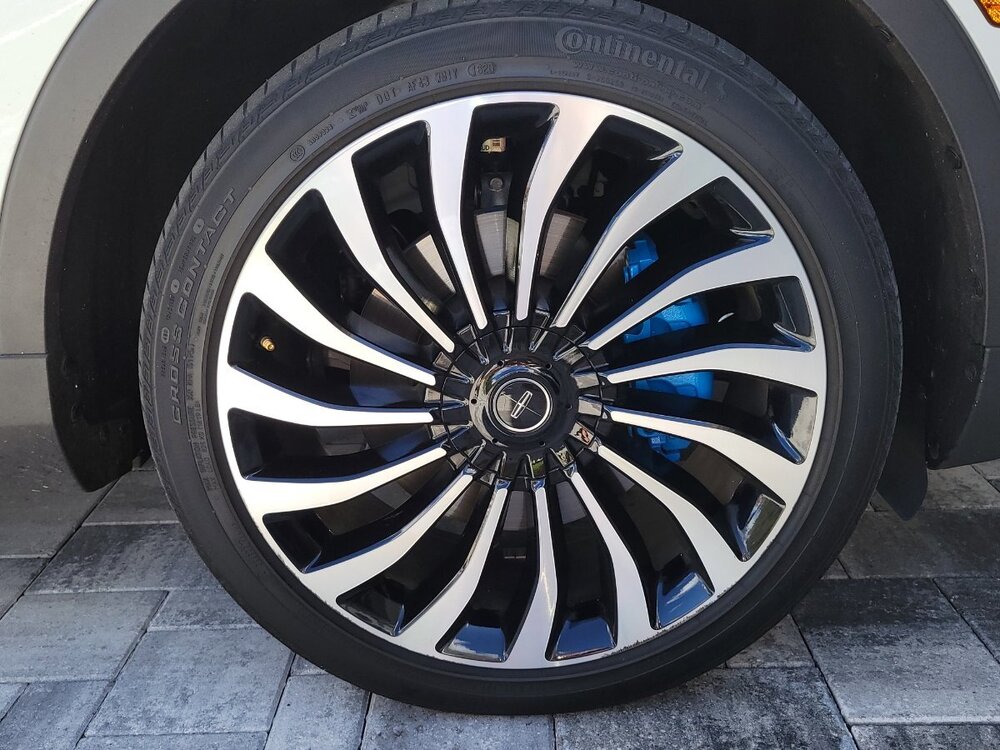
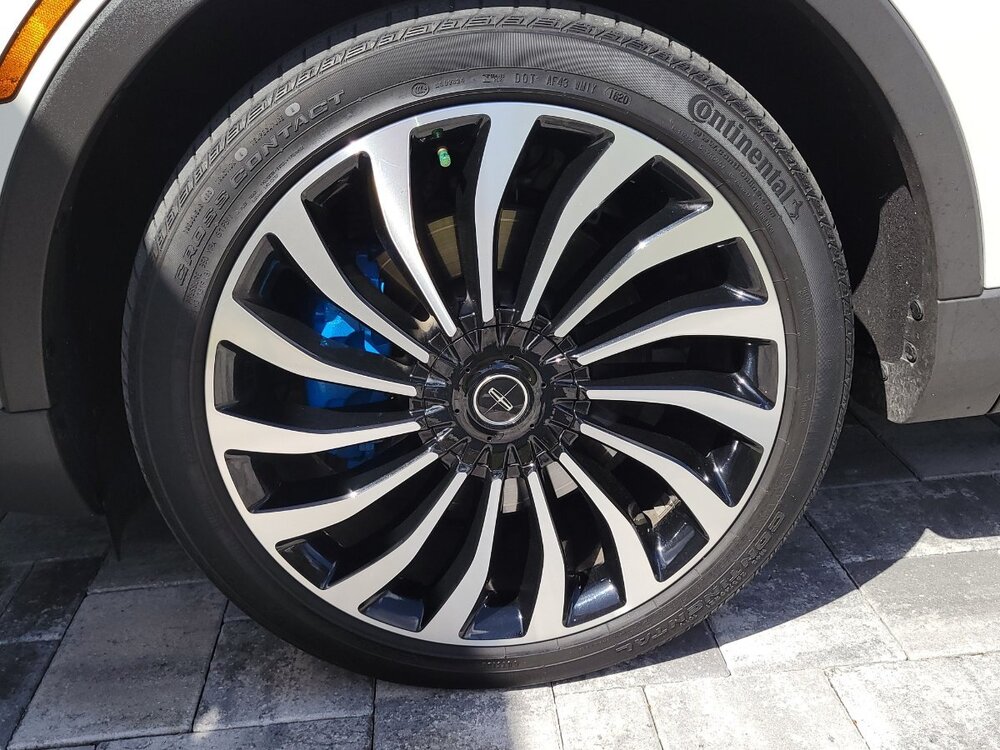
Great to hear 1004ron ! I'm just happy I don't have to remove the wheels in the near future to install new pads. Those 21's are hea-VY. Here are a few pics of the brake calipers, as promised. Can't see them very well, but, they look a little better when the sun is not directly overhead and casting shadows.

 3 points
 -
That model year & trim did not come with a 2.7L V6. The SE trim only came with the 2.0L 4 cycl turbo. The 2.7L V6 was only offered in the ST version. Some Lincoln's may of had that engine available to it, but all models of Edge's, except the ST, got the 2.0L cylinder Ecoboost. As far as purchasing, all depends on maintenance price. I'd swap all fluids & check for brake & tire wear. Overall, those model years are good, but all depends on how well the vehicle was maintained.3 points
-
UPDATE, I did the same thing fishx65, used one of those Velcro pads and wedged it under the clip. No more rattle! What a nightmare that Ford could not figure this out. Thanks for this Forum.3 points
-
Checked my records and the failed pads are Centric Posi Quiet - definitely avoid those. https://bobistheoilguy.com/forums/threads/centric-posi-quiet-pad-delamination-on-both-sides-pic-included.356932/ .3 points
-
I have Forscan, but opted for the aftermarket disable switch instead. Works perfectly. I wish I could remember what it's called and where I got it but it's a three to five min install w/zero hassle. I Googled it. Like my better half, Google knows Everything!3 points
-
I don't think they are " one-time use " either but Ford is being cautious. It's like saying, on older cars, every time you change the oil you have to change the oil drain plug gasket. Not a true statement. It's very tight in there to remove that PTU cover plate without moving anything else. I chose to buy a MityVac unit specifically for vacuuming out the gear fluid. Sucked it almost dry. I used another MityVac unit, so I didn't have to clean them in-between same-time uses for the PTU, to pump the new gear oil in. Took the correct amount of fluid as specified in the manuals. ( That's why I said it sucked it dry ) And, of course, a lot less messier.3 points
-
Well, I've done something rash. Traded my 2019 Flex NA AWD for a 2024 Edge ST. The Flex had 105K on the clock and I wanted a vehicle with a official Ford tow package for the small trailer I'll be pulling. Local Ford store had one I liked, so I got it. Has a few more miles than I'd like (39K), but I might just run it for a couple years and switch to an Explorer ST (unless you all talk me out of it...). It is fun to drive and in regular driving is getting better mileage that the Flex. We'll see how it tows the trailer, as I leave Wednesday for the trip. The Flex had tons of room when you laid down the second row seats, so I'm gonna miss that, but the trailer lets me put some stuff that used to go in the car now into the trailer. It's just a 5X8 trailer holding my Honda ATV. So all told maybe 1200lbs. The items I put in the back of the car for the trip should just fit. I need 67" and the Edge has 70". Tuesday is loading day. Sorry I don't have a pic of the car yet. But it's a very dark Blue. Don't know the official color name... The B&O sound system is kinda cool. Pic attached to show what has to fit in the back... it comes apart, but the longest piece is 67" long. sidebar: why did it put the pic sideways, and how do I correct it?🤔
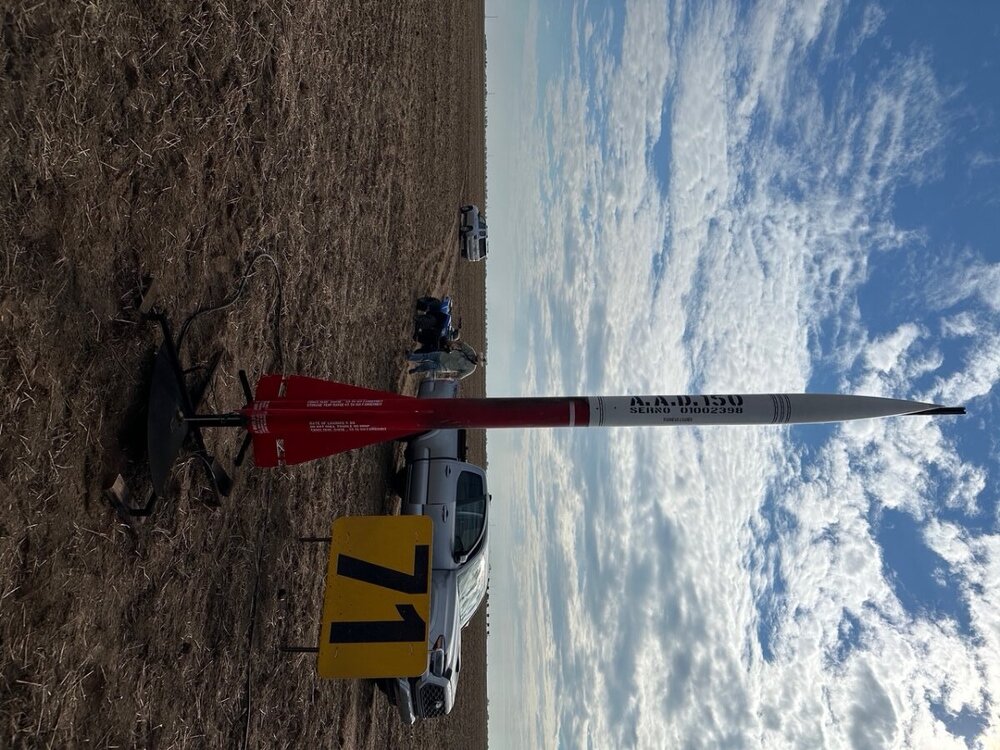 3 points
 -
I would go with the H6 AGM Everstart Platinum from Walmart. Be sure to reset your battery monitoring and select a new battery code if you change size and type.3 points
-
I just did my RDU, PTU and a transmission drain and fill the past few days. I just passed the 20k mark on my 2023 ST. The RDU fluid was ok, but honestly it didn't need to go any longer. I put in a few more oz than I took out. The PTU on my vehicle has no drain plug and it is different than all the videos out there that I can find to do a drill and tap. With not being sure where to put a drain plug I pulled/sucked out 350ml and put in 500 ml. Again they shorted me on fluid. The PTU fluid looked good, I was really pleased to see that. I replaced 5 quarts of transmission fluid and it looked in really good shape. I was worried reading all the concerns with the RDU, PTU and transmission. As little as this all cost me in fluids, probably about $120 in total, I think it is worth doing every 20k or less as the RDU fluid definitely needed to be replaced, and only being able to get half the fluid in the PTU. I used the Motorcraft fluids for the RDU and PTU and used Valvoline ULV fluid for the transmission. I bought the Motorcraft fluids on Amazon and the transmission fluid on Rockauto.3 points
-
*** This is an Advance Notice -- This post will be updated when the Full Dealer Bulletin is released ***
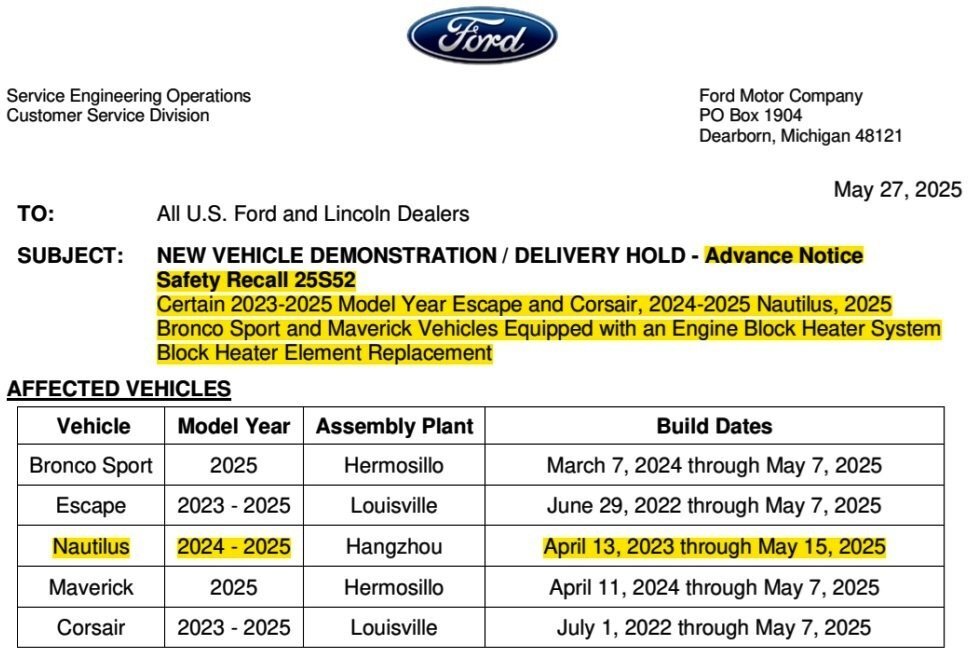
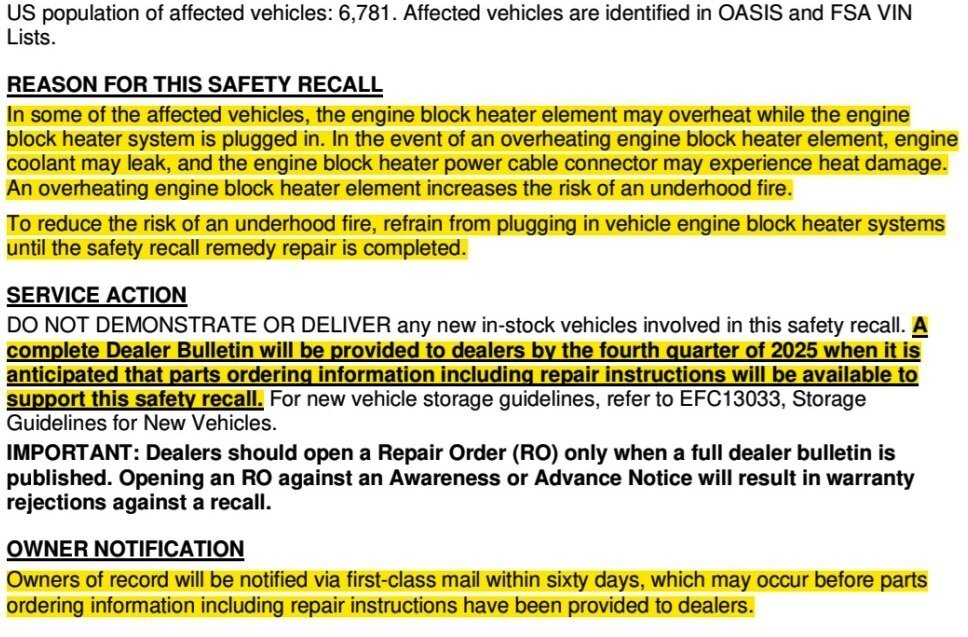 3 points
 -
Thank you for your terrific contributions to this community, Haz!3 points
-
@tuxnet: Relevant sections from the 2014 Edge-MKX Workshop Manual with enlarged procedure illustrations are attached below as PDF documents... Good luck! Cruise Control Module (C-CM) (with Sensor) Adjustment - General Procedures - 2014 Edge-MKX Workshop Manual.pdf Bumper — Exploded View, Front - Removal and Installation - 2014 Edge-MKX Workshop Manual.pdf Bumper — Exploded View, Front - Enlarged Edge Illustrations - 2014 Edge-MKX Workshop Manual.pdf Bumper Cover — Front - Removal and Installation - 2014 Edge-MKX Workshop Manual.pdf3 points
-
*** The following Dealer Bulletin has been edited to provide the information most relevant to Forum members. ***
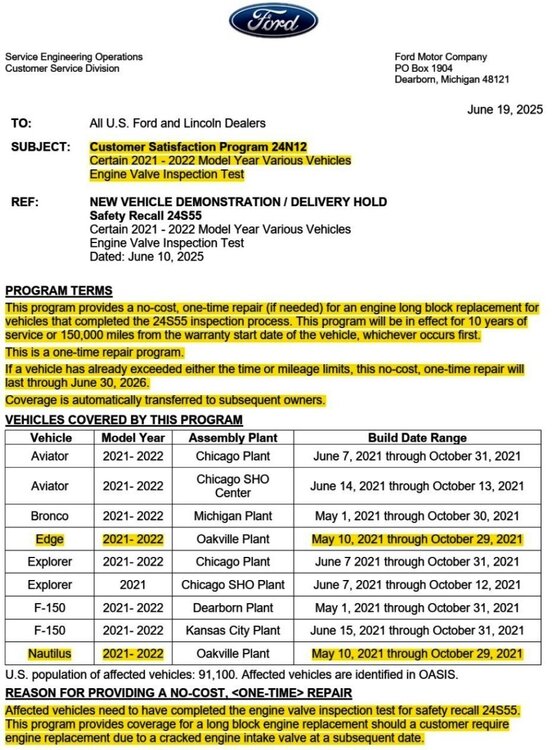
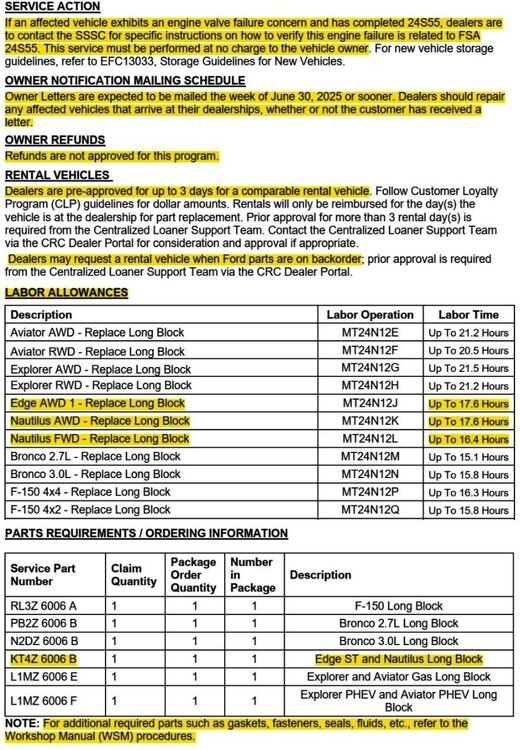 3 points
 -
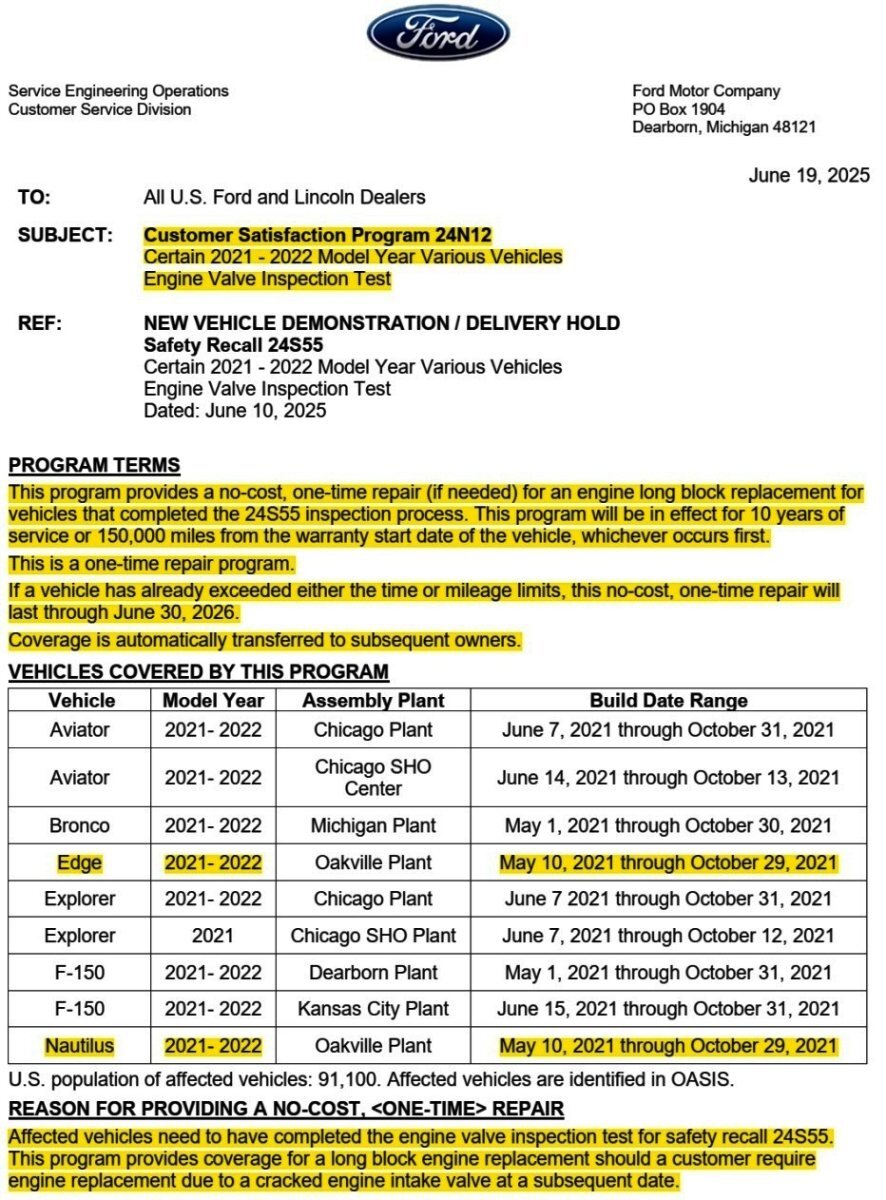
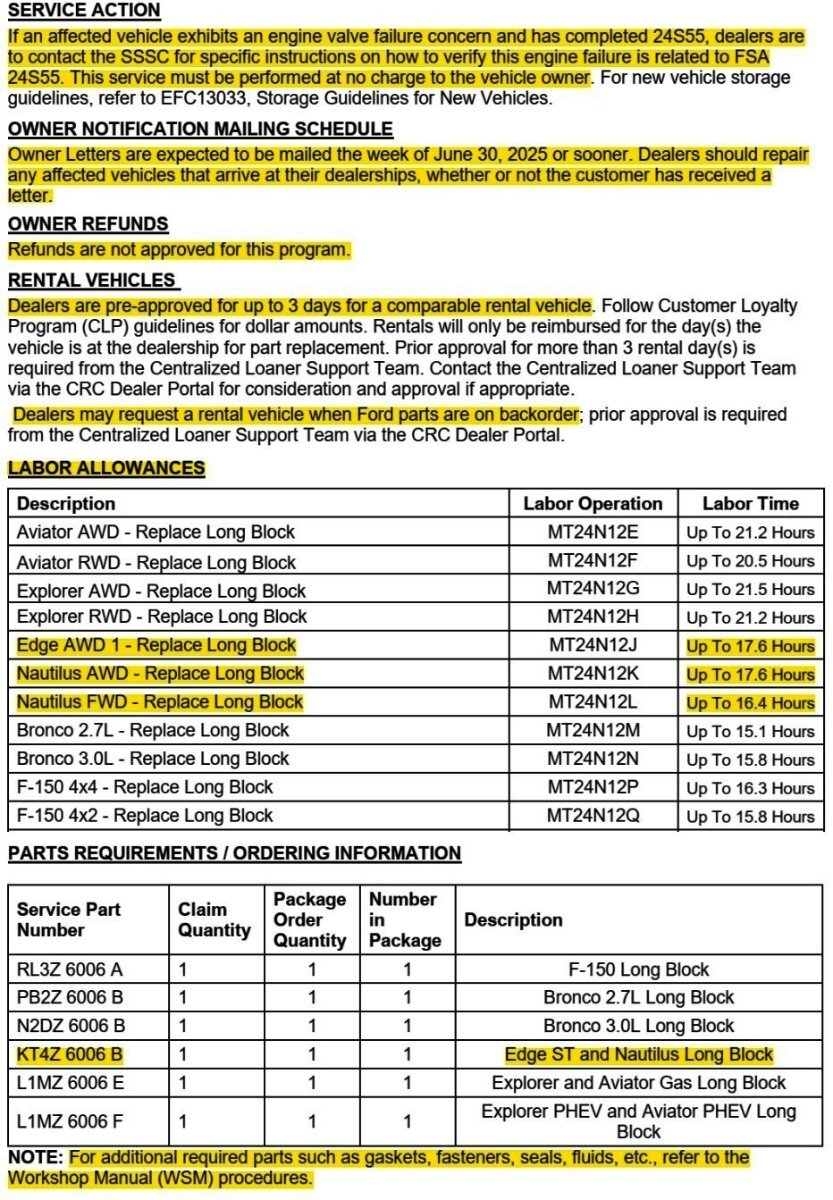
From the above-quoted NHTSA Chronology Report, with emphasis added... On January 25, 2022, Global CCRG opened an investigation into 2021 Model Year (MY) Lincoln Aviator and Nautilus vehicles equipped with 2.7L and 3.0L Nano EcoBoost gasoline engines after an international investigation discovered twenty-two (22) instances of engine failure at three (3) months in service or less. A review of failed engines revealed that the engine intake valves fractured and fell into the combustion chamber of the engine causing catastrophic engine damage leading to a Loss of Motive Power (LOMP). Based on an analysis of returned fractured valves from failed engines, Ford identified that the potential root cause of the failures was engine intake valve failure due to valves that exceeded the designed specification for hardness, were brittle, and more likely to fracture. Ford determined that this was due to the supplier’s grinding processes and the sensitivity of the intake valve material to grinding processes that were not within control specifications. The intake valve material was changed for vehicles produced after October 31, 2021. The new material increased the valve’s robustness to keeper groove grinding processes outside of control specifications. Good luck!3 points
-
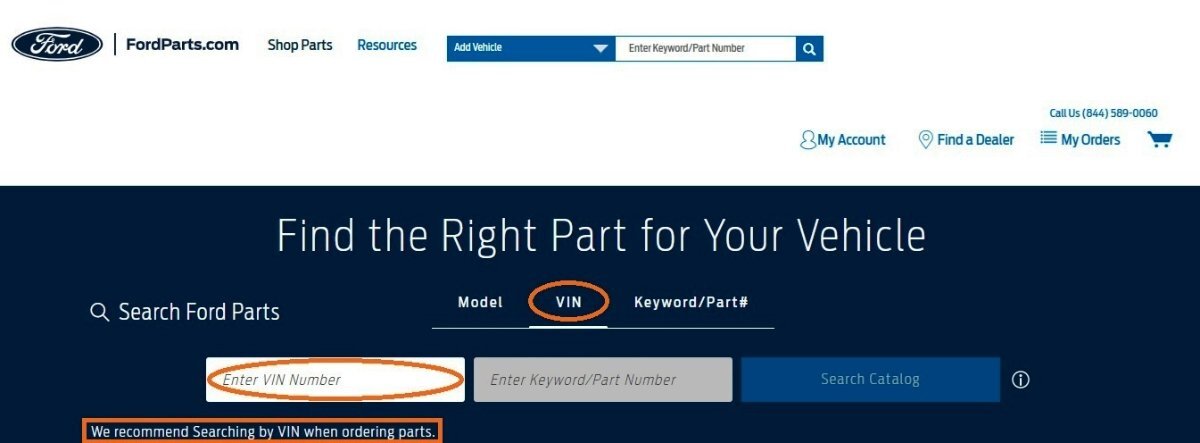
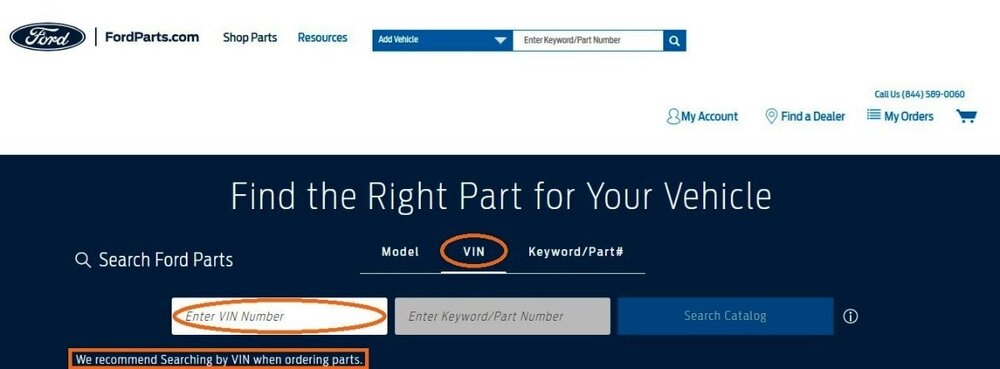
Welcome to the Forum @Edgernnr! From the Ford Powertrain Control/Emissions Diagnosis (PC/ED) Manual... PC/ED Diagnostic Pinpoint Tests, and, Workshop Manual Evaporative Emissions component procedures, are attached below as PDF documents... Inputting your Edge's VIN at the beginning of your FordParts part search should yield the correct part and/or indicate the part is not correct for the specified VIN... Good luck! PINPOINT TEST Z - INTERMITTENT - PC-ED Manual 2020 Gasoline.pdf PINPOINT TEST HX - EVAPORATIVE EMISSION (EVAP) SYSTEM AND MONITOR - PC-ED Manual 2020 Gasoline.pdf Evaporative Emissions - Overview - Description and Operation - 2020 Edge Workshop Manual.pdf Evaporative Emission System Leak Test - General Procedures - 2020 Edge Workshop Manual.pdf Evaporative Emission Blocking Valve - Removal and Installation - 2020 Edge Workshop Manual.pdf Evaporative Emission Canister - Removal and Installation - 2020 Edge Workshop Manual.pdf Evaporative Emission Canister Purge Valve - Removal and Installation - 2020 Edge Workshop Manual.pdf Evaporative Emission Canister Ventilation Filter - Removal and Installation - 2020 Edge Workshop Manual.pdf Evaporative Emission Canister Vent Solenoid - Removal and Installation - 2020 Edge Workshop Manual.pdf Fuel Tank Pressure Sensor and Tube - Removal and Installation - 2020 Edge Workshop Manual.pdf

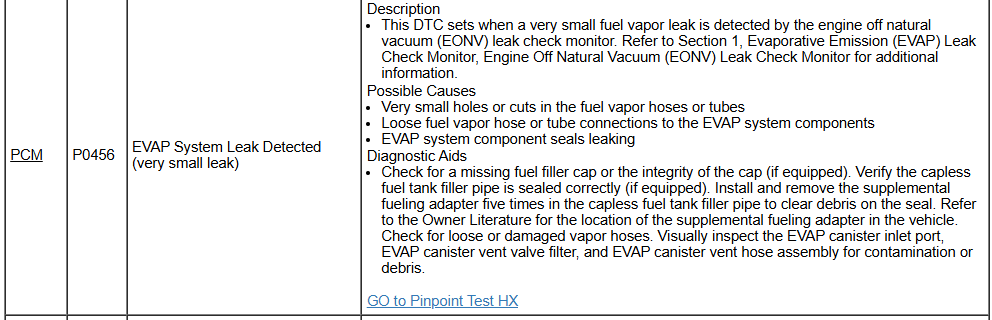
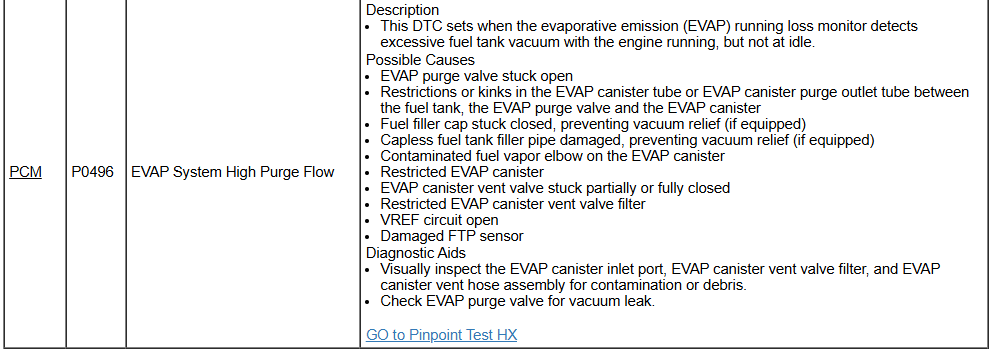
 3 points
 -
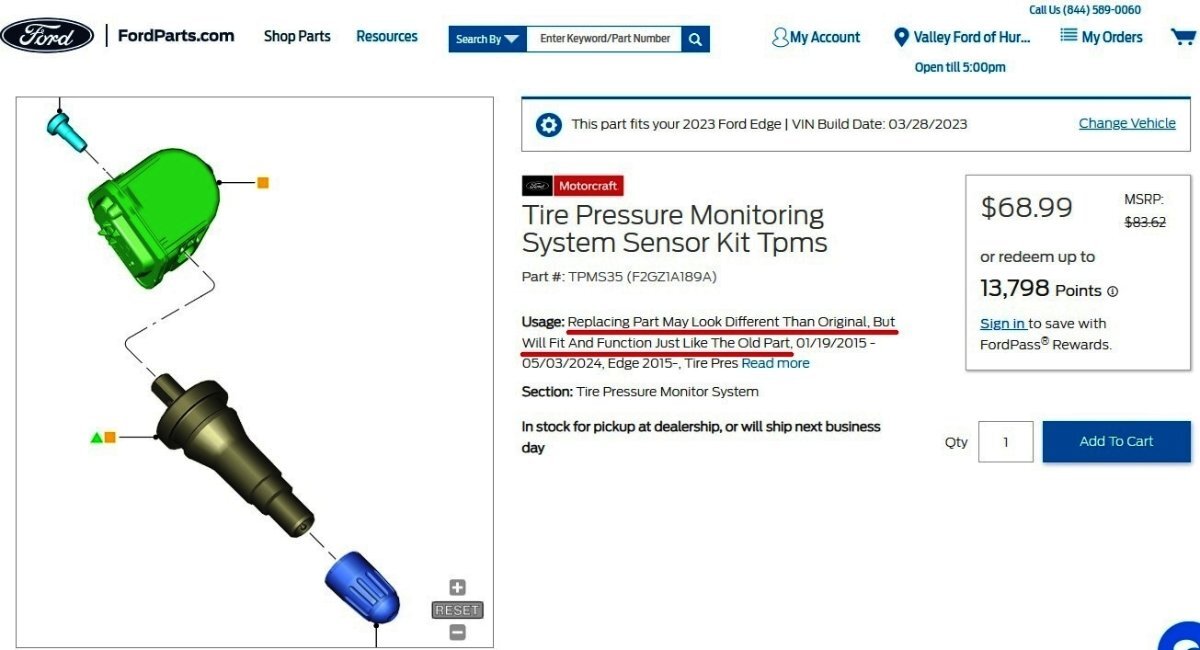
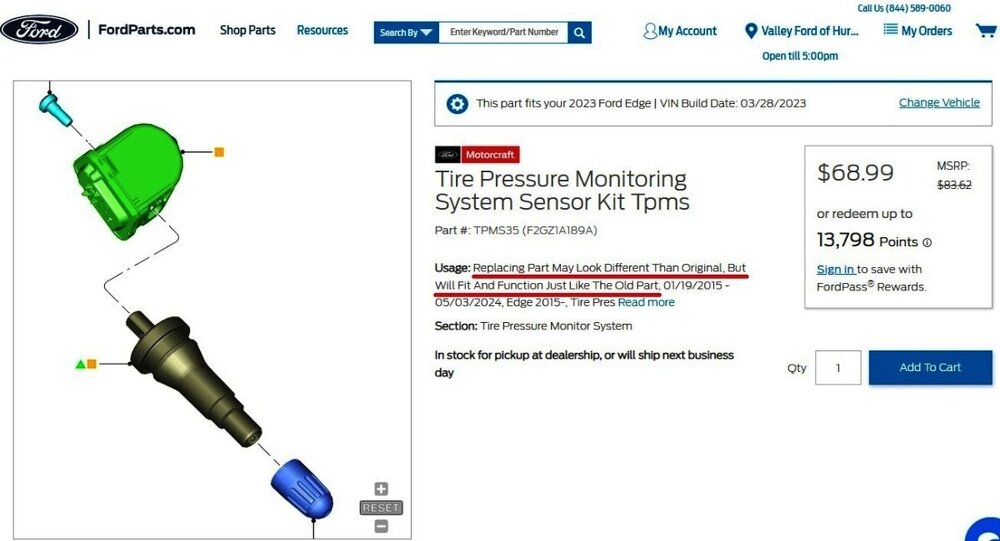
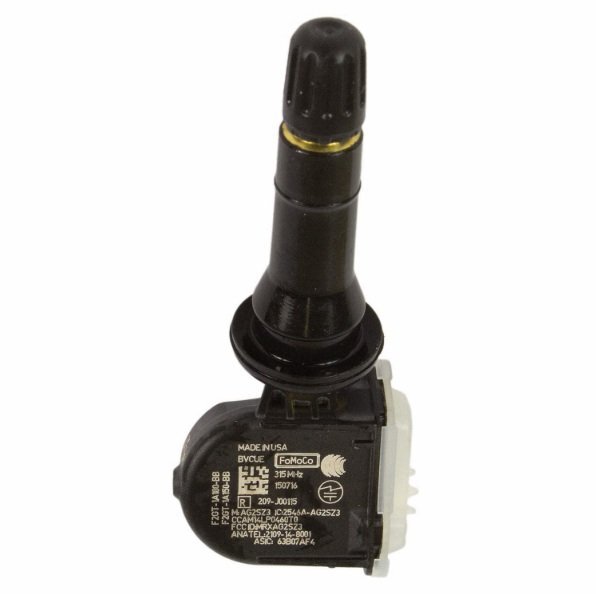
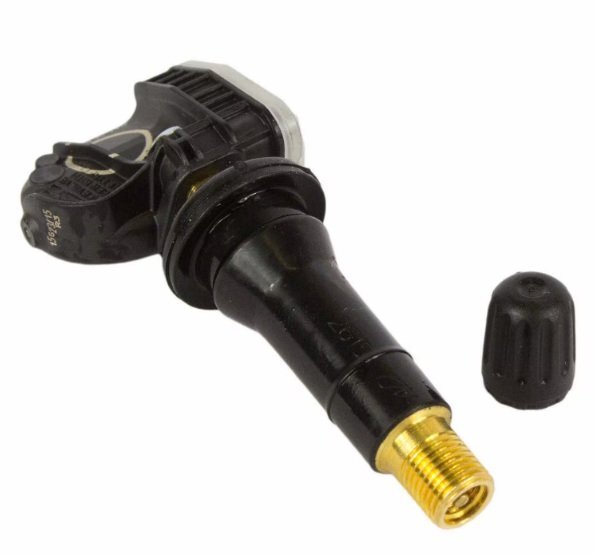
@m4rioo: Ford OASIS info for your Edge's VIN confirms 315 MHz... VIN-based TPMS sensor search from Ford's online parts-selling site... Radio frequency interference can negatively impact TPM systems, per the 2022-2024 Edge Workshop Manual, included below and more fully covered in the attached PDF documents... Placing your device cursor over underlined acronyms may yield popup full-words descriptions of the acronyms. Radio Frequency Interference (RFI) RFI can be caused by: Video equipment has been found to cause RFI especially when the video and power supply lines are near the TPMS . Anti-theft alarms (even those installed by the dealership) have been found to create enough RFI to cause the TPMS to malfunction or lose considerable range. These anti-theft alarms can be difficult to locate, as they are usually hidden somewhere out of the way for reduced accessibility. Many in-vehicle cell phone chargers have been found to cause considerable RFI . The vehicles with the power point closest to the RTM are the most affected. It must be noted that most cell phone chargers do not produce high levels of RFI all the time. This depends on the state of charge of the cell phone battery. The phone battery must be almost completely discharged in some cases. Power supplies and DC / AC inverters typically create a lot of RFI . Most consumer grade equipment has very little filtering or shielding. Using Hit Rate Parameter Identifiers (PIDs) to Determine the Presence of RFI If an intermittent RFI issue is suspected, the information contained in the last 5 TPMS warning event Parameter Identifiers (PIDs) can be combined with specific Parameter Identifiers (PIDs) from the BCM to determine which TPMS sensors are being affected and if a RFI source is currently present in the vehicle. The BCM module contains Parameter Identifiers (PIDs) used to keep track of the number of TPMS messages received from the 4 trained TPMS sensors. These Parameter Identifiers (PIDs) can provide insight on the performance of the TPMS , and can help establish the presence of an Frequency Interference (RFI) source. TPM_HITS_LF (Tire Pressure Monitor Hit Rate Left Front) – The number of TPMS messages received by the BCM module from the LH front sensor TPM_HITS_RF (Tire Pressure Monitor Hit Rate Right Front) – The number of TPMS messages received by the BCM module from the RH front sensor. TPM_HITS_LRO (Tire Pressure Monitor Hit Rate Left Rear Outer) – The number of TPMS messages received by the BCM module from the LH rear sensor TPM_HITS_RRO (Tire Pressure Monitor Hit Rate Right Rear Outer) – The number of TPMS messages received by the BCM module from the RH rear sensor. Method for determining if a RFI issue has been affecting the TPMS : Collect the last 5 TPMS events and determine if they were due to system faults or low tire air pressure. Collect the TPMS Hit Rate PID counters and compare them to the last 5 TPMS events. If the TPMS Hit Rate PID counters are significantly different from each other or if the locations with lower hit rate values show up as fault locations in last 5 TPMS events and BCM DTC B124D:02 (Tire Pressure Sensor: General Signal Failure) is present, an intermittent RFI source is most likely preventing the signals from these TPMS sensors from reaching the BCM . An intermittent RFI source can also be the case when all 4 TPMS sensors show up in the last 5 fault events and BCM DTC B1182:00 (Tire Pressure Monitoring System (TPMS): No Sub Type Information) is present. The possible cause would a strong source of RFI noise. Original Equipment Manufacturer (OEM) Modules In some cases the RFI may actually be caused by a module or ground on the vehicle. Depending on the severity of the concern, a dirty ground, improperly built ground shield or module can disable the system. Modules that have microcontrollers using clock circuits to create timing pulses for the microprocessor may radiate RFI . Using Customer Electronics to Pinpoint RFI This method can be a way to determine the cause of a concern before the sensors and module are replaced with little or no effect on system performance. Discuss with the customer what types of devices they were using when the event occurred. Determine which power points are being used and, if necessary, ask the devices be activated to determine their affect on the TPMS . Options for Eliminating Intermittent TPMS Operation Caused by RFI If an Original Equipment Manufacturer (OEM) component or customer device is causing a RFI concern, replace the device. If a phone charger is causing a RFI concern, the customer should consult with their cell phone provider to acquire a different battery charger. If a device such as a dealer installed anti-theft alarm is causing a RFI concern, move the device to another location in the vehicle. In the case of a portable device move the power cord to another power point location. In summary, if the RFI source is present and cannot be moved or replaced, the intermittent concern remains. The TPMS must accept the unwanted system operation the RFI can cause. Good luck! Tire Pressure Monitoring System (TPMS) - System Operation and Component Description - 2022-2024 Edge Workshop Manual.pdf Tire Pressure Monitoring System (TPMS) - Diagnosis and Testing - 2022-2024 Edge Workshop Manual.pdf

 3 points
 -
I don't remember it being announced, but they just cancelled it quietly. I think it is probably for cost reduction especially since there were issues and a recall or a customer satisfaction recall for it. Also, probably because the feature didn't seem to get enough credit from reviews or owners to make it feasible. Although I personally like the feature and find it useful.3 points
-
You should pop off the cover like it says and check. My 2019 SEL has 5 pin wiring to the rear view mirror, I was able to find the male and female connectors and pins to make my own harness to get switched 12v from the rear view mirror. I wasn't willing to spend $42 on a Dongar adapter, or $150 like the one you posted.3 points
-
Special Service Message 53842 - 2025 Nautilus + Expedition/Navigator - Windshield RFID Transponder Not Working And Transponder Placement Some 2025 Expedition/Navigator/Nautilus customers may state that their windshield mounted toll road, home access, or other radio frequency identification (RFID) transponders are not working. 2025 Expedition, Navigator and Nautilus windshields have UV coating that may block RFID transmission. The windshield has a designated shaded area for RFID transponder placement in front of the rear-view mirror, next to the camera console, that does not contain UV coating. The online Owner Manual has been updated to include instructions for transponder placement with a picture of the shaded area, and the in-vehicle electronic Owner Manual will be updated via an over-the-air (OTA) in Q4 2025. Customers should follow transponder manufacturer provided instructions for mounting and orientation (some transponders recommend horizontal, vertical, etc.). In some cases, the transponder size may exceed the size of the windshield shaded area and a portion of the transponder may be outside of the shaded area. Many transponders will still function correctly as long as a majority of the transponder, particularly the internal RFID transmitter itself, is located in the shaded area. Customers may need to test transponder results and adjust the transponder in various positions within the shaded area until there is consistent transponder performance.3 points
-
The 2019 Edge Workshop Manual provides a useful description of those newly added PTU & RDU capabilities, and how each component reacts to operational heat... Placing your device cursor over underlined acronyms may yield full-words descriptions of the acronyms. Power Transfer Unit (PTU) Operation The PTU has four (4) modes of operation: Connected, Connecting, Disconnected, and Disconnecting. Each mode is commanded by the AWD module. The power transfer unit contains a reversible DC motor and two hall effect position sensors. The motor moves the shift fork which connects or disconnects the dog clutch collar. power transfer unit position sensor A monitors the position of the actuator cam. power transfer unit position sensor B monitors the position of the shift fork. Some power transfer unit models are equipped with an oil temperature sensor. Connected Mode Connected mode is the default mode for the power transfer unit. The AWD module will command Connected mode at the beginning of each key cycle. In connected mode, the fork and dog clutch collar are positioned towards the RH side of the power transfer unit and the dog clutch is engaged. The driveshaft will then rotate at an overdrive ratio compared to the front axle shafts. Torque will be available at the RDU . Connecting Mode To connect the power transfer unit, the two halves of the Dog clutch must be within 40 RPM of each other. The AWD module calculates the speed differential based on transmission OSS , RDU Driveshaft Speed, and power transfer unit gear ratio. The actuator motor will energize and rotate the gear reduction drive and the actuator cam against the shift fork. When the dog clutch teeth line up, the cam pushes the shift fork into position and the clutch engages. It can take approximately 100 - 150ms for the dog clutch to engage after the command is sent. Disconnected Mode The AWD module will command disconnected mode based on vehicle conditions. The purpose of the disconnected mode is to reduce drag losses from spinning the driveshaft when conditions indicate AWD will probably not be needed in the near future. In disconnected mode, the fork and dog clutch collar are positioned towards the LH or transmission side of the power transfer unit. The dog clutch is disengaged. Disconnecting Mode To allow disengagement of the RDU , no torque is routed through the power transfer unit, with the dog clutch being disconnected during this mode. Depending on vehicle operating conditions, the AWD module may keep the power transfer unit engaged for the remainder of the key cycle. The AWD module will send a duty cycle command to the power transfer unit actuator motor to disengage the dog clutch. RDU Operation Power distribution clutch motor for RDU: The RDU System consists of an open type differential with an electronically controlled clutch pack that varies the torque applied to the rear axle shafts. The system has the capability to vary the amount of torque to the rear axles by controlling the clutch engagement pressure. Economy Mode: When the RDU clutch pack is not engaged, the open differential allows the rear axle system to operated as a freewheeling axle, with no torque being transmitted from the RDU to either rear axle. In this mode the vehicle will operate as a 2WD system. Connect Mode: When the AWD module determines that the AWD system function may be needed, the clutch pack is engaged to a “kiss point” by the actuator, spinning the rear axles up to speed. Once the wheel speed reaches a certain threshold, the power transfer unit will be connected (via the Torque mode), with torque provided to the RDU . Torque Mode: When the vehicle is in torque mode, the RDU clutch motor will receive angular position commands to provide a requested amount of drive torque from the drive shaft to the rear axles. The RDU controls receive a torque request in Nm, which is converted into a motor angular position request value. These incoming torque requests are updated every 10ms by the AWD module. Heat Protection - Power Transfer Unit During excessive use or when towing a trailer, the AWD system may implement a heat protection mode to protect the power transfer unit from damage. Using the input from power transfer unit temperature sensors, the AWD module performs calculations to determine the demand for use of the heat protection mode. The AWD system then reduces the commanded torque being applied by the RDU to the rear axles, and/or disconnects the power transfer unit dog clutch. Once the maximum temperature limit is reached, AWD mode only is commanded and the AWD temporarily disabled or AWD OFF message is displayed in the IPC . Heat Protection - Rear Drive Unit (RDU) During aggressive on road driving, the AWD system may implement a heat protection mode to protect the RDU clutch from damage due to overheating. On variants not fitted with power transfer unit or RDU temperature sensors, the AWD module performs calculations to determine the need for the heat protection mode. If the AWD system detects an overheat condition, it enters a locked mode. If the heat in the RDU continues to rise once in the locked mode, the AWD module disables the torque commands to RDU . This condition may be indicated by an AWD Temporarily Disabled message in the message center. To resume normal operation, stop the vehicle in a safe location and turn the engine off for at least 10 minutes. After the engine is restarted and the AWD system has adequately cooled down, the AWD Temporarily Disabled message turns off and normal AWD operation returns. In the event the engine is turned off during the stop, the AWD Temporarily Disabled message turns off when the system cools. Normal AWD operation returns once the message center displays AWD Restored. Good luck!3 points
-
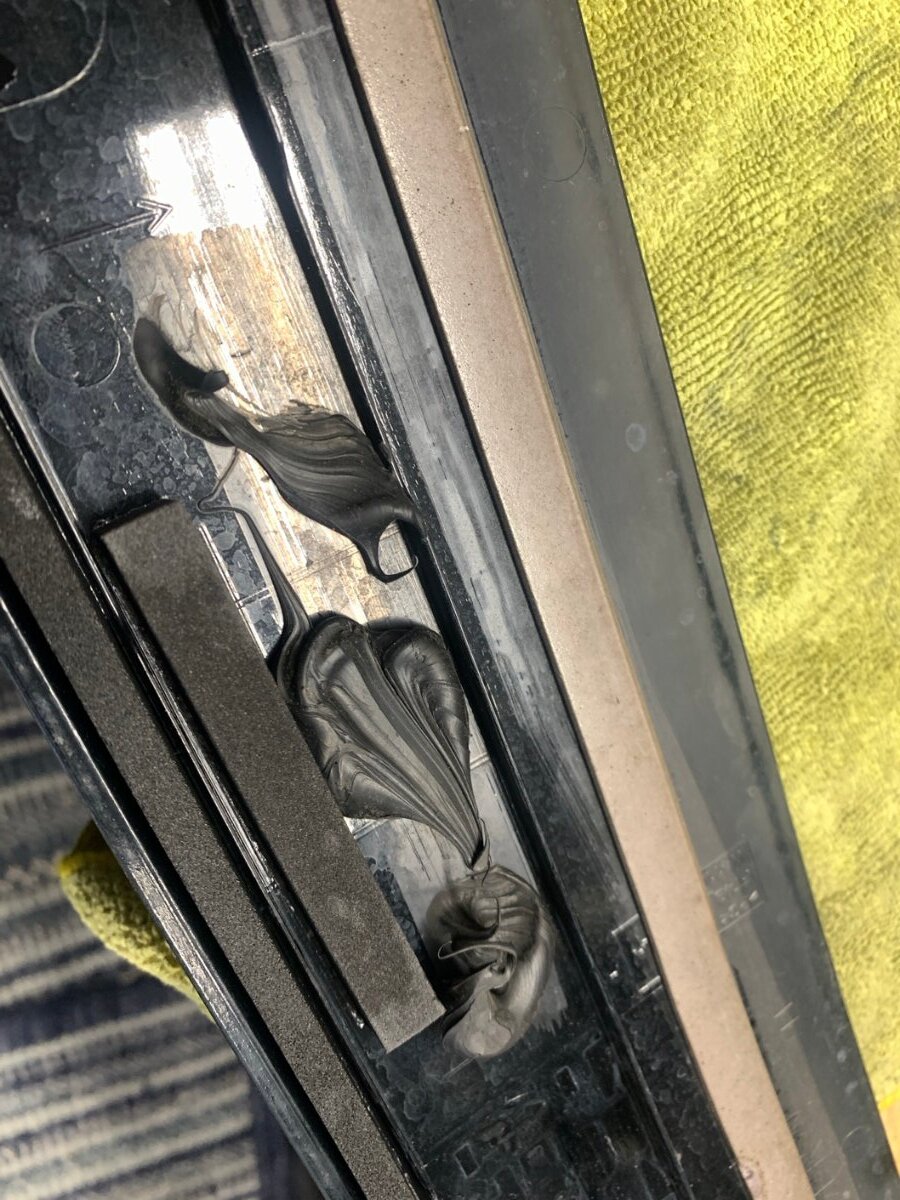
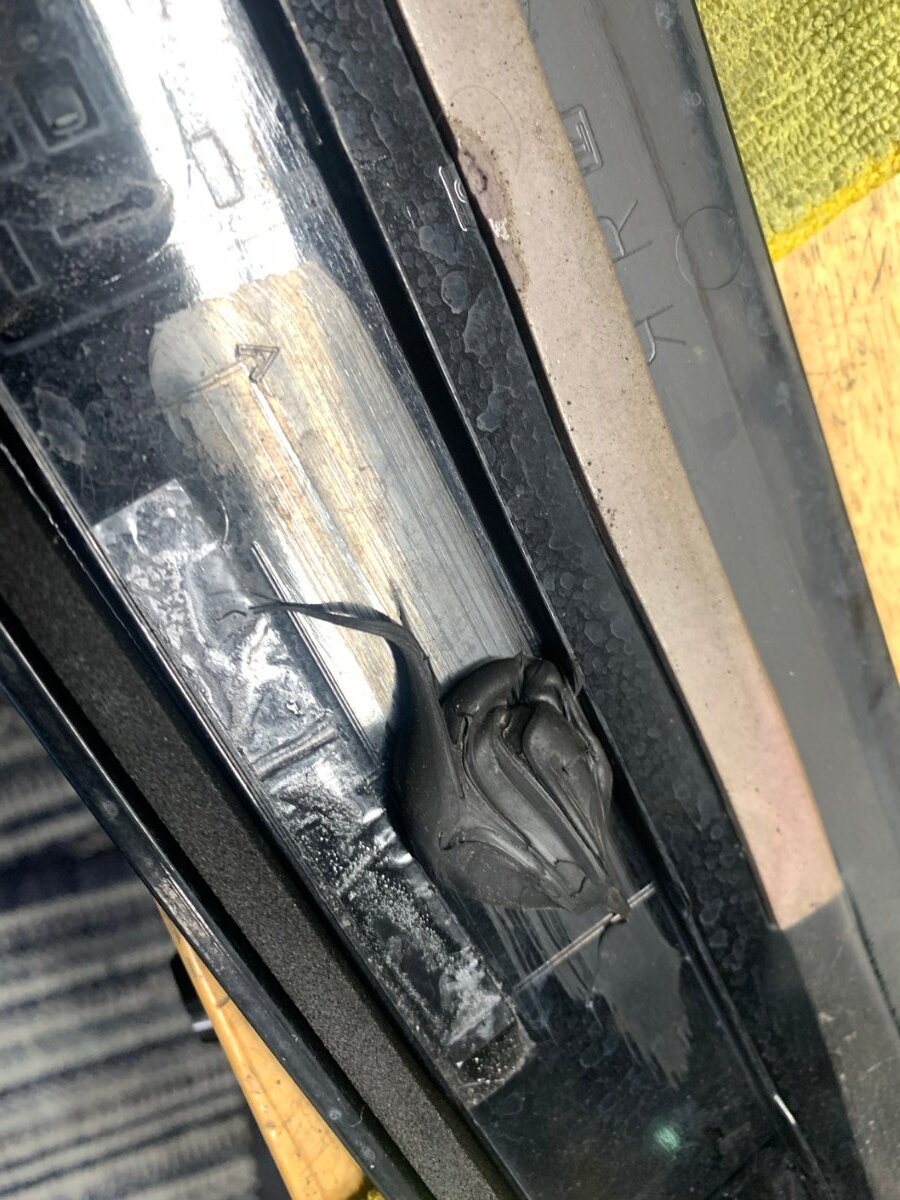
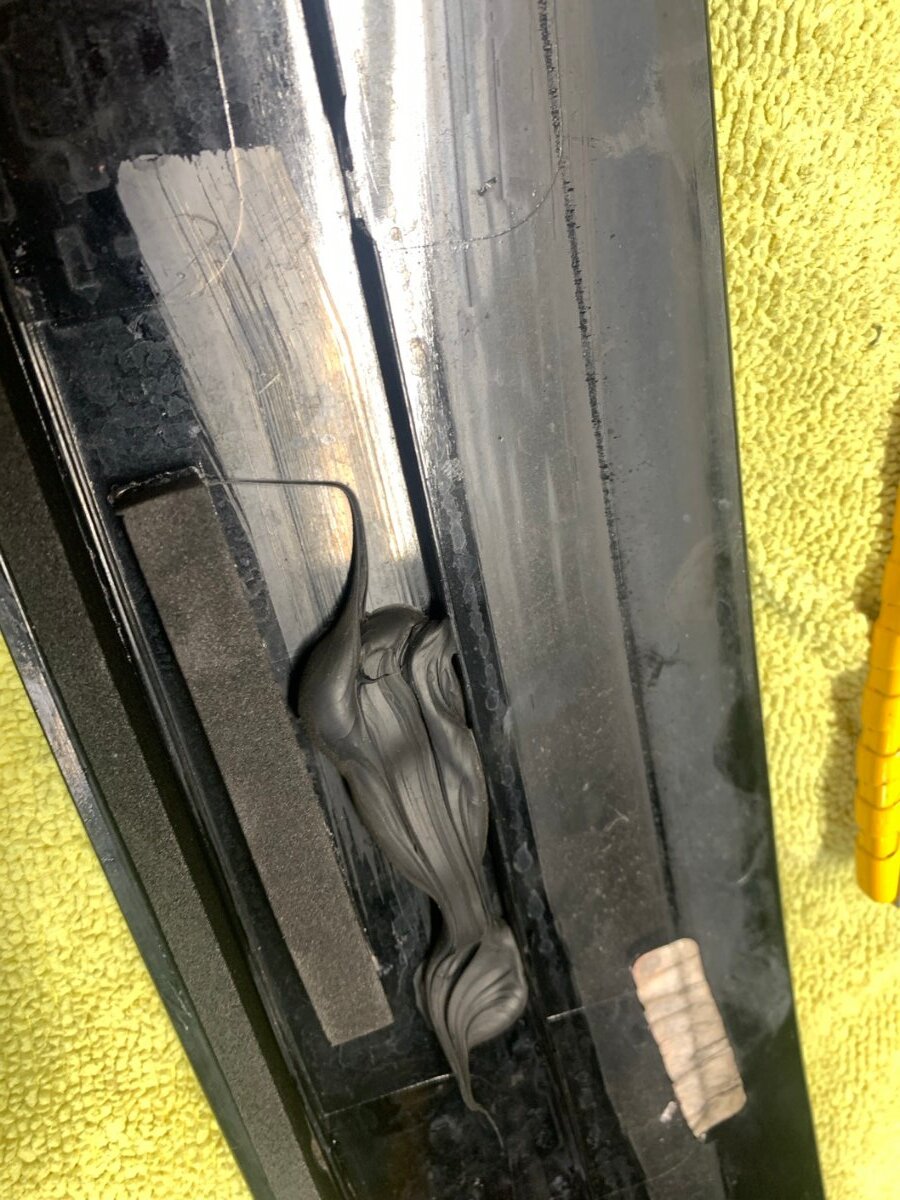
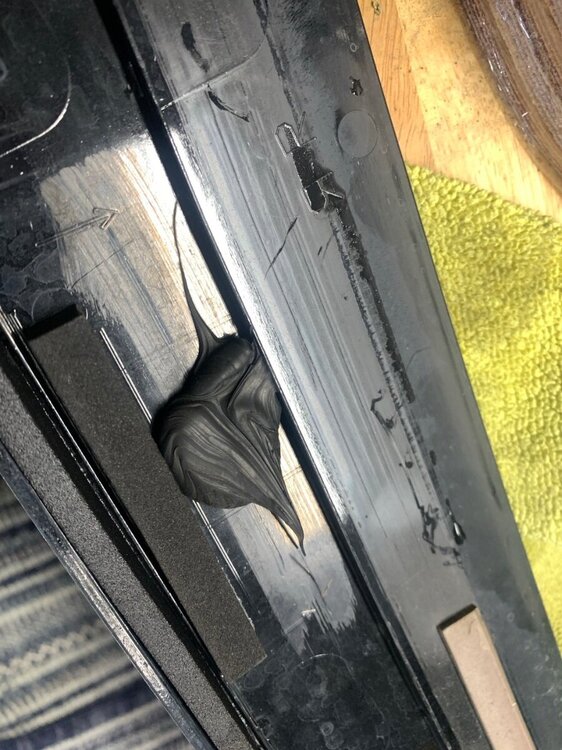
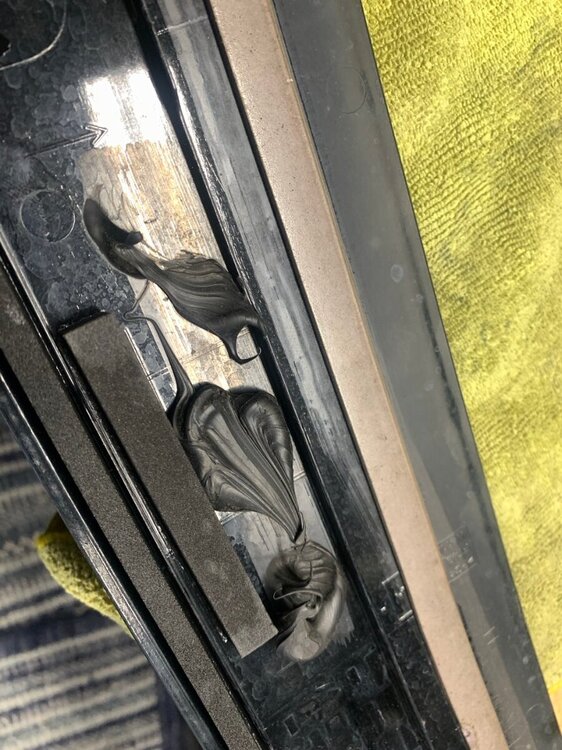
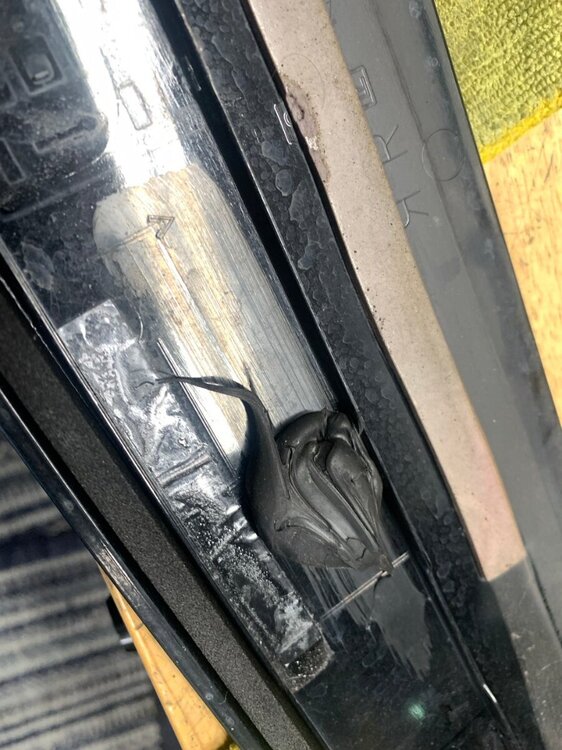
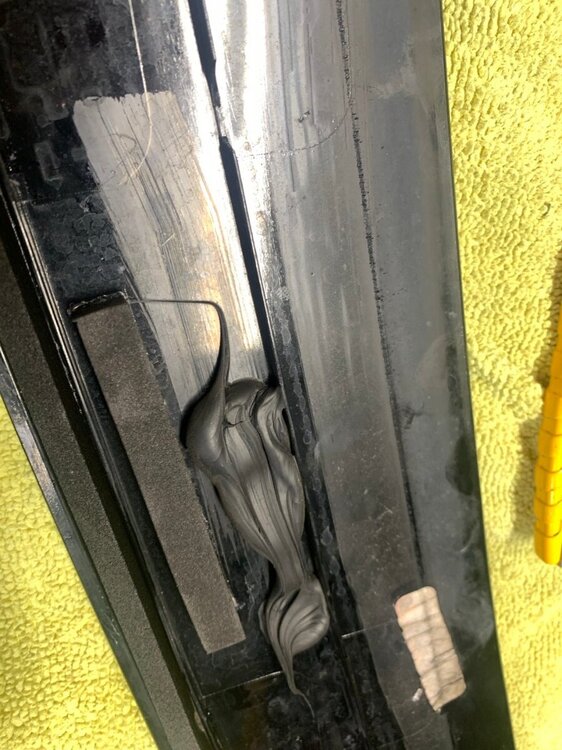
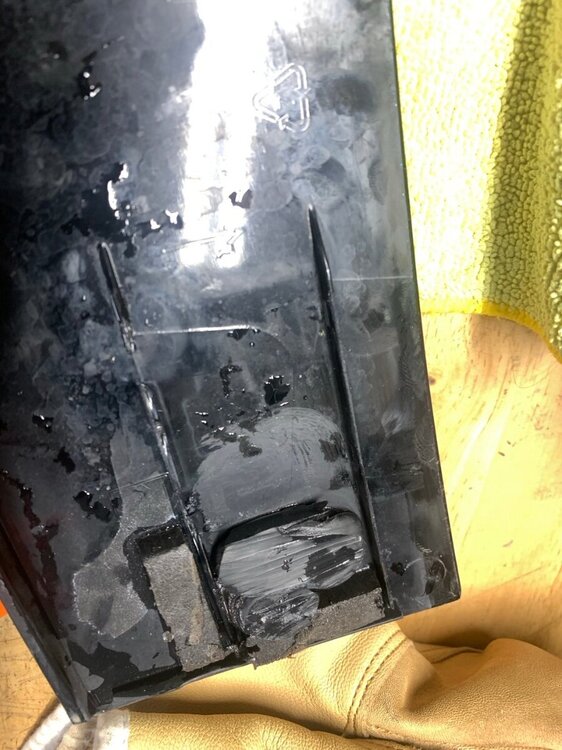
@Haz I put your instructions on the trim piece at the top of the windshield to good use today. I went through the car wash and the high pressure jets directed at the roof caused a major noise so I knew something has come adrift - pull over and the trim piece was holding on by just the far right side. I re-attached the far left white clip and drove home. At home I started removing it and found that it was only one spot of SikaFlex holding it from coming off. All the other spots of SikaFlex were not high enough to make contact with the trim piece and the body. I should received the tube of SikaFlex on Saturday and will check with my local Ford dealership if they have the white clips in stock, or it will be a wait for that. Not bike weather so I forced to use the car without that trim piece. This was obviously a bad installation from the assembly and the SafeLite just disturbed it during the install of the third windshield.
 3 points
 -
The new Livernois tune seems to shift pretty well. At least a lot better than stock.3 points
-
That was it. Something wasn’t programmed right. Now, all 12 of my parking sensors are beeping and working correctly.3 points
-
3 points
-
@bscott94 my Costco battery lasted about the length of the warranty and that's why I decided to go with the Everstart AGM. Edit: Gone are the days when Costco batteries were high quality with the best replacement warranty around.3 points
-
Do I need to remove the front bumper to replace the entire passenger side fog light assembly on a 2017 Ford Edge? Or how does one best replace the assembly? I removed the splash guard/ under carriage and still could not get to it. Thank you.3 points
-
We were beyond lucky to have this master mechanic work on this problem for us over the last month. He said it was the hardest thing he has ever had to figure out and resolve in his career. Also, we don't really ever put the car in sport-mode, but the noise was still present. Putting the car in sport-mode seemed to be a "cheat" to allow the mechanics to hear the noise better (and at all) as the noise didn't occur 100% of the time when hitting 2100 RPM. So it is false that it ONLY happened in sport-mode. The mechanic just forced the issue as it seemed to occur more often in sport-mode during his tests and stuck with that mode throughout the testing.3 points